
Best Drone Mapping Software in 2026: A Comprehensive Guide
December 31, 2025
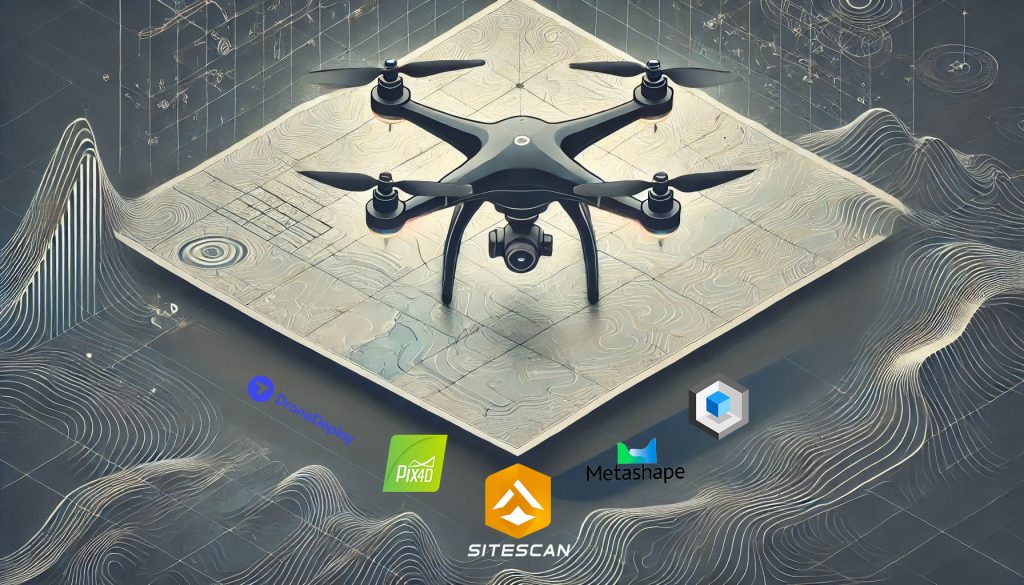
Drone mapping has become an indispensable tool for industries ranging from construction and agriculture to disaster response and government operations. The best drone mapping software can elevate your projects by producing accurate, detailed deliverables efficiently.
In this guide, we explore some of the best mapping software solutions available, highlighting their strengths and weaknesses to help you make an informed decision.
We truly believe that with the evolution of the drone mapping software world, ESRI’s Sitescan is the best cloud-based mapping software.
TL;DR – Best Drone Mapping Software by Use Case (2026)
Pix4D Mapper remains one of the most widely used drone mapping software platforms. It is often chosen for workflows where accuracy and processing control matter more than speed. The software exposes core photogrammetry steps while supporting a wide range of deliverables.
Pix4D Mapper produces orthomosaics, DSMs, and dense point clouds from a single workflow. Notably, it’s still the most accurate point cloud generator on the market, making it the go-to choice for precision mapping.
Pros:
Cons:
Take our Pix4d Mapper Mastery Class today.
DroneDeploy has established itself as a top-tier cloud-based mapping platform. It shines in producing orthomosaics and digital surface models. The platform offers a seamless online interface for data processing and collaboration.
However, its 3D modeling capabilities are more limited compared to desktop-based drone mapping software.
Pros:
Cons:
Take our Drone Deploy Class today.
Esri’s SiteScan software offers one of the most seamless workflows for 2D and 3D mapping. Its user-friendly platform excels in orthomosaics, 3D models, and data sharing. What sets SiteScan apart is its unique integration with the ArcGIS ecosystem. It enables direct movement of drone data into existing GIS environments, reducing workflow friction.
Its strength lies in data consistency and cross-department sharing, particularly in regulated environments.
Pros:
Cons:
RealityScan (Desktop), formerly RealityCapture, is Epic Games’ desktop photogrammetry software. It processes large image datasets quickly. It creates dense meshes and detailed textures from drone and ground-based images.
This software fits workflows that prioritize 3D model quality and speed. It focuses on mesh accuracy rather than traditional map outputs. Teams often use it for visualization and digital twin projects.
RealityScan (Desktop) integrates well with Epic’s 3D ecosystem. This includes Unreal Engine pipelines and real-time rendering workflows.
Pros:
Cons:
For large-scale projects, Pix4Dmatic offers a significant upgrade over Pix4Dmapper.
It is built to handle large datasets that exceed the practical limits of Pix4D Mapper. It processes wide areas more efficiently while maintaining output accuracy.
The software shows the most value in corridor projects and regional-scale mapping. It also improves textured mesh generation at scale.
Pros:
Cons:
Agisoft Metashape is an outstanding software for combining LiDAR and photogrammetric data to produce incredibly accurate 3D models. It is often used when projects require dense point clouds and complex data fusion.
Its ability to merge these datasets makes it ideal for industries requiring lifelike models with precise measurements.
Pros:
Cons:
When speed is essential, Pix4Dreact stands out as the fastest orthomosaic mapping software available. Designed for emergency response and time-sensitive applications, it quickly produces high-quality, actionable maps.
Pros:
Cons:
DJI Terra focuses on point cloud processing and editing. It integrates tightly with DJI hardware and includes niche tools such as water replacement.
However, its ties to Chinese manufacturing have led to restrictions, particularly for federal contracts in the U.S.
Pros:
Cons:
Choosing drone mapping software is not about features alone. You need to know how each platform fits your workflow. Some tools handle large datasets better. Others process faster in the cloud. A few integrate cleanly with GIS systems used by government teams.
| Software | Processing Type | Best Use Case | 3D Modeling | Government- Friendly |
| Esri Sitescan | Cloud | Government operations, GIS integration | Yes | Yes |
| Pix4D Mapper | Desktop | High-accuracy mapping, construction, and training | Yes | Yes |
| DroneDeploy | Cloud | Volumetrics, progress tracking | Limited | Partial |
| RealityScan | Desktop | High-detail 3D models | Excellent | Yes |
| Pix4Dmatic | Desktop | Large-scale mapping | Yes | Yes |
| Agisoft Metashape | Desktop | LiDAR and photogrammetry workflows | Excellent | Limited |
| Pix4Dreact | Cloud | Emergency response | No | Yes |
| DJI Terra | Desktop | Point cloud editing | Yes | No |
The top mapping software listed above covers the most widely used and reliable options, but several rising and alternative tools are also worth considering in 2026. Let’s explore these budget-friendly solutions and emerging technologies in the next section.
Several rising and alternative platforms expand mapping workflows in 2026. These tools address specialized needs, speed, and enterprise integration.
OpenDroneMap is an open-source photogrammetry toolkit that converts drone imagery into orthomosaics, point clouds, DEMs, and 3D models. WebODM provides a user-friendly interface for easier access. It is ideal for budget-conscious users, educators, researchers, and developers who need customizable mapping solutions.
Its main strength lies in its flexibility and cost-free nature.
Why consider it in 2026: It delivers professional-grade outputs without subscription costs. making it a practical alternative to commercial software.
WingtraCLOUD combines flight planning, data processing, and cloud collaboration. It excels in centralizing UAV operations and data management. Enterprise teams, construction companies, and infrastructure projects benefit the most from this platform.
Why consider it in 2026: As teams manage larger projects, WingtraCLOUD streamlines workflows and improves accessibility across multiple users.
UgCS provides advanced flight planning for photogrammetry and LiDAR missions, supporting terrain-aware automation and corridor mapping. LiDAR operators and professionals handling complex or large areas find it highly valuable. It supports complex mapping and large-area operations.
Why consider it in 2026: It ensures precise, reliable, and automated data capture for demanding projects.
DroneDesk integrates flight management, compliance tracking, project management, and mapping data delivery into one platform. It is especially useful for commercial drone service providers, construction managers, and large enterprise teams. The platform’s strength lies in supporting full operational workflows, reducing overhead, and improving accuracy.
Why consider it in 2026: It reduces operational overhead and improves workflow efficiency.
Propeller Aero and DatuBIM are cloud-based platforms that combine drone mapping with advanced analytics for construction, mining, and infrastructure monitoring. They generate actionable insights, measurements, and dashboards.
Why consider it in 2026: Growing demand for data-driven decision-making makes these platforms increasingly essential for professional operations.
AI-assisted and real-time mapping tools are emerging to automate photogrammetry, accelerate processing, and enable new workflows such as indoor 3D reconstruction. Teams exploring new workflows benefit from faster, smarter data processing.
Why consider it in 2026: They reduce processing time and enable automated mapping pipelines.
Drone mapping software continues to shape how teams capture, process, and deliver spatial data. The best drone mapping software is not defined by feature count. It is defined by how well it fits real workflows, data scale, and compliance needs.
Desktop platforms such as Pix4D Mapper, Pix4Dmatic, and RealityScan remain strong choices for high-accuracy mapping and detailed 3D modeling. They offer greater control over processing and handle complex datasets more reliably. These tools suit teams that prioritize output quality and repeatability.
Cloud-based drone mapping software such as DroneDeploy, Esri SiteScan, and Pix4Dreact focuses on speed, collaboration, and accessibility. These platforms reduce infrastructure overhead and support fast decision-making. They work best when turnaround time and data sharing matter more than deep processing control.
Workflow compatibility also matters as much as performance. Esri SiteScan stands out for GIS-driven environments. Pix4Dmatic excels at large-area mapping. RealityScan delivers the greatest visual detail for 3D models. No single platform fits every use case.
As the industry evolves, teams that match software capabilities to real-world workflows produce better results, reduce rework, and scale with confidence.
The best software depends on your workflow. Pix4D Mapper and DroneDeploy work well for general-purpose mapping, RealityCapture excels at high-detail 3D modeling, and WingtraCLOUD or Propeller Aero are ideal for teams looking for cloud-based collaboration and analytics.
Pix4Dreact, DroneDeploy, and WebODM offer simple interfaces and quick map generation. They minimize setup steps while still producing orthomosaics and basic 3D outputs, making them ideal for first-time users or smaller projects.
Yes. Pix4D Matic, WingtraCLOUD, and Propeller Aero process multiple datasets efficiently and support cloud workflows. These platforms are designed for large-scale operations, ensuring fast results without compromising accuracy.
Choose software based on project needs. Consider the types of outputs (orthomosaics, 3D models, point clouds), speed requirements, and team collaboration. Comparing core tools like Pix4D Mapper, Agisoft Metashape, and emerging platforms like OpenDroneMap helps match software to your workflow.
 2
2


Add Your Comment