
RTK vs Non-RTK Drones: Accuracy, Cost & When Precision Matters

June 30, 2026
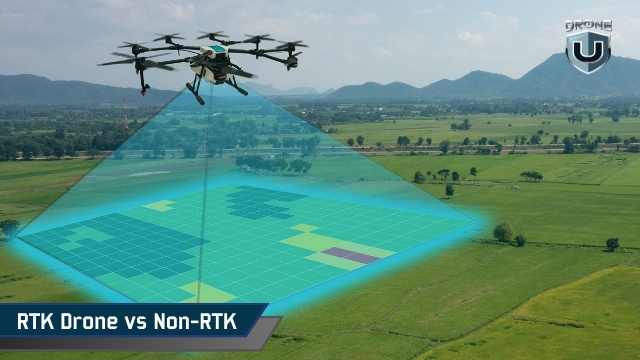
Quick Answer: RTK vs Non-RTK DronesRTK drones give centimeter-level accuracy (2 to 3 cm) using live correction signals during flight. They cost more and need a connectivity link, but save time on large or repeat mapping projects. Non-RTK drones give meter-level accuracy (1 to 3 m) using standard GPS. They cost less and work anywhere, but need ground control points for high-accuracy results. Choose RTK if: you map large sites, repeat flights often, or need data to align with GIS layers. Choose non-RTK if: you do one-off projects, visual documentation, or work in areas with poor connectivity. |
| Aspect | RTK Drone | Non-RTK Drone |
| Typical accuracy | 2 to 3 cm | 1 to 3 meters |
| Live correction needed | Yes | No |
| Best for | Large or repeat mapping | One-off or visual projects |
| Setup effort | Moderate | Low |
Many manufacturers treat RTK drones as the line between basic mapping and professional work. But that’s not the full story. Some teams fly RTK drones and still rely on ground references to fix errors. Others use non-RTK drones and meet their accuracy needs without issue.
The difference isn’t the drone’s label. It’s how accuracy affects your risk, costs, and workflow.
In this article, we’ll explore how an RTK drone compares to a non-RTK drone in real-world accuracy, total cost, and day-to-day effort. You’ll also learn when RTK truly matters, and when it adds complexity without clear returns.
Before deciding whether an RTK drone suits your work, you need clear definitions. GPS, RTK, non-RTK, and PPK are often conflated on product pages and during sales calls. Let’s start by understanding the differences between these key terms.
Confusing GPS, RTK, non-RTK, and PPK can lead to errors in mapping and GIS workflows. Here’s what each term means.
A standard non-RTK drone relies on standard GNSS (Global Navigation Satellite System) positioning. This technology relies on the same satellite system your phone or car uses. In open conditions, it typically achieves an accuracy of 1–3 meters. That works for basic mapping, but small errors add up across large sites. Maps can shift, surfaces can warp, and datasets can become misaligned over time.
High-accuracy mapping does not mean perfection. It means your positional errors stay small enough for repeatable measurements, clean overlays, and reliable change detection. In most GIS or photogrammetry projects, this translates to centimeter-level precision.
An RTK drone uses live correction data while it flies. A reference station on the ground, or a regional correction network, measures satellite errors in real time. It sends those corrections to the drone, which applies them immediately. When the connection is stable, image positions land within a few centimeters.
A non-RTK drone does not receive live corrections. It records image positions using only onboard GNSS. That does not make it unsuitable for professional mapping. It simply means accuracy depends more on post-flight processing. With well-placed ground references, you can achieve strong GIS-ready results. Without them, your positions usually stay at meter-level accuracy, especially near trees, buildings, or uneven terrain.
PPK works similarly to RTK, but applies corrections post-flight. The drone logs raw satellite data, which you later correct using a reference station. This method handles signal loss better. Many teams log PPK even when flying RTK drones, as a backup and for flexibility.
An RTK drone improves the accuracy of your images’ georeferencing. It does not fix poor flight planning, low image overlap, or inconsistent processing settings. A non-RTK drone can still deliver great maps if you manage your workflow carefully. Understanding this distinction makes it easier to determine whether RTK is relevant for your projects.
Next, let’s explore how RTK drones actually work in practice and why they improve accuracy in mapping workflows.
RTK improves accuracy by correcting satellite errors in real time. To see why that matters, you need to understand where GNSS error comes from and how RTK removes it in real time.
Satellite signals travel thousands of kilometers before they reach your drone. Along the way, they pass through the atmosphere and bounce off terrain and structures. This introduces small timing errors.
A standard GNSS receiver cannot measure such errors in real time. It estimates the position anyway and records it.
Those small errors may seem minor. But across hundreds or thousands of images, they stack up. That’s why maps drift, elevations wobble, and repeat flights fail to align cleanly.
RTK is designed to reduce that drift at the source.
An RTK setup has three core parts:
The reference source sits at a known location. Because its position is fixed, it can measure the satellite signal offset at that moment. It sends those corrections to the drone as it flies.
RTK applies corrections instantly. Each image gets tagged with a corrected position at the moment of capture.
This affects how your mapping software behaves going forward. When image positions start closer to reality, the software does less guessing during alignment. Large sites stay consistent. Adjacent flights line up more easily. Repeat datasets show less drift.
RTK does not eliminate processing. It improves the quality of material entering the processing line.
RTK depends on a live correction link. If the correction link is lost due to terrain, interference, or network issues, the drone reverts to standard GNSS positioning. Accuracy degrades until the connection returns.
This does not always ruin a flight, but it introduces risk. That’s why many experienced teams log raw GNSS data simultaneously. If real-time corrections fail, post-flight correction can often recover accuracy.
RTK works best when it is paired with a backup plan.
RTK improves positional accuracy. It does not fix poor overlap, motion blur, sloppy processing settings, or inconsistent camera calibration. If your flight design or processing workflow is weak, RTK will not save the dataset. It tightens positioning. It does not mask workflow problems.
Think of RTK as a precision tool. It sharpens good workflows and exposes weak ones.
Next, let’s understand how positioning works when you fly without real-time corrections and why many teams still rely on it.
A non-RTK drone relies on standard GNSS positioning with no live corrections during flight. The drone listens to satellite signals, calculates its position, and tags each image based on that estimate. This process is simple and reliable, which is why non-RTK systems are still widely used. But this simplicity is both its strength and its limitation.
When you fly a non-RTK drone, the aircraft calculates its position using satellite timing alone. It does not know how much the signal is drifting at that moment. It records the position anyway.
Each image gets tagged with that estimate. Processing software then tries to align all images based on overlap and geometry. The final map looks correct internally, but its real-world position can shift.
This is why non-RTK workflows often deliver strong internal consistency but weaker absolute alignment.
In open conditions, non-RTK GNSS usually delivers one to three meters of positional accuracy. That range holds when the sky view is clear, and the flight is clean.
Accuracy drops when conditions change. Trees, buildings, terrain variation, and reflective surfaces introduce additional errors, which can compound across a full dataset.
You end up with results that have shifted orthomosaics, soft edges in surface models, and elevation values that don’t align cleanly between flights. The issue is not random noise. It’s an uncorrected drift.
Many mapping tasks do not need centimeter precision. If your goal is visibility, documentation, or overall site understanding, meter-level accuracy works.
This includes visual inspections, progress snapshots, planning context, and marketing & communication maps. In these cases, non-RTK keeps things fast. You launch flights quickly, process data with minimal effort, and deliver results without extra setup or dependencies.
When accuracy does not change the decision, simpler workflows win.
You can improve non-RTK accuracy by adding ground reference points during processing. These points tie your map to known locations and reduce overall drift.
With good placement and careful processing, non-RTK workflows can approach RTK-level results. The tradeoff is effort.
You spend more time placing markers, measuring positions, and managing those references across flights. For small sites, this is manageable. For large or repeat sites, it becomes a bottleneck.
Non-RTK drones persist because they are predictable. They have fewer dependencies and fewer failure points in the field. You do not need a correction network. You do not depend on connectivity.
For teams with limited budgets, simple deliverables, or infrequent mapping needs, non-RTK remains a practical choice.
The key is clarity. When you understand its limits and design your workflow around them, non-RTK delivers exactly what it promises.
Now, let’s compare how RTK and non-RTK differ once you look at real map accuracy
Accuracy is the main reason people consider an RTK drone. But mapping accuracy is not a single number. It’s the result of how positions are captured, corrected, and aligned across the entire workflow.
An RTK drone improves accuracy in real-time as each image is captured. It applies corrections in real time, so images start closer to their true location.
A non-RTK drone records positions first and improves them later during processing.
That difference matters. When image positions move closer to reality, processing software does less guesswork. Alignment improves. Large areas stay consistent. Repeat datasets line up more easily.
Final map quality still depends on flight planning and processing choices, but RTK gives you a cleaner starting point.
Relative accuracy describes how consistent measurements are inside a map. Distances, areas, and volumes scale correctly.
Absolute accuracy refers to how well the map aligns with real-world coordinates and GIS layers.
Non-RTK drones often deliver strong relative accuracy. That’s why many maps look correct even when they shift slightly in space.
RTK drones improve absolute accuracy. They reduce that shift. This matters when your data must align with existing layers or remain consistent over time.
In open conditions with stable corrections, an RTK drone typically delivers:
This level of precision supports most high-accuracy mapping workflows. It reduces manual alignment and speeds up delivery.
Accuracy still depends on signal quality. When satellite visibility or corrections degrade, accuracy declines as well. RTK improves consistency. It does not remove environmental limits.
Without reference points, non-RTK workflows often show meter-level shifts in absolute position.
With well-placed ground references, non-RTK accuracy can approach RTK results. The cost is time. You spend more effort in the field and more time validating results during processing.
Non-RTK workflows work best when:
RTK reduces dependence on ground references. It does not remove the need for validation.
Teams still use limited reference points when:
RTK reduces the number of points required. It does not eliminate the need for confidence checks.
Here’s how the differences show up in practice:
|
Aspect |
RTK Drone |
Non-RTK Drone |
| Image position accuracy | Corrected in real time | Corrected during processing |
| Typical absolute accuracy | Centimeter-level (conditions permitting) | Meter-level without references |
| Relative accuracy | High | High |
| Role of reference points | Validation and alignment | Required for high accuracy |
| Repeat dataset alignment | Reliable | Requires alignment effort |
| Field setup effort | Moderate | Low |
This accuracy gap becomes clearer when you look at the best mapping drones available today.
RTK does not make maps “better” by default. It makes them more predictable.
If your workflow depends on consistent positioning, fast turnaround, or precise GIS alignment, an RTK drone can change outcomes. If your projects tolerate small shifts and slower processing, non-RTK can still deliver value.
Accuracy only matters when it changes decisions.
The biggest difference between an RTK drone and a non-RTK drone is not accuracy on paper. It’s where the work happens.
| Workflow Stage | RTK Drone Workflow | Non-RTK Drone Workflow |
| Pre-flight setup | You connect to a reference station or correction network before flying. Setup takes a bit more care but sets accuracy early. | You can launch quickly with minimal setup since there’s no correction link to manage. |
| In-flight behavior | The drone applies position corrections in real time and tags each image with high-accuracy coordinates. | The drone records image positions using standard GNSS with no live correction. |
| Dependency during flight | Relies on a stable correction link. If the link drops, accuracy can degrade until it reconnects. | Fewer in-flight dependencies. GNSS behavior is predictable, even in weak connectivity areas. |
| Post-processing effort | Processing is usually faster. Imagery aligns more cleanly with GIS layers, with less manual adjustment. | Processing is more labor-intensive, especially when aiming for higher accuracy using ground references. |
| Use of ground references | Reduced but not eliminated. Often used sparingly as checks rather than dense control. | Strongly relied on for high-accuracy mapping and consistent alignment. |
| Repeat mapping and change detection | High repeatability. Datasets align well across multiple flights with minimal drift. | Repeatability depends heavily on consistent placement and management of the ground reference. |
| Best suited for | Frequent mapping, large sites, and GIS alignment. | One-off projects, visual mapping, documentation, and lower-cost workflows. |
Next, let’s break down what usually decides the purchase, i.e., what you pay up front and what the workflow costs you over time.
When teams compare an RTK drone to a non-RTK drone, they often stop at the price tag.
That’s a mistake. RTK changes where you spend money, not just how much you spend. To make a clear decision, you need to look at hardware, operations, and labor together.
An RTK drone costs more to buy. You pay for higher-end GNSS hardware and, in some cases, a dedicated reference station. Even when the base station is optional, the RTK version of a drone almost always carries a premium.
A non-RTK drone has a lower entry cost. You can start mapping with less investment and fewer accessories. For new teams or occasional projects, that lower barrier matters.
Most RTK workflows depend on correction networks. If you connect to a regional network, you usually pay a recurring subscription fee. Costs vary by provider and location, but they add up over time.
Running your own reference station avoids subscription fees but requires setup, calibration, and maintenance.
Non-RTK workflows avoid these costs entirely. There is no correction service to manage and no dependency on connectivity.
This is where RTK often recovers its cost.
RTK reduces the time spent placing ground references and fixing alignment during processing. Over repeated projects, those time savings compound. Fewer field hours and cleaner processing cycles lower total effort.
Non-RTK workflows often shift cost into labor. You spend more time in the field and more time validating datasets. For small jobs, this is manageable. For large or recurring work, labor quietly becomes the highest cost.
RTK does not remove the need for skill. It changes it. You need to understand the fix status, correction sources, and failure modes. Once that knowledge is routine, daily operations become smoother.
Non-RTK workflows require strong discipline in reference management and processing. If that discipline slips, accuracy suffers. Both approaches require expertise. They just concentrate it in different places.
If you map large areas, revisit sites frequently, or rely on clean GIS alignment, RTK can lower long-term cost despite higher upfront spend. If your work is occasional, visual, or time-insensitive, non-RTK may remain the more cost-effective option.
Now let’s explore the limitations of an RTK drone.
RTK solves specific accuracy problems. When those problems don’t exist, RTK adds cost and complexity without improving outcomes. These are the scenarios where an RTK drone usually does not pay off.
RTK depends on clean satellite visibility and a stable correction link.
Dense trees, tall structures, metal surfaces, and uneven terrain degrade signal quality.
When corrections drop or satellite geometry weakens, an RTK drone behaves like a standard GNSS platform. You still carry the RTK cost, but you lose the benefit.
In these environments, post-flight correction often delivers more consistent results.
Not every map needs centimeter precision.
If your outputs support planning, visualization, or general context, ±5–10 cm accuracy rarely changes decisions. RTK tightens the numbers, but the outcome remains the same.
Accuracy matters only when it changes how data is used.
RTK pays off over time, not in isolation.
For one-off jobs or short campaigns, the cost of RTK hardware, subscriptions, and setup often outweighs the efficiency gains. If you fly infrequently, simpler workflows reduce overhead and risk.
RTK needs live corrections.
Large BVLOS missions or remote sites often lack reliable connectivity. When connections drop, RTK loses its advantage. Logging raw GNSS data and correcting it later becomes the safer option.
RTK also performs best where infrastructure is in place.
In short, the technology is valuable when the risk of picking up errors is high and not tolerated by the project’s requirements. It adds little when workflows already meet requirements. Knowing the difference saves time and money.
Now, let’s move past theory and look at how RTK fits into real-world operations.
Most teams no longer treat the RTK drone as a premium upgrade. They treat it as a workflow tool. The focus shifts from owning RTK hardware to controlling accuracy risk across projects.
Teams use RTK to anchor image positions early. This reduces drift and improves consistency across large or repeated datasets.
They do not assume RTK alone guarantees accuracy. Instead, they design workflows that remain stable even if corrections drop briefly. RTK improves starting conditions. It does not replace validation.
Most professional teams log raw GNSS data even when flying an RTK drone.
If real-time corrections fail, post-flight corrections can recover accuracy. If corrections remain stable, the logged data becomes insurance instead of a requirement.
This approach eliminates single points of failure and preserves accuracy under changing conditions.
Experienced teams place a small number of reference points only when needed to validate absolute alignment, tie datasets into existing GIS layers, and reduce risk on high-impact deliverables.
RTK handles most positional control. Reference points provide confidence, not correction.
Workflows start with one question: what decision will this map support?
If the output feeds change tracking, consistency matters more than perfect absolute alignment. If it feeds GIS integration, positional control becomes critical.
Teams adjust flight design and processing choices before they change hardware.
RTK drones reduce turnaround time when workflows are tuned correctly. Teams optimize for cleaner alignment and fewer manual adjustments.
They still document correction sources, fix status, and processing settings. Accuracy only matters when you can explain it.
To put it simply, RTK is no longer a premium feature. It’s a productivity tool.
The real benefit is fewer surprises, less rework, and more consistent outcomes across projects.
That’s why experienced teams don’t debate RTK vs non-RTK. They design workflows that make RTK useful when it matters and invisible when it doesn’t.
An RTK drone is not required to produce good maps. It is a tool for reducing uncertainty.
If your work depends on fast turnaround, clean GIS alignment, and consistent positioning across large sites or repeat flights, an RTK drone is a strong choice. It simplifies workflows, reduces rework, and improves the predictability of the results. That matters when accuracy affects decisions, cost, or accountability.
If your projects allow positional tolerance, flexible timelines, or manual correction, a non-RTK drone can still deliver strong results. In many cases, the final map looks the same to the end user. The difference shows up behind the scenes in time and effort.
The real question is not whether RTK is better. It’s whether accuracy problems cost you time, money, or confidence today.
Experienced teams don’t buy RTK drones for the numbers. They adopt them to control outcomes. They design workflows first, then choose the drone that supports them.
Choose the workflow. Then select the RTK or non-RTK drone that fits it.
Explore DroneU Membership and learn how experienced teams actually use RTK drones.
 2
2