
Drone Accuracy Explained (2026): GPS vs RTK vs PPK for Mapping & Inspections
March 17, 2026
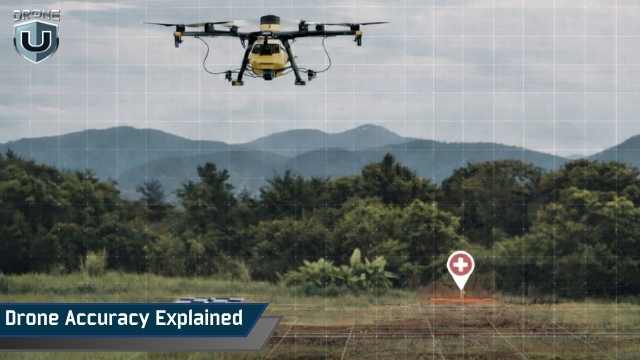
What Are RTK, PPK, and Standard GPS in Drone Mapping?Standard GPS Standard GPS provides drone positioning accuracy of 1–3 meters horizontally and 2–5 meters vertically. It relies on satellite signals alone with no correction data. Suitable only for recreational or low-precision commercial flights — not professional mapping or survey-grade deliverables. RTK — Real-Time Kinematic RTK (Real-Time Kinematic) applies GNSS correction data to the drone during flight via a live link to a base station or NTRIP network, achieving 1–3 cm horizontal and 2–5 cm vertical accuracy. Corrections happen instantly, but the system is sensitive to signal interruptions and weak satellite geometry. PPK — Post-Processed Kinematic PPK (Post-Processed Kinematic) logs raw GNSS data during flight and applies corrections after landing using base station logs. It delivers similar accuracy to RTK (1–3 cm horizontal, 2–5 cm vertical) but is more resilient to signal dropouts and often produces more consistent results across large or obstructed sites. Mapping Accuracy — the key insight Accuracy is not a feature of your drone. It’s the outcome of your entire workflow. RTK or PPK improves your starting position, but final accuracy depends on flight geometry, image overlap, processing settings, GCP use, and independent checkpoint validation. |
Ever wondered why drone data that looks accurate still fails alignment checks, elevation comparisons, or client reviews?
Drones capture cleaner imagery and record better positioning data than ever before. Yet teams still face misaligned maps, unstable elevations, and datasets that fall apart when accuracy is tested. The problem isn’t the technology. It’s how drone accuracy is defined, measured, and validated.
Drone accuracy isn’t a feature you switch on. It’s an outcome shaped by flight design, processing choices, and how results are checked against real-world references. When these elements don’t align, even high-precision data creates rework and doubt.
In this article, we’ll explore what causes drone accuracy errors, why common assumptions fail, and how to check your maps and inspection results. We’ll also learn when drone accuracy matters and how to evaluate it correctly.
Let’s get started.
Here’s a complete table with every relevant dimension compared side-by-side, including accuracy, cost, workflow fit, and failure modes.
| DIMENSION | STANDARD GPS | RTK (REAL-TIME KINEMATIC) | PPK (POST-PROCESSED KINEMATIC) |
| Horizontal Accuracy | 1 to 3 m | 1 to 3 cm | 1 to 3 cm |
| Vertical Accuracy | 2 to 5 m | 2 to 5 cm | 2 to 5 cm |
| Correction Timing | None | Real-time, during flight | Post-flight, during processing |
| Signal Dependency | None required | Continuous live link needed | No live link. Logs raw data |
| Signal Dropout Resilience | N/A | Vulnerable — fix can be lost | High — corrected in post |
| Base Station Required | No | Yes (or NTRIP network) | Yes (logs synced after flight) |
| GCPs Still Needed? | Yes, always | Recommended for validation | Recommended for validation |
| Best For | Visual inspection, basic photography | Construction, corridor, real-time QC | Remote sites, large areas, GIS deliverables |
| Typical Workflow Risk | High drift and offset | Fix status overconfidence | Base log sync errors |
| Hardware Cost Tier | Low | High | Medium to high |
| Processing Complexity | Low | Medium | Higher. Post-processing step |
| Guarantees Accuracy? | No | No. Validation is still required. | No. Validation is still required. |
Drone accuracy is about confidence. It tells you how close your data is to the real world and how much you can trust it for decisions. It is not a spec-sheet number. It reflects the choices made throughout a project.
Accuracy measures how well your drone data matches real-world positions. In contrast, precision measures how consistent your measurements are within your dataset. You can have a precise map that aligns internally but is offset from reality. Understanding this difference determines how you plan, capture, and validate every project.
Software can be helpful, but it doesn’t tell the whole story. Alignment scores and error values show image fit, but don’t confirm true accuracy. Checking against known reference points ensures confidence in your results.
Positioning systems help, but flight planning, image overlap, camera settings, and processing choices all affect accuracy. Developing this skill ensures maps and inspections are consistent, reliable, and trustworthy.
Ultimately, drone accuracy is a skill you develop. The more you plan, capture, and validate intentionally, the more consistent and reliable your results will be.
Next, let’s understand which type of accuracy your project actually depends on.
Not all accuracy is the same. In mapping and inspections, we distinguish between relative accuracy and absolute accuracy. Understanding the difference helps you focus on what impacts your results.
Relative accuracy measures how consistent your measurements are within the same dataset. Distances, areas, and volumes between points in your map are correct relative to each other.
This type of accuracy is critical for monitoring changes over time, such as cut-and-fill calculations, construction progress, or repeat inspections. Even if the map is slightly shifted in real-world coordinates, relative accuracy ensures your internal measurements are reliable.
Absolute accuracy measures how well your map aligns with real-world coordinates. This matters when your map needs to match existing GIS layers, survey data, or legal boundaries.
A map can have excellent relative accuracy and still be offset on the ground. When data integration or client deliverables matter, absolute accuracy becomes essential.
Choosing Which Accuracy Matters:If your data is used internally, relative accuracy is usually sufficient. If your deliverables must integrate with other systems or meet survey-grade tolerances, prioritize absolute accuracy and validate it with checkpoints. |
Once you know which type of accuracy matters, the next issue is where errors occur. In drone mapping, elevation is usually the problem. Let’s explore this in the next section.
Most discussions of drone accuracy focus on horizontal position, i.e., latitude and longitude. In mapping and inspections, vertical accuracy is usually harder to control. Small elevation errors can affect volumes, slopes, and measurements even when horizontal alignment looks correct.
Horizontal accuracy measures how close your points are to their true positions on the X and Y axes. In mapping, this affects how well features like roads, buildings, and site boundaries line up.
Horizontal accuracy is easier to achieve because GNSS positioning and image alignment handle X and Y data more consistently.
Vertical accuracy measures height along the Z-axis. It directly affects surface models, volume calculations, and elevation-based inspections. Vertical errors often come from inconsistent flight altitude, insufficient overlap on slopes, and GNSS limitations that affect elevation more than position.
A map can look perfectly aligned and still contain elevation errors. These errors can distort surface models, skew volume results, and lead to incorrect inspection measurements.
Vertical errors add up quickly. A few centimeters of elevation drift may be acceptable in visual inspection maps, but it can break cut-and-fill calculations, stockpile volumes, or surface change analysis.
Improving vertical accuracy requires deliberate planning and validation at every stage of the workflow.
Next, let’s examine how the drone determines its position during flight, as this directly affects vertical accuracy.
Many assume drone accuracy comes from GPS, Real-Time Kinematic (RTK), or Post-Processed Kinematic (PPK) alone. These systems matter, but they are only one part of the workflow.
RTK applies GNSS corrections in real time during a flight, for immediate centimeter-level positioning, but depends on an uninterrupted correction link.
PPK logs raw GNSS data during the mission and applies corrections after, making it more resilient to signal drops and often has more consistent results.
Your final map or inspection model depends on how you plan the flight, capture images, and process the data.
How you fly a site has a direct impact on accuracy. Straight, evenly spaced flight lines with consistent overlap help images align correctly.
Inconsistent altitude, high speed, or irregular terrain introduce errors that positioning systems cannot fully correct. Good flight planning improves both horizontal and vertical reliability.
High image overlap is critical. Strong front-to-back and side-to-side overlap helps software align images, fill gaps, and reduce errors in complex terrain. In mapping and inspections, this improves measurement consistency.
Camera behavior also affects accuracy. Shutter speed, lens distortion, and stabilization all affect how images capture real-world features. Even small motion blur or calibration errors can propagate through the model, reducing confidence in both horizontal and vertical measurements. Choosing the right camera settings is as important as the positioning system itself.
Accuracy is finalized during processing. Image alignment choices, control point use, and model generation settings shape the output. Correct processing prevents small errors from compounding and helps data align with real-world coordinates.
By controlling all these factors together, you create maps and inspection models that are reliable, consistent, and defensible. GPS, RTK, and PPK strengthen positioning, but accuracy depends on the entire workflow.
For a deeper comparison of positioning options, see our guide on RTK vs Non-RTK Drones (2026): Accuracy, Cost & When RTK Actually Matters.
Even with advanced positioning systems, corrected data can still contain errors that only show up when you validate results in real projects.
RTK and PPK are often treated as accuracy guarantees. You fly with corrections, process the data, and expect perfect results. Yet many teams still fail validation checks, struggle with GIS alignment, or face stakeholder questions. Corrected data can still be confidently wrong.
RTK and PPK reduce error at image capture, but don’t prevent drift across a project. As datasets grow or terrain changes, small positional offsets accumulate. The map may look internally consistent, yet the entire dataset can shift relative to real-world coordinates. This often only becomes apparent when comparing to GIS layers or past datasets.
Correction quality depends on satellite geometry. Low satellite counts, weak configurations, or partial sky obstruction reduce effectiveness. RTK is more sensitive to these conditions due to its reliance on a continuous real-time link for corrections. PPK collects raw GNSS data with correction relegated to post-production, giving it improved recovery from dropouts or weak geometry.
A fixed RTK solution or successful PPK processing only confirms that corrections were applied. It does not guarantee real-world accuracy. Relying on fix status alone creates false confidence and encourages skipping validation.
Elevation is more sensitive to timing and geometry errors than horizontal positioning. RTK and PPK improve vertical accuracy, but bias can remain. Surfaces may look smooth while volumes, slopes, and elevation-based inspections drift from reality.
Internally consistent data is not the same as accurate data. RTK- and PPK-corrected datasets can align perfectly with themselves and still miss the real-world truth. Independent checks are essential to confirm accuracy.
RTK and PPK reduce uncertainty and improve starting conditions, but accuracy must still be proven through validation, not assumed.
Next, let’s look at how ground control and checkpoints work together to anchor data and prove accuracy in real projects.
Ground control points (GCPs) and checkpoints are not the same. Confusing the two is one of the fastest ways teams convince themselves their data is accurate, when it hasn’t actually been validated.
GCPs are used to anchor a dataset. They influence how the model is positioned during processing. When you add ground control, you are telling the software where the map should sit in real-world coordinates.
This improves alignment and reduces drift, especially when positioning data alone isn’t sufficient. Because GCPs actively shape the solution, you cannot prove accuracy. You are adjusting the answer as you build it.
Checkpoints exist for one purpose: validation. They are measured locations not used in processing. Instead, they test how well the final dataset matches reality. Independent checkpoints reveal true accuracy. If the model misses them, your dataset is less accurate than it appears, regardless of clean visuals or correction data.
Adding more ground control often hides problems instead of fixing them. Dense control can force alignment while masking systemic errors like drift, vertical bias, or poor satellite geometry. A few well-placed checkpoints provide better insight into real accuracy than a large number of control points.
RMS error shows how well the model fits the points used during processing. If those points are GCPs, RMS mainly shows how closely the software followed instructions—not how accurate the data is. Only independent checkpoints provide validation.
A common mistake: RTK or PPK data looks clean, GCPs are added, RMS drops, and the project is declared accurate. No checkpoints are checked. Accuracy was never tested.
Ground control positions data; checkpoints prove it. When these roles are clear, accuracy becomes measurable and defensible, not assumed.
Next, let’s examine how accuracy expectations change for mapping vs inspections.
Accuracy means different things depending on how the data will be used. Disputes often arise because teams apply mapping standards to inspections, or inspection standards to mapping. The data isn’t wrong; the expectation is.
In mapping, accuracy is about how well the dataset aligns with the real world. The goal is correct position, scale, and clean integration with GIS layers. Absolute accuracy matters because the map must fit into an existing spatial framework.
Small shifts break workflows. Boundaries don’t line up. Measurements don’t match existing data. Change detection becomes unreliable. In mapping, accuracy is judged by how well the data fits into the existing GIS context.
Inspections focus on repeatability. The priority isn’t perfect global alignment, but consistent results across time. Can this inspection be compared to the last one? Do features line up from flight to flight?
Relative accuracy is more important here. If measurements remain consistent within the dataset and across repeat inspections, the data supports decisions—even if slightly offset in real-world coordinates.
Problems arise when teams judge inspection data using mapping tolerances or approve mapping outputs using inspection-style consistency checks. The workflow may be sound, but the evaluation criteria are wrong.
Accuracy disputes disappear when expectations match the use case. Mapping workflows demand alignment and scale. Inspection workflows demand consistency. When teams separate these goals, accuracy becomes clearer and easier to defend.
Next, let’s examine how to read accuracy reports so they reflect real-world results, not just workflow metrics.
Accuracy reports look authoritative. They have numbers, charts, and confidence-inspiring labels. Yet disputes often start when someone assumes the report proves something it does not.
RMS error measures how closely the model fits the reference points used during processing. Because those points influence the solution, a low RMS often reflects agreement with inputs and not true real-world accuracy. Independent checkpoints, not used in processing, must be compared to the final input to validate the real accuracy.
Residuals show how far individual reference points deviate from the model. They are useful for spotting outliers, but they don’t describe global accuracy.
A dataset can have small residuals and still be shifted, tilted, or vertically biased. Residuals reveal local behavior, not overall correctness.
Most accuracy reports summarize internal consistency. They describe how well images align with each other and with the points used in processing.
What they don’t show is how the data compares to external references. Without checkpoints or trusted GIS layers, reports describe confidence, not validation.
Processing software is designed to optimize results. It minimizes visible error and smooths inconsistencies. Clean workflows can produce excellent-looking reports, even if the dataset is subtly misaligned in real-world coordinates.
Accuracy reports are diagnostic tools. They help you understand model behavior, identify weak areas, and compare processing runs. They are not proof of real-world accuracy.
Accuracy becomes defensible only when report metrics align with independent validation. Until then, the numbers describe performance inside the workflow.
Drone accuracy isn’t something you buy; it’s something you design, verify, and defend. Hardware, sensors, and corrections like RTK or PPK are tools. They help, but they don’t replace thoughtful planning, proper flight design, or independent validation.
True accuracy comes from how you capture, process, and check your data. Well-placed checkpoints, careful error analysis, and clear communication about results make your outputs reliable. Focus on workflow first, and the numbers naturally follow.
Accuracy isn’t a feature on a spec sheet. It’s a disciplined, repeatable process that teams control from start to finish.
| New to Drone Mapping? Start with the Foundations.
Drone U’s Beginner Starter Pack covers mapping workflows, accuracy principles, flight planning, and your first data deliverable, structured for results from day one. |
| Drone Mapping Guide | Complete overview of mapping, workflows, software, and deliverables |
| RTK vs Non-RTK Drones | When RTK actually matters and when it doesn’t justify the cost |
| How to Set Ground Control Points | Placement strategy for maximum accuracy in construction mapping |
| Beginner Mapping Starter Pack | Everything a new mapping pilot needs, bundled and structured |
| Advanced Mapping Courses | Pix4D, LiDAR, volumetrics, and survey-grade mapping workflows |
| All-Access Membership | Unlimited access to every mapping, inspection, and Part 107 course |
 1
1