
Part 107 Waiver Guide 2026: How to Apply in the FAA Aviation Safety Hub
October 23, 2026
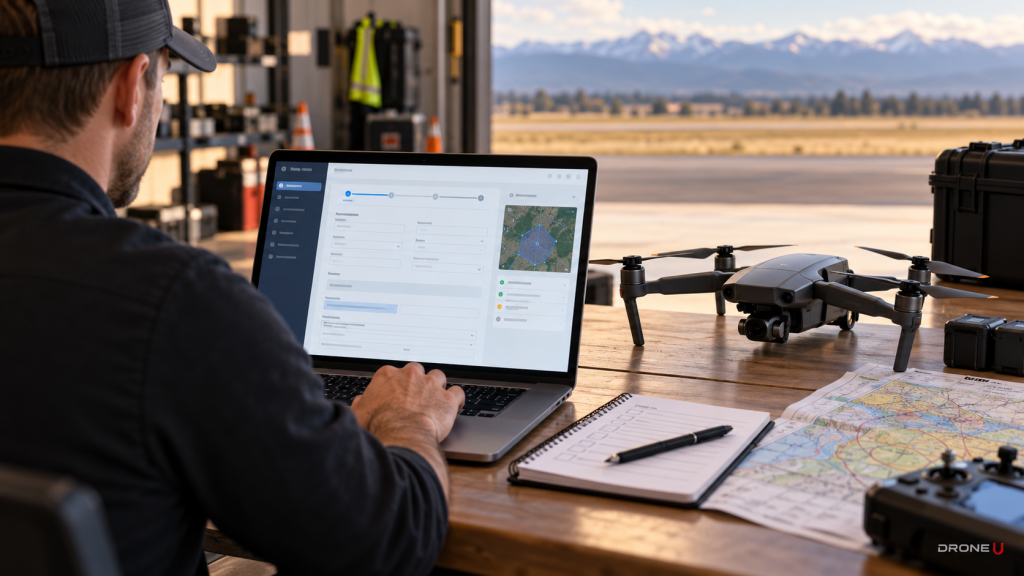
If you’ve applied for a Part 107 waiver before, the process has changed. The FAA has moved Part 107 operational waiver applications out of FAADroneZone and into a system called the Aviation Safety Hub (AVS Hub). Airspace authorizations did not move. This guide explains what a waiver is, which rules can be waived, and how to submit a strong application in the new system, screen by screen.
The FAA’s Part 107 waivers page spells out the split:
The FAA’s September 2026 order for processing drone requests, JO 7200.23E, confirms that all operational waivers are submitted through the AVS Hub.
This trips up a lot of pilots. If you want to fly in Class B, C, D or surface-area Class E airspace, you need an airspace authorization through LAANC or DroneZone. If you want to break one of Part 107’s operating rules, such as flying beyond line of sight or above 400 feet, you need a waiver through the AVS Hub. Some operations need both. For example, a BVLOS inspection inside Class D needs a 107.31 waiver plus an authorization, and the FAA can tie the two together.
A waiver is an official FAA document approving specific operations outside a Part 107 limitation. You earn one by showing the FAA you can still fly safely using other methods. Sections the FAA order lists as waivable include:
Routine night flying no longer needs a waiver. Under 14 CFR 107.29, Part 107 pilots can fly at night with anti-collision lighting visible for at least 3 statute miles and current knowledge or training. If your waiver involves twilight or night for another reason, the FAA says you must explain how you’ll manage the extra risk, or you may be limited to daylight. See How to Fly at Night Without a Waiver.
The FAA’s Aviation Safety Hub External User Guide lays out the process.
Sign in or register using the option in the upper right of the portal. From the home page, choose Request a Waiver and then Part 107 Operational Waiver, or click Apply Now on the Part 107 waivers card. Read the Application Overview, then click Begin Application to create a draft. You can use Save for Later at any point.
Choose whether you’re applying as an individual or for an organization linked to your account. Confirm the Responsible Party’s name, phone, mailing address and email. Then pick your operator type: Public Safety Organization, Drone Light Show Operator, Agricultural Operator or Other. You’ll also say whether you’re an FAA Industry Partner.
This is where most of the detail goes:
Select the specific sections you want waived. Only ask for what you need. Extra sections invite extra questions.
For each waived section, explain the hazards and how you’ll mitigate them. Attach procedures, training records, maps and equipment specs.
After you submit, the FAA aims to decide within 90 days. If it needs more information, you’ll get an AVS Hub status email and must log in to answer. If you don’t respond within 30 days, the application is canceled and you have to start over.
Weak: “We want to fly BVLOS for inspections around the state. We will be careful and use an experienced pilot.”
Strong: “Pipeline inspection along a 12-mile corridor (map attached), below 200 feet AGL, in Class G airspace over sparsely populated land. The pilot monitors an ADS-B In receiver and holds the aircraft or descends if crewed traffic comes within 2 miles. Lost link triggers a programmed return along the corridor. Crew completes the attached training syllabus. Flights run in daylight with at least 3 statute miles visibility.”
The strong version tells the FAA exactly where, how high, how you’ll see traffic, what happens when something fails and who is trained. That’s what reviewers look for.
A waiver builds on solid Part 107 knowledge. If you aren’t certified yet, start with the Drone U Part 107 course. Public safety teams should also read our DFR BVLOS waiver and Part 108 guide, and everyone benefits from our airspace classes guide.
In the FAA’s Aviation Safety Hub. FAADroneZone still handles airspace authorizations and waivers that were already submitted there.
The FAA aims to decide within 90 days and recommends a start date at least 90 days after you apply.
Your requested end date can be up to 48 months after the start date.
Not for routine night operations. Part 107 allows night flight with anti-collision lighting visible for 3 statute miles and current training.
If you don’t respond within 30 days, the FAA cancels the application and you have to resubmit.
No. LAANC and DroneZone authorizations grant access to controlled airspace. A waiver lets you deviate from a Part 107 operating rule.
Yes. In the Aviation Safety Hub you can apply as an individual or on behalf of an organization tied to your account, and name a Responsible Party.
Whether you are flying for work, for public safety or for the love of it, it starts with knowing the rules. The Drone U Part 107 course covers every topic on the FAA knowledge test, including airspace, sectional charts, weather, regulations and operations, with lessons from working commercial pilots and practice questions built around how the FAA actually tests. Start the Part 107 course today.
 0
0