
Fixed Wing Drones: 6 Best Fixed-Wing UAVs [2025]
I still remember the first time I watched a fixed-wing drone glide silently over a vineyard. It was like a glimpse into the future. In minutes, that lightweight aircraft mapped the entire field with pinpoint accuracy, a job that used to take hours with traditional equipment.
Fixed-wing drones, with their airplane-like design, transform how we survey land, monitor crops, and explore remote areas.
Unlike quadcopters that hover and pivot, these fixed-wing UAVs are built for long-range missions, speed, and efficiency.
In this article, we’ll explore six of the most impressive fixed-wing drones, from professional-grade mapping machines to rugged, field-ready fliers.
Before we dive into our top picks, let’s understand what makes fixed-wing drones different.
What are Fixed Wing Drones?
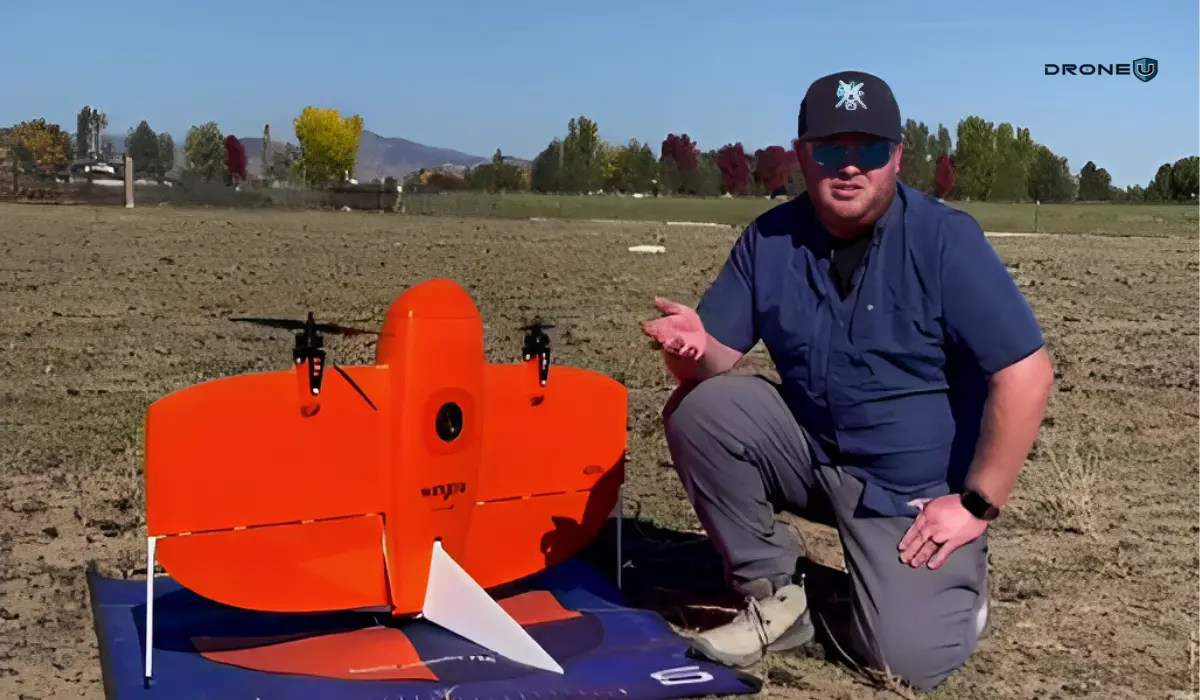
Fixed wing drones, as the name suggests, have a fixed-wing structure, like an airplane, as opposed to the rotary blades seen in quadcopters.
Instead of hovering, fixed-wing drones generate lift by moving forward, making them exceptionally efficient for long-range and high-altitude flights.
Because of this design, fixed-wing UAVs typically offer longer flight times, greater coverage per battery charge, and higher cruising speeds than their multi-rotor counterparts.
This makes them ideal for applications like mapping large areas, surveying agricultural land, or conducting search-and-rescue operations.
Let’s understand the difference between fixed-wing and rotary-wing drones.
Fixed-Wing UAV vs Rotary Wing Drone
Fixed-wing UAVs and rotary-wing drones (like quadcopters) are built for completely different jobs. Each has its strengths. Each has its trade-offs. And choosing the right one comes down to what you’re trying to accomplish.
Here’s a side-by-side breakdown to help you make a confident call:
| Feature | Fixed-Wing Drone | Rotary-Wing Drone (Quadcopter) |
| Flight Time | 60-120 minutes (more efficient) | 20–30 minutes (limited by power draw) |
| Maneuverability | Requires forward motion; can’t hover | Can hover, rotate, and fly in tight spaces |
| Payload Capacity | Usually high, suited for mapping gear | Moderate; limited by power and space |
| Launch/Recovery | Needs space to take off and land | Vertical takeoff/landing; fly from anywhere |
| Ease of Use | Steeper learning curve | Easier for beginners |
| Best For | Mapping, surveying, agriculture, and long-range missions | Photography, inspections, and indoor flights |
Use a Fixed-Wing Drone When…
- You’re mapping large areas like farmland, forests, or mine sites
- You need endurance flights that last around 60 minutes
- You want full autonomy for long-range missions
- You’re working in open areas where takeoff/landing isn’t a problem
Example: Surveying 500 acres of farmland with minimal battery swaps.
Use a Rotary-Wing Drone When…
- You need to hover, circle, or fly low and slow
- You’re capturing video footage or real estate photography
- You’re inspecting infrastructure like towers, roofs, or bridges
- You’re flying in tight urban or indoor environments
Example: Shooting a cinematic flyover of a building or inspecting a roof up close.
Let’s discover the top 6 fixed-wing drones.
6 Best Fixed Wing Drones with Cameras
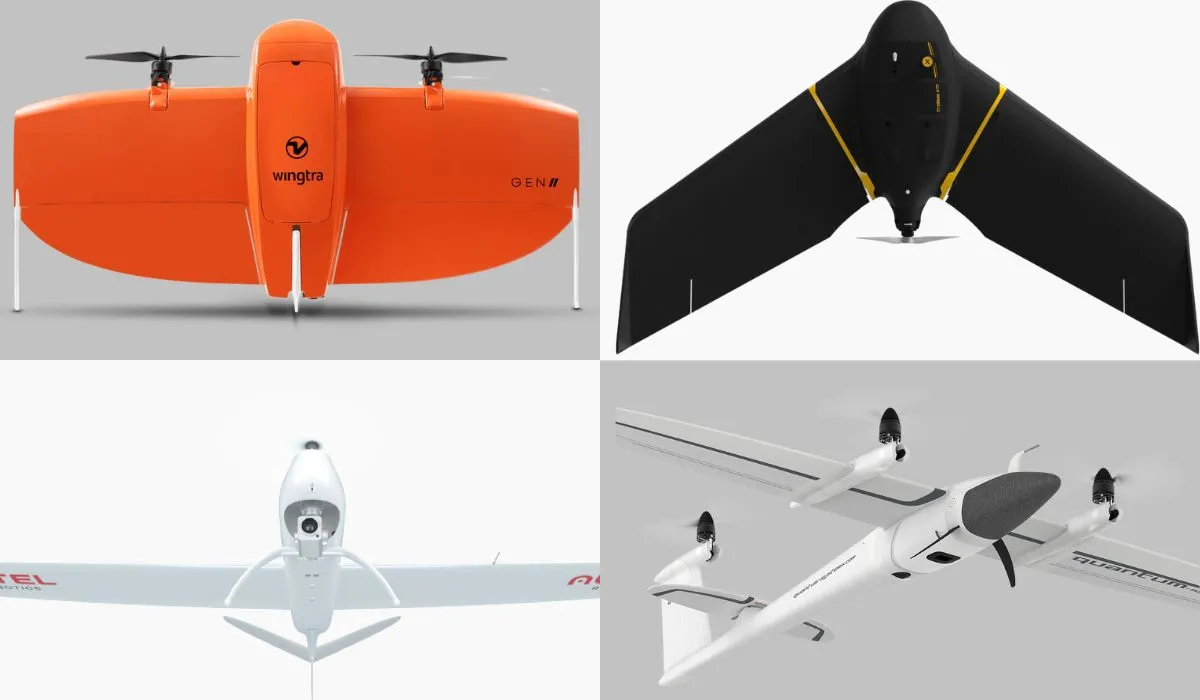
To provide you with a quick overview, here are the names of the best 6 fixed-wing drones with cameras:
- Wingtra One Gen II: The Mapping Maverick
- Trinity F90+: The Endurance Expert
- JOUAV CW-25E: Long Endurance
- eBee X: The Reputable Rival
- Autel Dragonfish Pro: The Endurance Extraordinaire
- Bramore C4 Eye: The Unrivaled King
1. Wingtra One Gen II
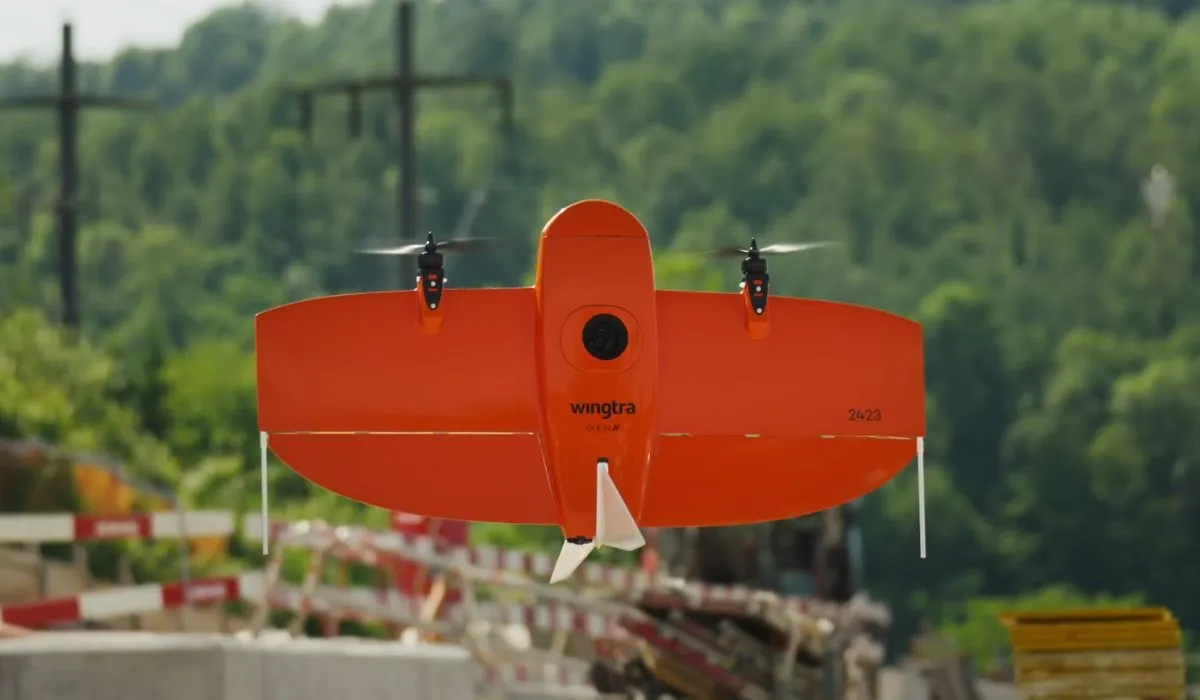
First up in our airborne showcase is the NDAA approved – Wingtra One Gen II.
If you’re in the business of mapping, this is the drone that dreams are made of. Not only does it carry a full-frame camera, but it also boasts the Wingtra Hub software.
What’s the fuss, you ask?
Well, this software allows drone pilots to geo-tag their photos with an almost obsessive level of precision using PPK (Post-Processed Kinematic) positioning.
With this aerial wizardry, the Wingtra One Gen II becomes the Usain Bolt of drones when you pair it with Pix4D React software.
The result?
Lightning-fast creation of geo-referenced orthomosaics. Mapping has never been this breezy.
But wait, there’s more!
This drone is equipped with a range of payloads to cater to your mapping needs, from multispectral to the latest addition, the lidar system.
However, we’d advise you to steer clear of the oblique camera – it’s like putting a fancy hat on a tuxedo-wearing penguin.
Now, let’s get down to the nitty-gritty specs.
Features of Wingtra One Gen II
| Feature | Wingtra One Gen II |
| Weight | 3.7 kg (8.1 lb) |
| Max. payload weight | 800 g (1.8 lb) |
| Wingspan | 125 cm (4.1 ft) |
| Battery capacity | Two 99 Wh batteries |
| Radio link | Bi-directional 10 km (6 mi) in direct line of sight |
| Flight planning & mission control software | WingtraPilot |
| Flight speed | 16 m/s (35.8 mph) |
| Maximum flight time | Up to 59 min |
| Min. space for take-off and landing | 2 m × 2 m (6.6 ft × 6.6 ft) |
| Temperature range | -10 to +40 °C (14 to 104 °F) |
| Weather resistance | IP54, not recommended to fly in fog, rain, and snow. |
| Transmission Distance | 10 Kilometers |
Thanks to the newest partnership, we can help users acquire the Wingtra One Gen 2 and get a discount on our mapping class with their purchase. Email me: [email protected].
2. Trinity F90+
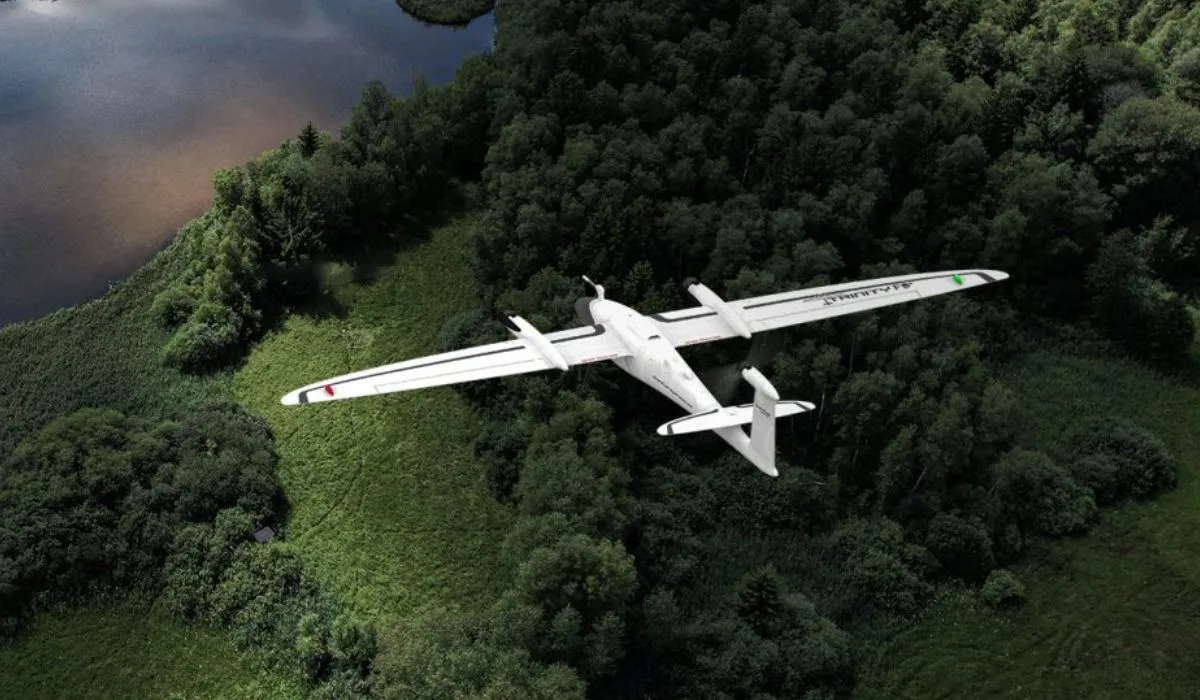
If this drone were a marathon runner, it would be sipping its victory smoothie while others are still tying their shoelaces. It’s like the Energizer Bunny of the drone world.
But the F90+ doesn’t just go the distance; it also offers a respectable 15-kilometer range for those who like their horizons wide open.
When it comes to covering vast areas, the Trinity F90+ flexes its muscles in comparison to classic multicopters and other fixed wing drones.
Its significantly longer flight time allows it to cover up to 20 times larger areas, making it the go-to choice for those who need to map extensive landscapes.
With a flight time exceeding 90 minutes and the most extensive range of payload options available, the Trinity F90+ stands tall among its peers. It comes equipped with PPK (Post-Processed Kinematic) technology, supported by the Quantum-System iBase Ground Reference Station powered by u-blox, ensuring pinpoint accuracy in every mission.
But it doesn’t stop there; this drone offers RGB and multispectral dual payload options, making it adaptable to various surveying and mapping needs.
The Trinity F90+ also boasts powerful motors, providing reserves of performance in all situations, so you can conquer challenging conditions with ease.
With Live Air Traffic (ADS-B) and QBase Mission Planning, you’re in full control of your flights, ensuring safety and efficiency.
The 2.4 GHz telemetry with a range of up to 7.5 kilometers keeps you connected with your drone at all times. Plus, the optional ADS-B Mode-S out further enhances your situational awareness and safety.
When it comes to mapping and surveying vast landscapes, the Trinity F90+ is the ace up your sleeve. Its extraordinary flight time and robust features make it the top choice for high-end commercial clients who demand precision, endurance, and reliability.
So, whether you’re mapping acres of farmland or miles of terrain, the Trinity F90+ is your trusted partner in the skies.
Features of Trinity F90+
| Feature | Trinity F90+ |
| Weight | 5.5 kg (12.13 lbs) |
| Max. payload weight | 700 g (1.5 lb) |
| Wingspan | 2.394 m (7.85 ft) |
| Battery capacity | Two 100 Wh batteries |
| Flight planning & mission control software | QBase 3D |
| Flight speed | 17 m/s |
| Wind resistance | Max sustained wind: 12 m/s Max wind gusts: 18 m/s |
| Maximum flight time | 90 min (subject to export regulation) |
| Min. space for take-off and landing | 3 m × 3 m (9.8 ft × 9.8 ft) |
| Temperature range | -12 °C to 50 °C (10.4 °F to 122 °F) |
3. JOUAV CW-25E
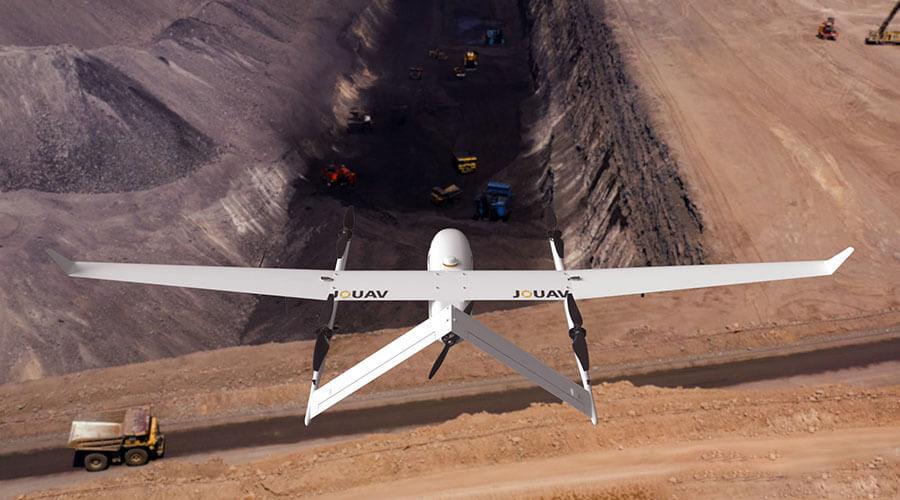
JOUAV’s CW series is another strong contender, known for its versatility and affordability compared to some other VTOL options.
Its CW-25E is a long-endurance electric fixed-wing VTOL drone. It boasts a long flight time, with estimates ranging from 150 minutes to 210 minutes depending on the payload. This allows it to cover large areas and complete missions without needing to recharge or refuel as often.
With a service ceiling of up to 6,000 meters, the CW-25E can operate at high altitudes, which can be useful for tasks like aerial surveillance, search and rescue in mountainous areas, and meteorological data collection.
Overall, the CW-25E seems like a capable fixed-wing drone that offers a good combination of long flight time, high altitude capability, versatility, ease of use, and durability.
Features of JOUAV CW-25E
| Feature | JOUAV CW-25E |
| Max Flight Time | 210 minutes |
| Cruising Speed | 70km/h |
| Max Service Ceiling | 6000m |
| Max Payload | 6kg |
| GPS | Yes |
| Anti-vibration Capability | Yes |
| Auto-Return | Yes |
4. SenseFly eBee X
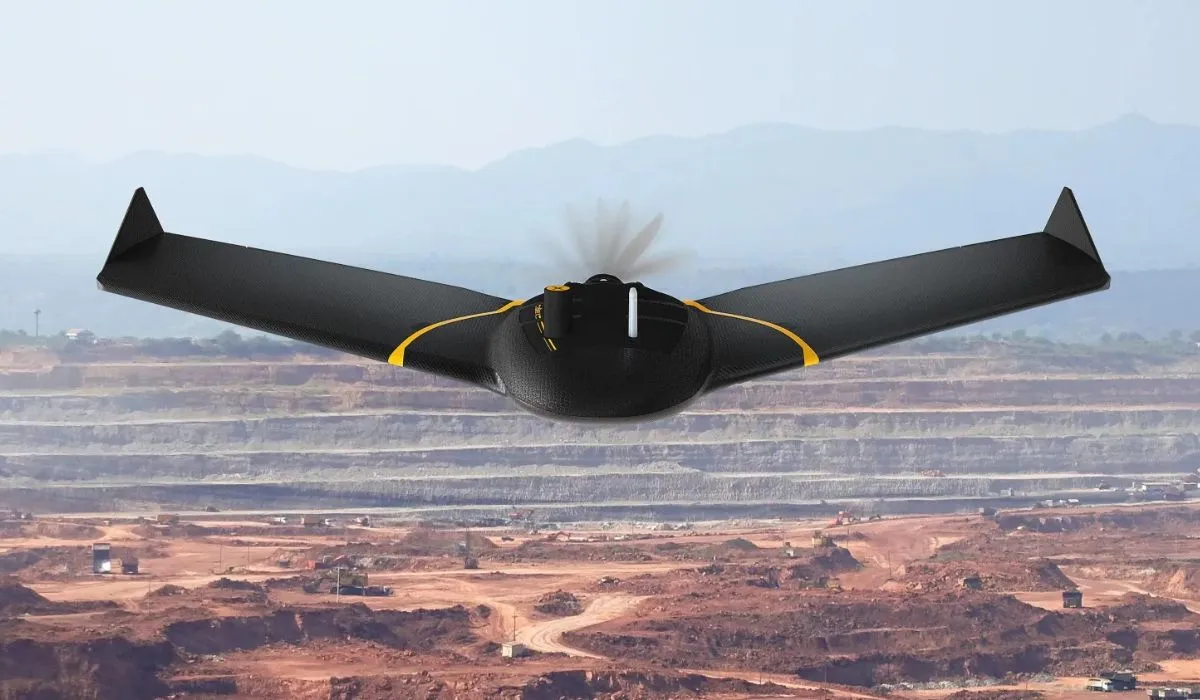
Before the Wingtra stole the spotlight, the eBee X was the darling of the mapping world. It’s still a force to be reckoned with, flaunting a 90-minute flight time that’s just as impressive as its younger competitors.
The NDAA-approved Sensefly eBee X, undoubtedly one of the most popular fixed-wing drones on the market, has earned its reputation as an agricultural mapping workhorse.
But here’s the kicker – it’s not exactly the prom queen when it comes to flying and landing. The eBee X can be a bit on the awkward side, requiring a deft hand and plenty of space to gracefully touch down.
However, its popularity speaks for itself.
With a choice of six different payloads, this drone makes agricultural mapping a breeze. The SenseFly eBee X is well-equipped to meet the precise demands of any project. Its unique Endurance Extension pushes the envelope, offering a staggering maximum flight time of 90 minutes, allowing you to cover vast expanses of up to 1,235 acres at 400 feet AGL.
The eBee X offers a 10-kilometer range, making it the drone equivalent of a seasoned road-tripper who knows all the shortcuts.
Additional RTK activation lets you achieve pinpoint accuracy down to 3 centimeters (1.2 inches), all without the need for Ground Control Points.
It might not win any elegance contests in the air, but it gets the job done with precision and reliability.
Features of SenseFly eBee X
| Feature | SenseFly eBee X |
| Weight | 2.3 kg (5.07 lb) |
| Max. payload weight | 1.4 kg (3.09 lb) |
| Wingspan | 1.68 m (5.51 ft) |
| Battery capacity | Two 80 Wh batteries |
| Flight planning & mission control software | eMotion 3 |
| Tablet supplied | Rugged Samsung Galaxy Tab Active 3 |
| Flight speed | 18 m/s (37.8 mph) |
| Maximum flight time | Up to 90 min |
| Min. space for take-off and landing | 10 m × 10 m (33 ft × 33 ft) |
| Temperature range | -10 °C to +40 °C (14 °F to 104 °F) |
5. Autel Dragonfish Pro
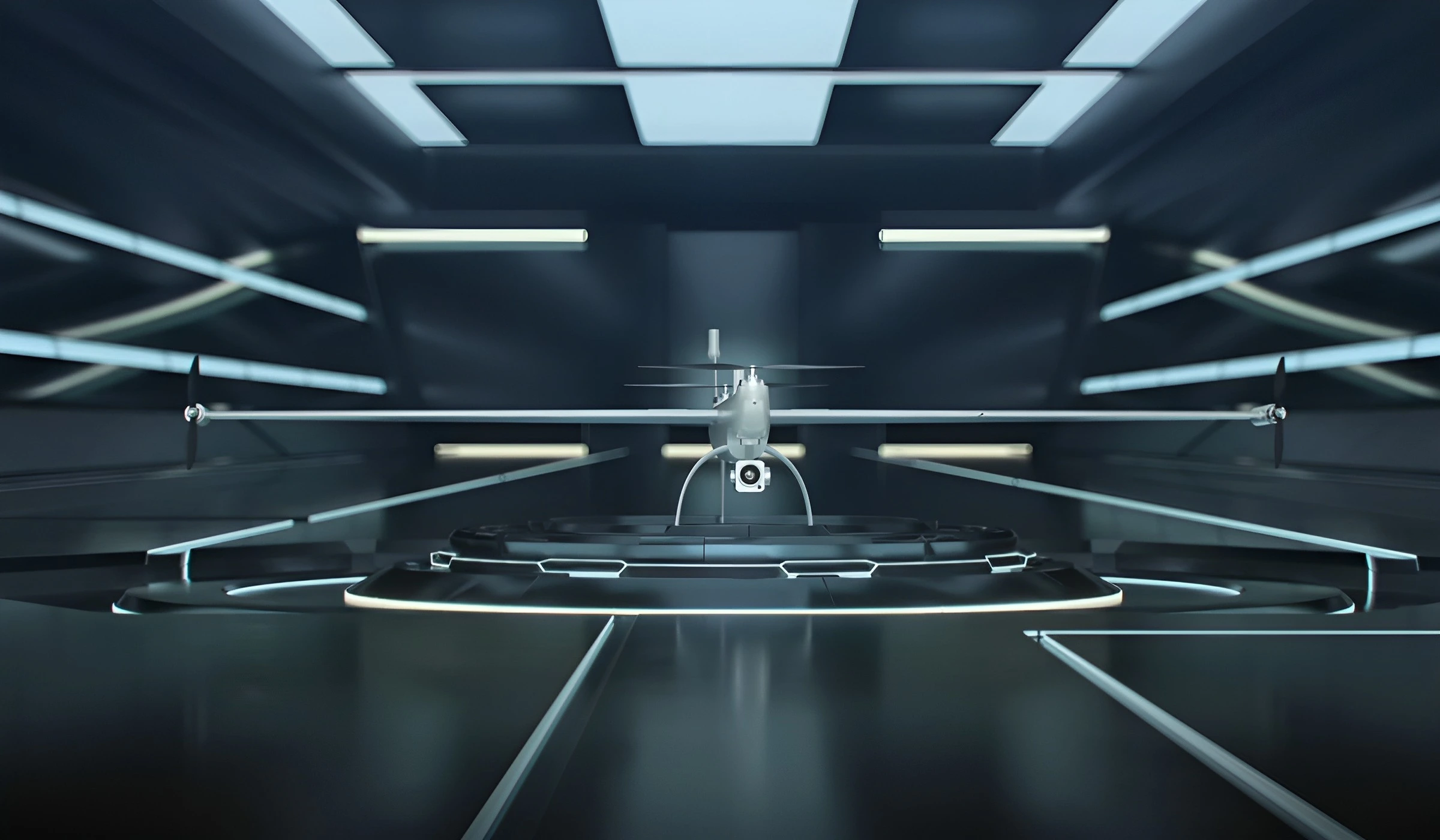
Now, let’s turn our attention to the Autel Dragonfish Pro, the undisputed champion of fixed-wing drones.
This drone could redefine the meaning of “flight time.”
With a jaw-dropping 158 minutes in the air, it’s like having a drone butler that never gets tired.
And it’s not just about staying up there forever; the Dragonfish Pro also offers a 15-kilometer range, ensuring you can cover vast areas with ease.
But what truly sets the Dragonfish Pro apart is its unparalleled vertical takeoff and landing (VTOL) performance.
While other drones, like the Wingtra, are bound to autonomous missions, the Dragonfish Pro offers the flexibility of being flown manually, just like a regular drone. This exceptional capability puts it head and shoulders above the rest.
The Dragonfish’s unique tilt-rotor design simplifies operation while maximizing performance and efficiency.
With no complicated moving parts to worry about, this drone is modular, waterproof, smart, and incredibly reliable.
It’s mission-ready straight out of the box and includes powerful AI tracking capabilities along with a wide range of modular payload options, allowing it to adapt to various tasks seamlessly.
With an endurance of up to 158 minutes, including the payload, the Dragonfish Pro sets a new bar for mission capabilities, firmly establishing itself as the frontrunner in the world of fixed-wing drones.
Features of Autel Dragonfish Pro
| Feature | Autel Dragonfish Pro |
| Weight | 8.5 kg (18.7 lbs) |
| Max. payload weight | 1.8 kg (4 lbs) |
| Wingspan | 1.6 m (5.25 ft) |
| Battery capacity | Four 174 Wh batteries |
| Radio link | Bi-directional 30 km (18.6 mi) in direct line of sight |
| Flight planning & mission control software | Autel Voyager |
| Flight speed | 108 km/h (67 mph) |
| Maximum flight time | 180 min |
| Min. space for take-off and landing | 3 m × 3 m (9.8 ft × 9.8 ft) |
| Temperature range | -20 to +50 °C (-4 to +122 °F) |
6. Bramore C4 Eye
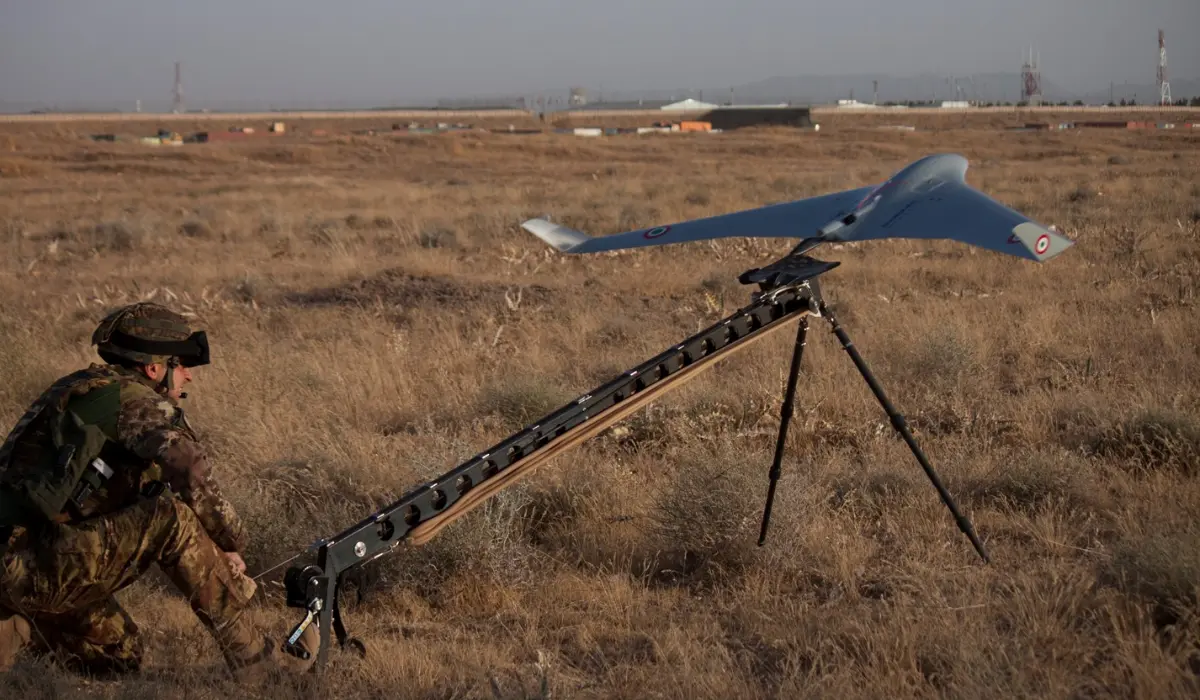
And now, we come to the unrivaled king of the fixed-wing drones, C-Astral’s Bramor C4EYE.
If you thought the Dragonfish Pro’s flight time was impressive, brace yourself – the Bramor C4EYE soars above the competition with an astonishing flight time of 3 hours aloft.
These industry-leading unmanned aircraft systems are electrically powered, boasting superior stability and endurance, thanks to their unique advanced Blended Wing Body airframe aerodynamics.
But it’s not just about the time in the air.
The Bramor offers an array of impressive payload combinations, ensuring that every byte of data, from digital to thermal/IR, is collected with utmost precision.
If you’re engaged in serious fixed-wing drone applications, whether for mapping, surveillance, or any other task that demands uncompromising endurance, the Bramor is the crown jewel you’ve been seeking.
With its extended flight capabilities, it’s more than a drone; it’s a kingdom in the skies.
Features of Bramor C4EYE
| Feature | C-Astral’s Bramor C4EYE |
| Weight | 4.7 kg (10 lb) |
| Max. payload weight | 1 kg (2.2 lb) |
| Wingspan | 2.3 m (7.7 ft) |
| Battery capacity | Two 93 Wh batteries |
| Radio link | Standard: 40 km (25 mi) LOS Extended: 150 km (93 mi) |
| Flight planning & mission control software | Bramor GCS |
| Tablet supplied | Rugged tablet with 10.1-inch screen |
| Flight speed | 20 m/s (45 mph) |
| Wind resistance | Max sustained wind: 30 knots (35 mph) |
| Maximum flight time | 3.5 hours |
| Min. space for take-off and landing | 2 m × 2 m (6.6 ft × 6.6 ft) |
| Temperature range | -20 to +50 °C (-4 to +122 °F) |
With that understanding, let’s take a look at how fixed-wing drones work.
How Does a Fixed-Wing Drone Work?
Fixed-wing drones fly using the same basic principles as airplanes—lift, thrust, and forward motion. It might sound technical, but once you break it down, it’s easy to understand.
Let’s walk through it step by step.
Step 1: Lift
The wings are the star of the show. As the drone moves forward, air flows faster over the curved top of the wing and slower underneath. This creates a pressure difference. The wings literally pull the drone upward and keep it in the air.
This is why fixed-wing drones can glide so smoothly, they’re not relying on propellers to push them up every second like a quadcopter does.
Step 2: Thrust
Fixed-wing drones usually have a single motor with a propeller, either at the front (puller) or back (pusher). The motor creates thrust, which propels the drone forward. Once it picks up speed, the wings generate lift, and the drone climbs into flight.
Since the drone doesn’t need to fight gravity every second, it uses way less energy to stay airborne.
Step 3: Control Systems
Just like any drone, fixed-wing UAVs come with a range of flight control options:
- Manual Mode: You control everything—pitch, yaw, roll, throttle. This requires skill and is usually for experienced flyers or hobbyists who enjoy full control.
- Stabilized Mode: The drone assists with keeping itself balanced. You still fly manually, but it won’t let you stall or spiral out.
- Autonomous Mode: This is where things get exciting. You pre-program a flight path using mapping software, and the drone follows it on its own. This is common in surveying, agriculture, and environmental monitoring. It’s the mode professionals use to cover hundreds of acres in a single flight.
For example, if you’re flying a mapping mission, you’d upload a grid pattern to the drone using software like Pix4Dcapture, press “Start,” and the drone takes care of the rest—takeoff, flight path, and return-to-home.
But, how’s this different from the basic drone design?
The basic rotary drones stay in the air by constantly spinning their propellers to generate lift. They’re great at hovering, maneuvering in tight spaces, and capturing steady aerial footage. But all that lifting takes a toll on the battery.
Fixed-wing drones, on the other hand, don’t hover. They need to stay moving. But that forward flight makes them far more energy-efficient. That’s why they’re used for long-range missions where hovering isn’t required.
Now that you know how fixed-wing drones fly, let’s break down the real-world pros and cons to decide if they’re a good fit for your flying goals.
Benefits and Limitations of Fixed-Wing Drones
Fixed-wing drones offer a completely different flying experience compared to traditional drones. Let’s take a closer look at their pros and cons.
Benefits of Fixed-Wing Drones
1. Longer Flight Times: Fixed-wing drones don’t need to constantly fight gravity. Once airborne, they glide. That means the motor can work less, and the battery lasts longer. Many fixed-wing UAVs can fly for 60-120 minutes on a single charge, compared to the 20–30 minutes you get from a traditional rotary drone.
2. Greater Range and Speed: Because of their aerodynamic design, fixed-wing drones can travel much farther. Some models can cover 400–500 acres in one flight. And they’re faster, too. While most quadcopters cruise at around 15–20 mph, fixed-wing drones can hit 50 mph or more.
3. More Energy-Efficient: Flying forward is simply more efficient than hovering. That’s why fixed-wing drones are the go-to choice for mapping large areas, surveying long corridors like pipelines or roads, or conducting agricultural scans. They deliver more coverage with less power.
4. Ideal for Large-Area Mapping: If your goal is to map farmland, forests, or construction sites, fixed-wing drones will save you time and effort. Their consistent altitude and smooth flight path also make them perfect for collecting high-quality imagery for orthomosaics and 3D models.
Limitations of Fixed-Wing Drones
1. No Hovering Ability: Fixed-wing drones can’t hover in place. So if you need to fly around a structure slowly, inspect a roof, or shoot cinematic video, a quadcopter is still the better choice.
2. Requires More Space for Takeoff and Landing: These drones need a smooth area, like an open field or wide dirt road, for launch and recovery. Some require hand-launching or a catapult. Landing usually involves gliding to a stop, which can be tricky in tight environments.
3. Higher Upfront Cost: Fixed-wing drones tend to be more expensive than quadcopters, especially those built for commercial work. If you’re just flying for fun, the cost might feel steep. But if you’re mapping or surveying professionally, the return on investment can be well worth it.
4. Steeper Learning Curve: As fixed-wing drones don’t hover, they require more planning and situational awareness. You’ll need to map your launch and landing zones carefully and monitor weather and wind direction more closely than you would with a quadcopter.
Conclusion
If your mission is to cover a lot of ground, save battery, and collect high-quality images quickly, a fixed-wing drone isn’t just a nice-to-have; it’s a smart upgrade.
These drones give you longer flight times, better range, and the ability to map, survey, or monitor huge areas in a single flight.
Whether you’re working in agriculture, construction, conservation, or just leveling up your drone skills, fixed-wing UAVs can help you do more with fewer flights and less downtime.
However, fixed-wing drones also require a bit more planning.
You’ll need to think about your takeoff and landing zones. You’ll need to prep your flight path. And if you’re new to fixed-wing flight, it’s worth taking the time to learn the fundamentals properly.
And that’s where training comes in.
If you’re serious about flying fixed-wing drones safely and professionally, check out our Drone U Training Courses. You’ll get hands-on drone flight instruction, real-world mapping workflows, and support from a supportive community of pilots.
Frequently Asked Questions
1. What are VTOL aircraft, and how do they differ from traditional fixed-wing drones?
VTOL (Vertical Takeoff and Landing) aircraft are a subcategory of fixed-wing drones that can take off and land vertically, similar to quadcopters. Once airborne, they transition to a fixed-wing flight mode, allowing them to cover larger areas, making them well-suited for tasks like geospatial intelligence gathering.
2. Are there legal regulations and requirements for operating a fixed wing drone?
Yes, operating fixed-wing drones, like all drones, is subject to legal regulations. These drone regulations may include registration, pilot certification, and adherence to airspace restrictions. Compliance with local, national, and international aviation laws is crucial. Always check with your local aviation authority for the latest drone rules and requirements.
3. Are fixed-wing drones more challenging to operate than quadcopters?
Fixed-wing drones often require more space for take-off and landing due to their design. Their flight characteristics are different from quadcopters, which can make them challenging for beginners. However, with proper training, they can be operated effectively by both novice and experienced pilots.
4. What is the range of a fixed-wing drone?
Here’s a general idea of the range you might expect:
- Small fixed-wing drones: These can range from hobbyist models with a range of just a few miles (under 10km) to commercial models capable of 50-80 miles (80-130km).
- Medium fixed-wing drones: These can cover longer distances, typically in the 100-200 mile (160-320km) range.
- Large fixed-wing drones: These are high-end commercial drones designed for long-range missions and can fly hundreds of miles (over 320km) on a single charge.
5. Does DJI make fixed-wing drones?
No, the DJI does not currently manufacture fixed-wing drones.
 4
4
U.S. Airspace Classes & Classification Guide (A to G) for Drone Pilots
If you’re flying drones, one of the first things you’ll hear about is airspace classes. But what does that mean, and why should you even care?
At first, it might sound like something only airline pilots or air traffic controllers need to worry about. However, as a drone pilot, understanding airspace is one of the most important aspects of your job.
It tells you where you can fly, what rules apply, and how to stay safe and legal in the sky.
In this comprehensive guide, we’ll break down U.S. airspace classes, from A to G, so you can stop second-guessing your flight zones and start flying like a pro.
Let’s begin with the basics.
What is Airspace Class?
An airspace class is basically the sky getting divided into different zones. Each of these zones has its own set of rules. These zones are called airspace classes, and they tell you where your aircraft or drones can fly, how high you can go, and what rules to follow for communication with ATC.
Just like highways keep cars moving safely, airspace classes help aircraft and drones share the sky without chaos.
Why Does It Matter for Drone Pilots?
Let’s face it. When you’re flying a drone, you’re not the only one in the sky. You’re sharing the air with helicopters, planes, and other drones. That’s why understanding airspace classes is essential to keeping everyone safe.
Let’s say you’re planning to shoot drone footage near a city. If you’re unaware you’re in Class C airspace near a regional airport, you could accidentally interfere with manned aircraft. That’s not just risky, it’s illegal. Flying in restricted airspace without authorization can lead to fines or even criminal charges.
When you understand airspace classes, you gain more freedom. You understand when and where you need permission, how to get it, and how to avoid mistakes.
Equipped with the basic understanding, let’s dive into the two main categories of airspace.
Controlled vs. Uncontrolled Airspace
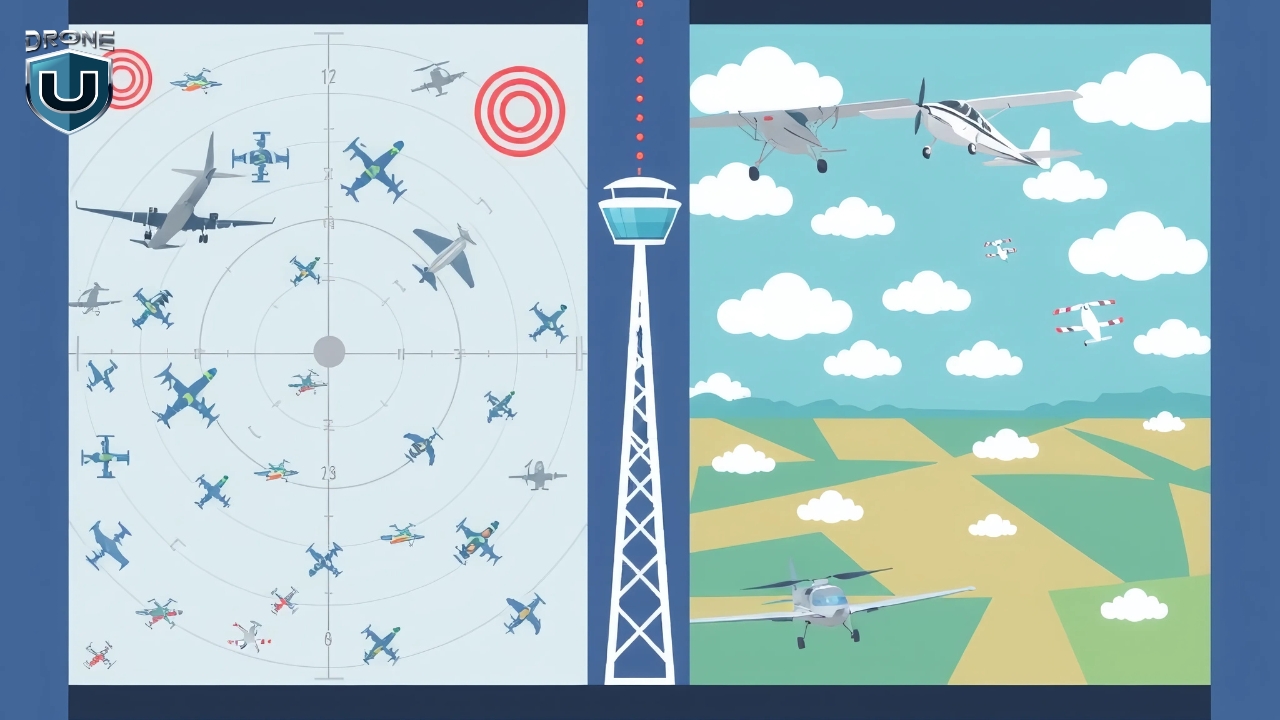
The FAA (Federal Aviation Administration) has divided the U.S. airspace into two main categories: controlled and uncontrolled.
1. Controlled Airspace
In this airspace, manned aircraft are in constant communication with ATC. That means there’s a set of strict rules to keep everyone safe.
Controlled airspace includes Class A, B, C, D, and some parts of Class E.
If you’re flying in any of these areas, you need prior authorization, especially near airports or when you’re flying above certain altitudes.
For most drone pilots operating under Part 107 (the FAA’s rulebook for commercial drone operations), this usually means submitting a request through LAANC (Low Altitude Authorization and Notification Capability).
2. Uncontrolled Airspace
In uncontrolled airspace, you don’t need to talk to ATC or request permission to fly your drone, as long as you follow FAA rules.
Remember, uncontrolled doesn’t mean it isn’t regulated.
Uncontrolled airspace includes Class G, and it’s often where new drone pilots get started. Think of it as your training ground, a wide-open space where you can safely learn and grow your skills.
It’s beginner-friendly because there’s no need for special approvals, and you have more freedom to explore. But, even though it’s called “uncontrolled,” you still need to follow basic FAA rules.
Now that you know the difference between controlled and uncontrolled airspace, let’s zoom in on the six FAA airspace classes you’ll hear about most.
6 Types of FAA Airspace Classifications
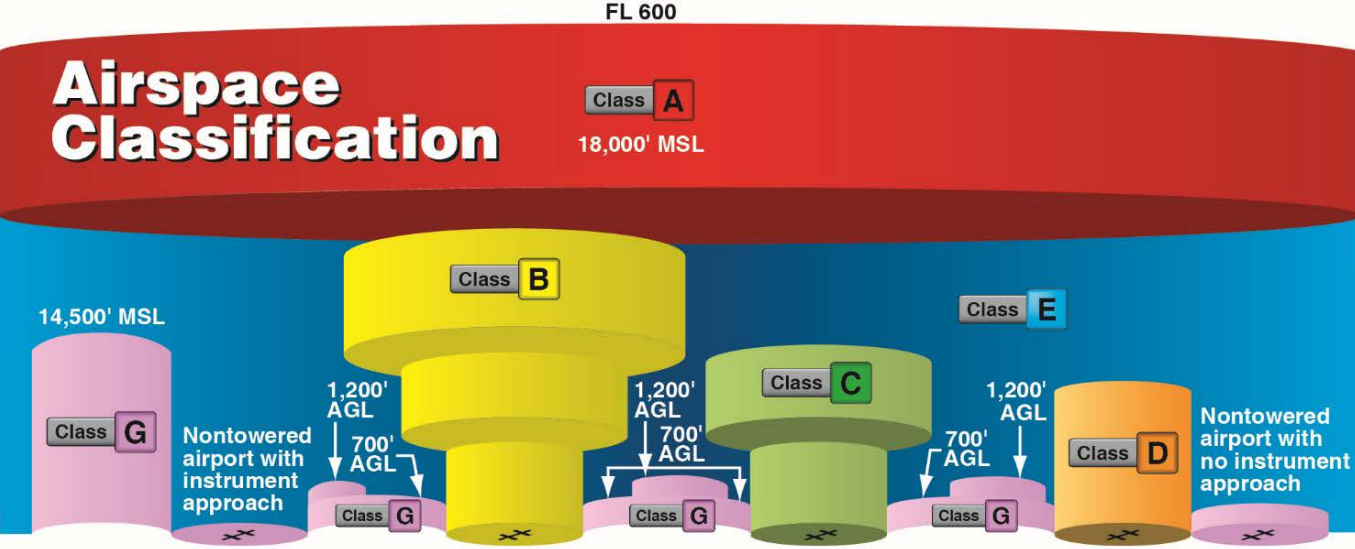
The FAA divides U.S. airspace into six main classes: A, B, C, D, E, and G. Each one has a different purpose, altitude range, and level of control. Some areas are tightly controlled with strict rules, while others are more relaxed and open, perfect for new drone pilots.
Imagine U.S. airspace like a layered cake, starting high above and stacking downward. The higher you go, the more controlled things get. The lower you stay, the more likely you are to fly in less-regulated airspace.
Let’s take a closer look at each airspace class one by one:
1. Class A Airspace
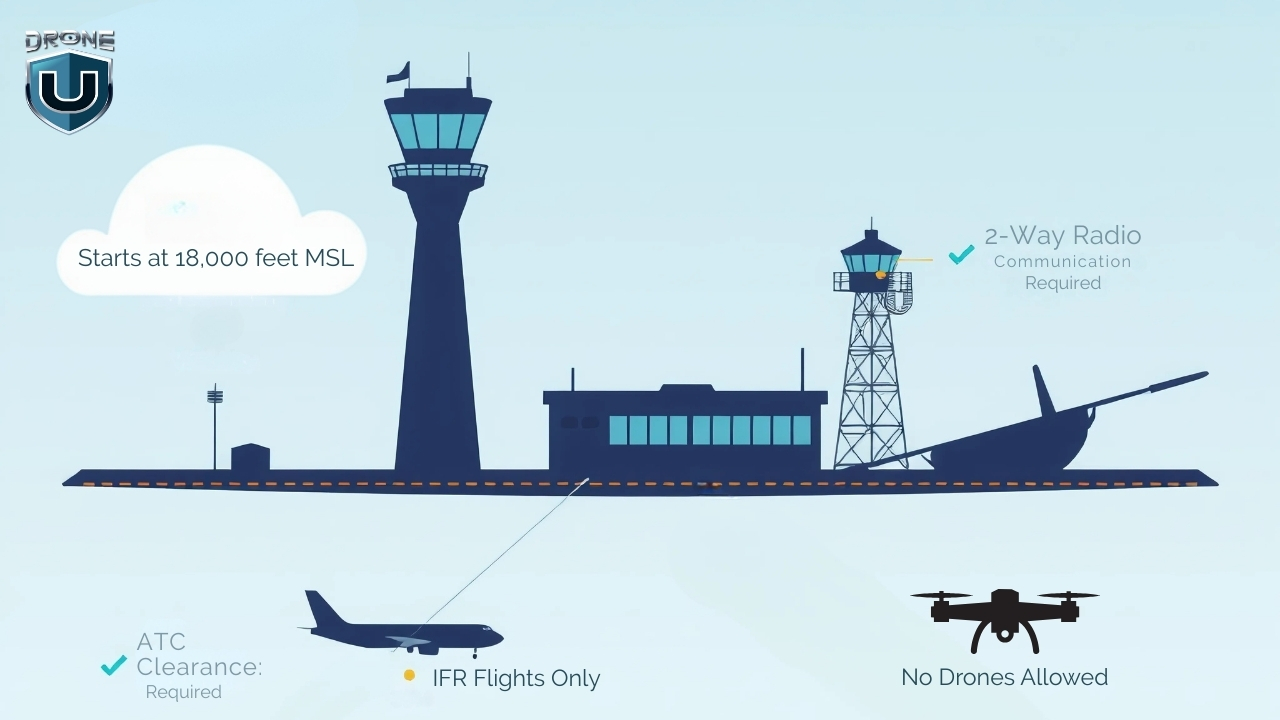
Class A is the most controlled airspace in the U.S. It begins at 18,000 feet MSL (Mean Sea Level) and extends up to 60,000 feet. This airspace is reserved for high-altitude operations like commercial airline flights, military jets, and long-haul cargo routes.
No matter where you are in the U.S., once you hit 18,000 feet, you’re in Class A.
Every aircraft flying in Class A must follow Instrument Flight Rules (IFR) and stay in constant communication with Air Traffic Control (ATC). This airspace exists nationwide, including over coastal waters up to 12 nautical miles from shore.
Under FAA Part 107, drones are limited to flying below 400 feet AGL (Above Ground Level).
Since Class A starts at 18,000 feet MSL, it’s completely out of range for everyday drone operations. Hence, drone pilots cannot fly in Class A airspace without special FAA authorization.
But even though you won’t fly your drone in Class A airspace, understanding how Class A fits into the bigger picture helps you visualize how the National Airspace System (NAS) works.
2. Class B Airspace
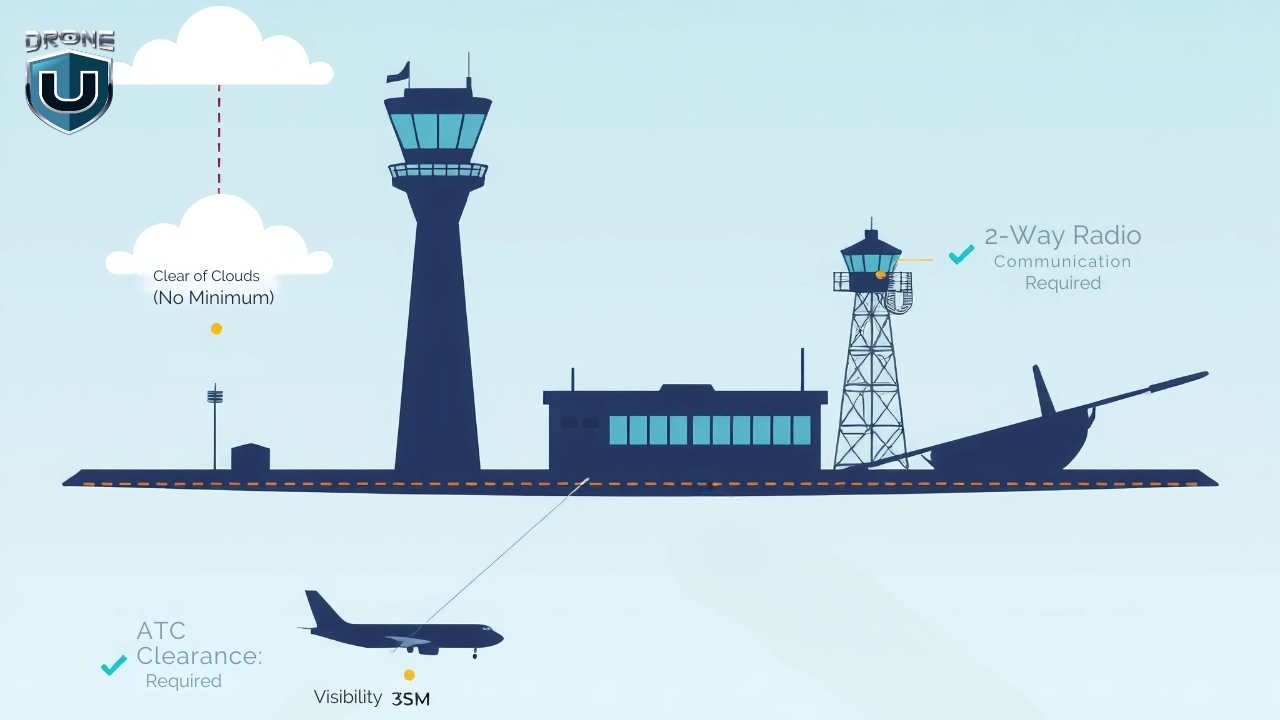
Class B airspace surrounds the country’s busiest airports, like LAX, JFK, ORD, and ATL.
It’s designed to manage large volumes of fast-moving aircraft, including commercial jets and cargo planes. Because of the traffic density and complexity, this airspace is tightly controlled by Air Traffic Control (ATC) at all times. This means drone pilots cannot fly here without FAA authorization and LAANC approval.
Class B airspace uses a layered structure that resembles an upside-down wedding cake. Each shelf is designed to manage aircraft at different altitudes and distances from the airport.
The core area typically starts at the surface and extends up to 10,000 feet MSL. The middle shelves begin higher (around 1,500 feet MSL) and stretch outward. The outer shelf starts at 7,000 feet MSL and extends to a 30 NM radius from the airport.
Class B airspace follows VFR weather minimums of 3 statute miles visibility and requires pilots to remain clear of clouds. If you’re flying in an area where Class B starts at the surface, cloud ceilings must be at least 1,000 feet AGL.
There’s also a maximum speed limit of 200 knots below Class B shelves, and within VFR, the speed limit is 250 knots.
3. Class C Airspace
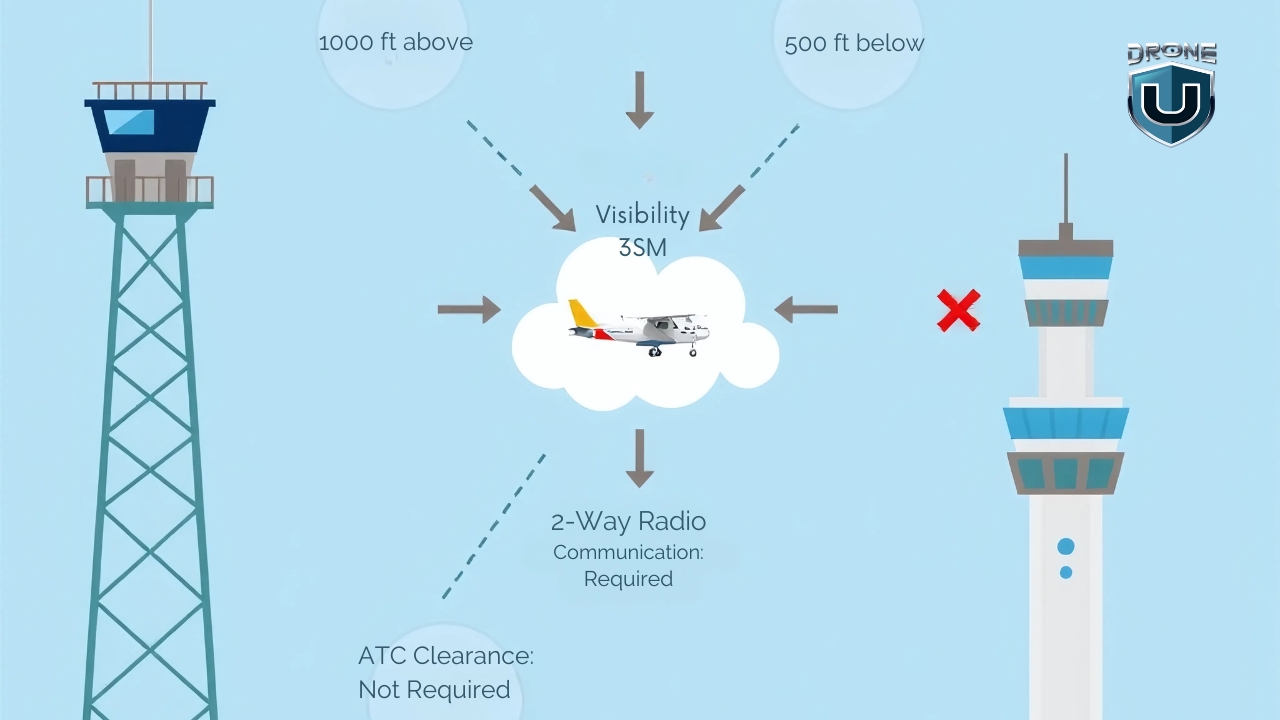
Class C airspace surrounds medium-sized airports that handle a mix of commercial, private, and charter flights. These airports are busy but not as congested as major hubs like those in Class B.
This airspace is controlled by Air Traffic Control (ATC) and requires all manned aircraft to maintain two-way communication. As a drone pilot, you won’t speak to ATC directly, but you must get FAA authorization before flying in Class C.
This airspace has a two-layer structure shaped like a cylinder:
- The inner core extends 5 nautical miles from the airport and starts at the surface, reaching up to 4,000 feet MSL.
- The outer shelf extends from 1,200 feet to 4,000 feet MSL, reaching out to 10 nautical miles from the airport.
Each Class C airspace layout follows this general shape but can be slightly modified based on local traffic needs.
On sectional charts, Class C airspace appears as solid magenta rings. These rings represent the inner core and the outer shelf.
Inside the rings, you’ll see altitude blocks marked like this: 40/12. That means the airspace ceiling is 4,000 feet AGL, and the floor starts at 1,200 feet AGL. If it says SFC instead of a number, the floor starts at the surface.
In Class C airspace, you must follow Visual Flight Rules (VFR):
- Minimum visibility: 3 statute miles
- Cloud clearance: Stay clear of clouds. There is no set distance, but your drone must remain well-separated.
Drone pilots flying commercially must hold a Part 107 Remote Pilot Certificate. Recreational flyers don’t need any certification but must follow FAA rules and get an authorization before entering Class C airspace.
To fly a drone in Class C airspace, you must get FAA authorization. If LAANC is available in the area, you can request approval instantly through apps like Aloft or AirMap. If not, you’ll need to submit a manual request through the FAA DroneZone, which takes longer.
4. Class D Airspace
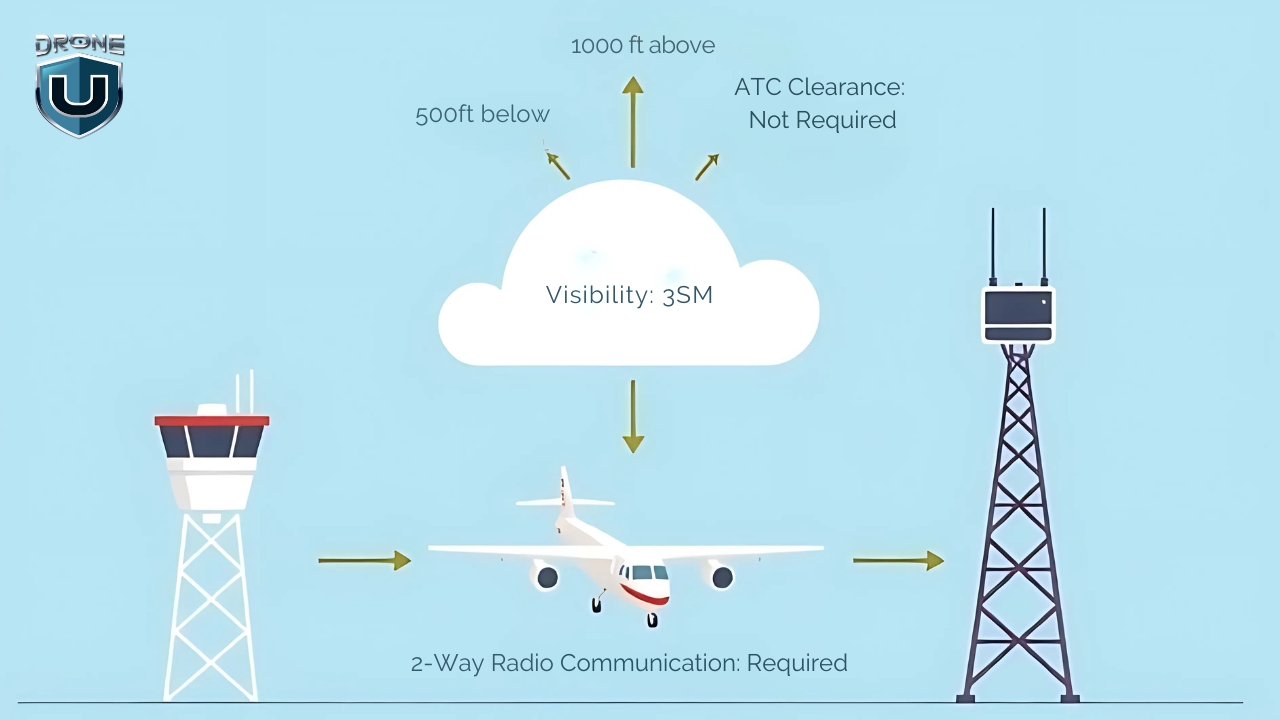
Class D airspace surrounds smaller towered airports that handle a mix of general aviation, commercial, and cargo aircraft traffic. It’s a controlled zone managed by ATC, designed to ensure safe takeoffs and landings at moderately busy airports.
Class D airspace usually forms a cylinder around the airport, extending from the surface up to 2,500 feet AGL and reaching out 4 to 5 nautical miles horizontally. The actual dimensions can vary depending on the terrain, traffic volume, and the specific airport’s layout.
Unlike Class B and C, Class D has a simpler structure, typically a single tier starting at the surface.
Class D airspace is only active when the control tower is operational. If the tower closes, the airspace usually reverts to Class E or Class G, depending on FAA designation.
On sectional charts, Class D airspace is marked with a blue dashed circle around the airport. Inside the circle, you’ll see altitude notations in brackets, which tell you how high the airspace goes. For example, [25] means it extends to 2,500 feet AGL.
To fly a drone in Class D airspace, you’ll need to get prior FAA approval through LANC. Plus, drone pilots flying in Class D must meet Visual Flight Rules (VFR) conditions:
- Visibility: At least 3 statute miles
- Cloud Clearance: Stay at least 500 feet below, 1,000 feet above, and 2,000 feet horizontally from clouds.
5. Class E Airspace
Class E airspace covers a huge portion of the U.S. sky and serves as the bridge between controlled and uncontrolled airspace.
You’ll encounter it almost everywhere, especially above rural areas, between busy airports, and along airways used by manned aircraft.
For drone pilots, it’s one of the most important airspace classes to understand because of its varying boundaries and visibility rules.
Class E airspace doesn’t follow a one-size-fits-all structure. Its lower limit can start at the surface, 700 feet AGL, or 1,200 feet AGL, depending on the location. Its upper limit typically extends to 18,000 feet MSL, where Class A airspace begins. In some special use cases, it resumes above 60,000 feet (FL600) for high-altitude operations.
There are five main types of Class E airspace that drone pilots should recognize:
- E2: Surface Area: Begins at ground level around airports without control towers. This is the only Class E type that requires FAA authorization to fly your drone. (Add this image)
- E3: Transition Areas: Starts at 700 or 1,200 feet AGL around airports and helps aircraft climb or descend in controlled airspace. (Add this image)
- E4: Extensions to Surface Areas: Adds controlled space near Class D or C airports without expanding those airspace boundaries.
- En Route Class E: Fills in gaps at cruising altitudes for long-distance IFR flights, and it’s rarely relevant to drone pilots.
- High Altitude Class E (Above FL600): Begins at 60,000 feet and higher and is used for space operations, military flights, or testing.
Sectional charts show Class E in different ways based on its type:
- Thick shaded magenta band = Class E starting at 700 feet AGL
- Thick shaded blue band = Class E starting at 1,200 feet AGL
- Dashed magenta lines = Surface Class E (E2) starting at the ground
- En route Class E or FL600 zones aren’t shown with boundaries, since they extend across large corridors
To fly a drone in Class E airspace, you first need to know when FAA authorization is required. If you plan to fly in surface-level Class E (known as E2), you must get approval through LAANC or the FAA DroneZone.
However, you don’t need authorization for most other Class E areas, like transition zones (E3), extensions (E4), or en route corridors, as long as you stay below 400 feet AGL.
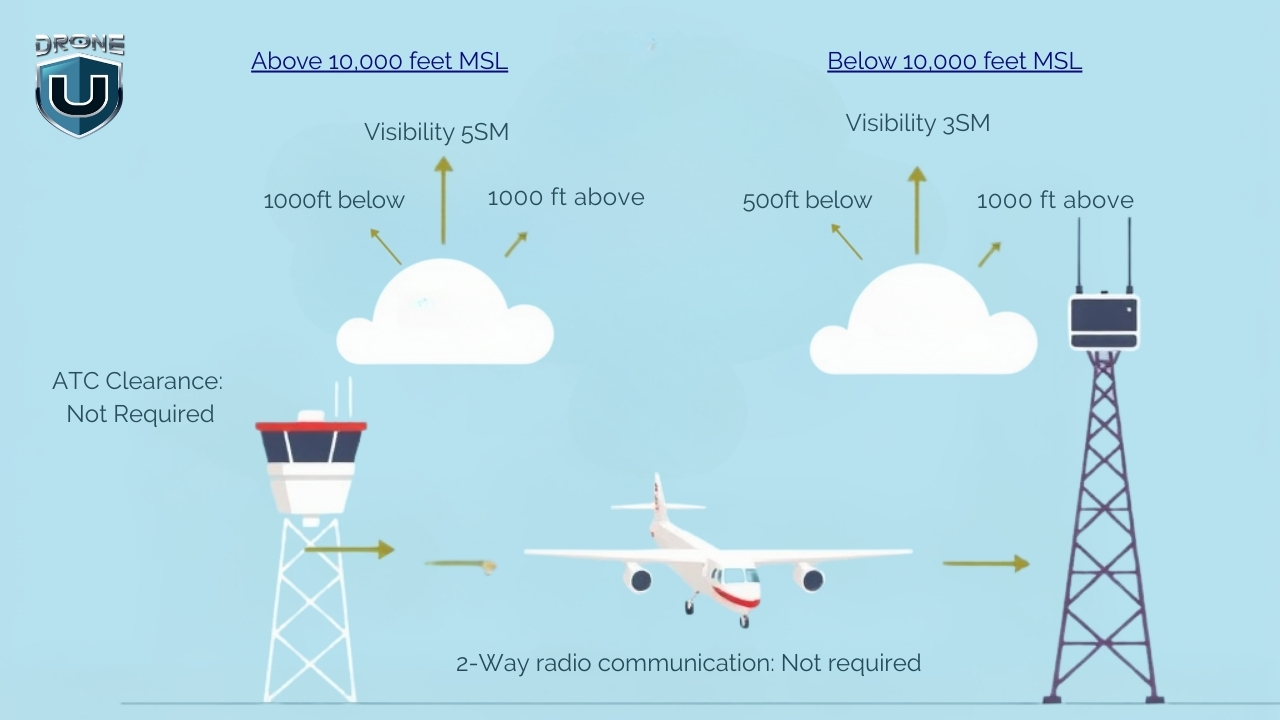
You must also follow Visual Flight Rules (VFR). If you’re flying below 10,000 feet MSL, keep at least 3 statute miles of visibility, and stay 500 feet below, 1,000 feet above, and 2,000 feet horizontally from any clouds.
If you’re ever operating at or above 10,000 feet MSL, which is rare for drones, you’ll need 5 statute miles of visibility and a separation of 1,000 feet vertically and 1 statute mile horizontally from clouds.
6. Class G Airspace
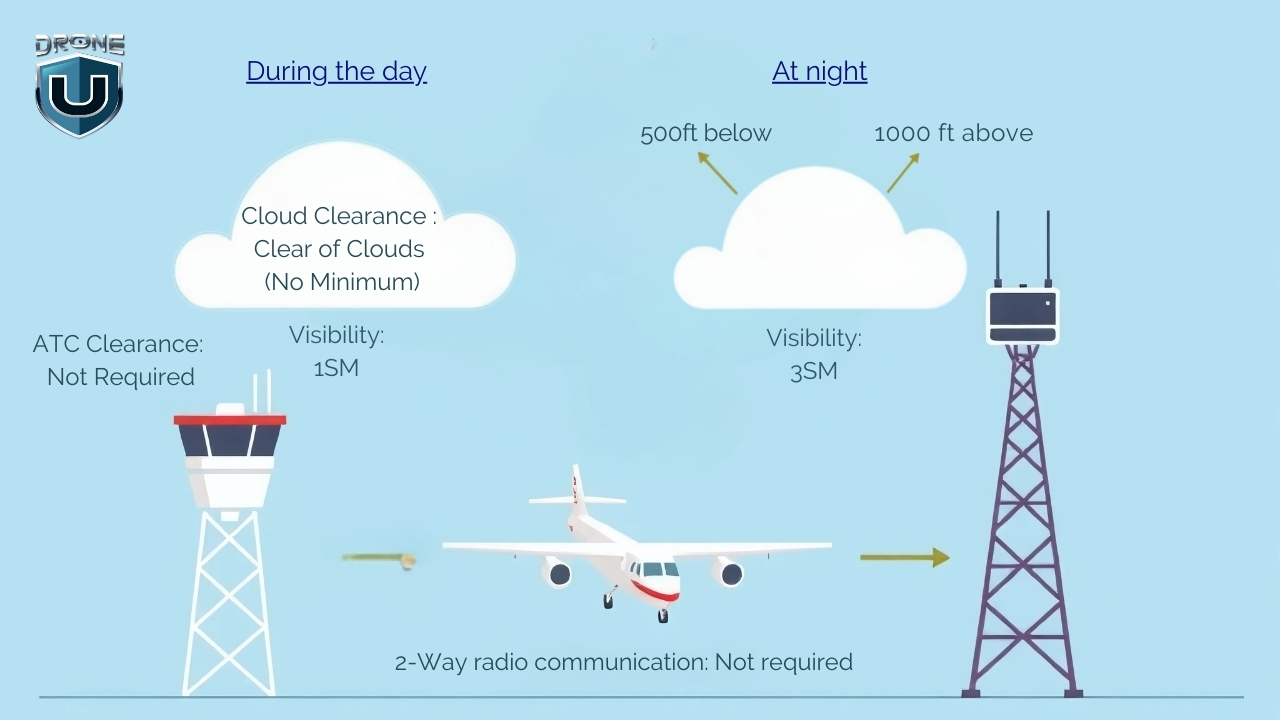
Class G airspace is the only uncontrolled airspace in the U.S., and it’s where drone pilots enjoy the most freedom. You don’t need FAA authorization or LAANC approval to fly here.
No ATC is managing the traffic, no radar coverage, and no flight clearance is required. But that doesn’t mean you can just wander in the skies without any rules.
Class G airspace fills in the gaps where controlled airspace doesn’t exist. You’ll mostly find it at lower altitudes near the ground, especially in rural areas, forests, farmland, mountains, and along coastlines.
Even though ATC doesn’t oversee Class G, you must still follow FAA Part 107 rules, fly at or below 400 feet AGL, and keep your drone in visual line of sight (VLOS) at all times.
You must also meet weather minimums to fly safely. During daytime operations below 1,200 feet AGL, maintain at least 3 statute miles of visibility, and stay 500 feet below and 2,000 feet horizontally from clouds.
If you’re flying above 1,200 feet AGL or at/above 10,000 feet MSL, which is uncommon for drones, the rules are stricter, 5 miles visibility, and you must keep at least 1,000 feet vertically and 1 mile horizontally from clouds.
You won’t see Class G airspace marked directly on sectional charts, but you can identify it by what’s not there. If an area has no shaded rings or controlled markings, it’s Class G by default.
You can also use apps like SkyVector, B4UFLY, AirMap, or Aloft to confirm you’re flying in Class G before takeoff.
Now that you know what each airspace class looks like, let’s talk about how you can fly drones in them.
How to Fly Drones in Different Types of Airspace Classes
Before you launch your drone, you need to know what kind of airspace you’re flying in.
Controlled or uncontrolled? Restricted or open?
Getting this wrong could land you in serious trouble or worse, endanger manned aircraft. Here’s how to check your airspace in five easy steps:
Step 1: Use an FAA-Approved Airspace App
Start by opening an airspace awareness app. Use tools like Aloft, AirMap, or B4UFLY. These apps show your location on a map and highlight which airspace classes apply where you plan to fly.
If you’re flying near a city or airport, you’re likely in controlled airspace. These zones require FAA authorization before you fly.
If you’re out in a rural area, on farmland, or in the wilderness, and the app shows no controlled airspace, you’re probably in Class G, where you can fly without approval.
Step 2: Check for Special Airspace Zones
Look for Temporary Flight Restrictions (TFRs), prohibited areas, military operations areas (MOAs), or national parks. These zones may override normal airspace rules, even in Class G, and may prohibit drone flights entirely.
The FAA B4UFLY app or the FAA TFR Map will alert you to any active restrictions in your area.
Step 3: Identify the Airspace Class
Each airspace class has unique flying rules:
| Class | What to Know |
| Class A | Starts at 18,000 ft MSL. No drone flights allowed. |
| Class B | Handles the busiest airports. FAA approval is required via LAANC or DroneZone. |
| Class C | Handles medium traffic airports. FAA approval required. |
| Class D | Handles small towered airports. FAA approval required. |
| Class E (Surface) | Controlled from the surface. FAA approval required. |
| Class E (700/1200 ft AGL) | No approval needed if staying under 400 feet. |
| Class G | Uncontrolled. No FAA approval needed, but follow Part 107 rules. |
Use your airspace mapping app to identify which class you’re in and find out if you need FAA authorization to fly.
Step 4: Submit Authorization (If Needed)
If you’re in controlled airspace and LAANC is available, request instant FAA approval through your app. Just enter your flight details—location, altitude, and time—and submit.
If LAANC isn’t available, go to the FAA DroneZone and file a manual authorization request. These can take days or weeks to process, so apply early.
Step 5: Confirm and Log Your Airspace Status
Once you confirm you’re in a specific airspace or receive FAA authorization, record your documents. Keep screenshots of your airspace status or LAANC approval handy in case you’re asked for proof during your flight.
Conclusion
Now that you’ve made it through all six classes of U.S. airspace, you’ve taken a major step toward becoming a smarter, safer drone pilot.
Whether you’re flying for fun, filming real estate, or launching a drone business, knowing how to read sectional charts, follow VFR rules, and request FAA authorization gives you more confidence to fly your drone.
But learning the rules is just the beginning.
If you’re truly passionate about becoming a confident, licensed drone pilot, it’s time to take the next step with Drone U’s Drone Pilot Starter Kit Program.
Frequently Asked Questions
1. Is there a drone airspace map I can download?
Yes, you can download apps like SkyVector, B4UFLY, Aloft, or AirMap to check airspace. These apps show flight zones, real-time restrictions, and sectional charts.
2. Do I need to check the airspace for recreational flights?
Yes, always check the airspace before flying, even for fun. You must follow the same airspace rules as commercial pilots.
3. Can I fly my drone in Class C airspace without approval?
No, you need FAA authorization to fly in Class C airspace. Use LAANC or DroneZone to request it before you fly.
4. What is the maximum altitude I can fly in Class G airspace?
You can fly up to 400 feet AGL. If you’re near a structure, you can fly up to 400 feet above it.
5. What’s the difference between LAANC and ATC authorization?
LAANC and ATC authorization are two ways to get permission to fly a drone in controlled airspace.
LAANC is a fast, automated system that lets you get approval through an app in a few seconds. It’s great for most routine flights under 400 feet near airports. While ATC authorization takes longer and is used when LAANC isn’t available or when you need special permission. With ATC, you usually have to work directly with the FAA or air traffic control.
2
New Drone Laws in the USA [Updated in 2025]
The FAA regulates drone usage in the United States through comprehensive guidelines for both recreational and commercial operators. This guide provides up-to-date information on the latest USA drone laws requirements in the U.S.
With the rising adoption of UAVs, the FAA and state authorities have been continuously working towards making drone laws practical while preventing drone misuse and protecting citizens.
We keep a close eye on the updates and keep this information as recent as possible.
Disclaimer: This guide is for informational purposes only. Always check the latest guidelines on the FAA website.
Here is a quick overview of the new drone laws in the USA.
Quick Overview of FAA Drone Laws
- Drones are regulated by the Federal Aviation Administration (FAA).
- All drone pilots must follow FAA safety guidelines.
- Registration is mandatory for drones over 0.55 lbs (250g).
- You must operate within the visual line of sight (VLOS).
- Remote ID is now mandatory for most drone flights.
- Different rules apply for recreational, commercial, and foreign pilots.
- Never fly your drone under the influence of drugs or alcohol.
- Do not fly over people, moving vehicles, or large crowds.
FAA New Rules and Drone Laws in the USA

It is legal to fly drones in the United States as long as you follow the rules set by the Federal Aviation Administration (FAA).
The Federal Aviation Administration (FAA) manages most of the airspace in the United States. It has laid out clear regulations that every drone pilot must understand and follow.
To make things easier for you, I’ve divided the information into four key sections. Feel free to jump straight to the one that applies to you:
- General Drone Rules – Basic regulations every pilot must follow
- Rules for Recreational Pilots – For hobbyists or those flying just for fun
- Rules for Commercial Pilots – For professionals looking to earn money with drones
- Rules for Foreign Pilots – For non-U.S. citizens who want to fly drones in the U.S.
Let’s start with the general rules.
1. General Drone Flying Laws & Federal Regulations
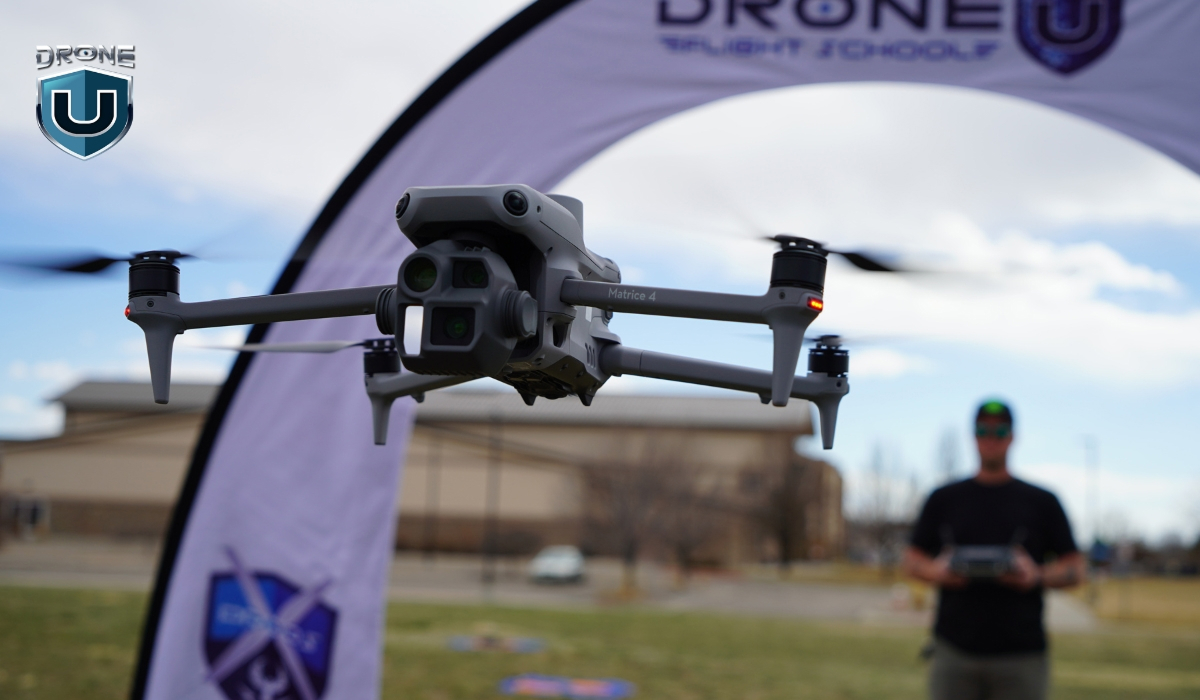
These are some of the most common rules when flying drones in the U.S., but there may be additional regulations in certain states.
No matter your purpose, all drone pilots must adhere to these fundamental regulations:
1. You must fly your drone at or below 400 feet.
2. All eligible drones (over 250 g to 25 kg) must be registered with the FAA
3. Your drone must be marked with your FAA registration number.
4. Use B4UFLY Mobile App – the safety app from the FAA, which uses your GPS location to provide real-time information about airspace restrictions and other flying requirements.
5. Be aware of and avoid no-fly zones, especially around airports and other restricted areas.
6. You must fly within the visual line of sight so that you or the observer can see the drone at all times.
7. You must understand and comply with airspace restrictions, especially around airports.
8. You must comply with Remote ID requirements unless flying in a FRIA (FAA-Recognized Identification Area).
9. Always give way to and do not interfere with other aircraft.
10. Use the Low Altitude Authorization and Notification Capability (LAANC) system for controlled airspace authorization.
Note: Anyone flying a drone in the U.S. National Airspace System (NAS) is responsible for flying within the FAA guidelines and regulations.
2. Drone Regulations for Recreational Pilots
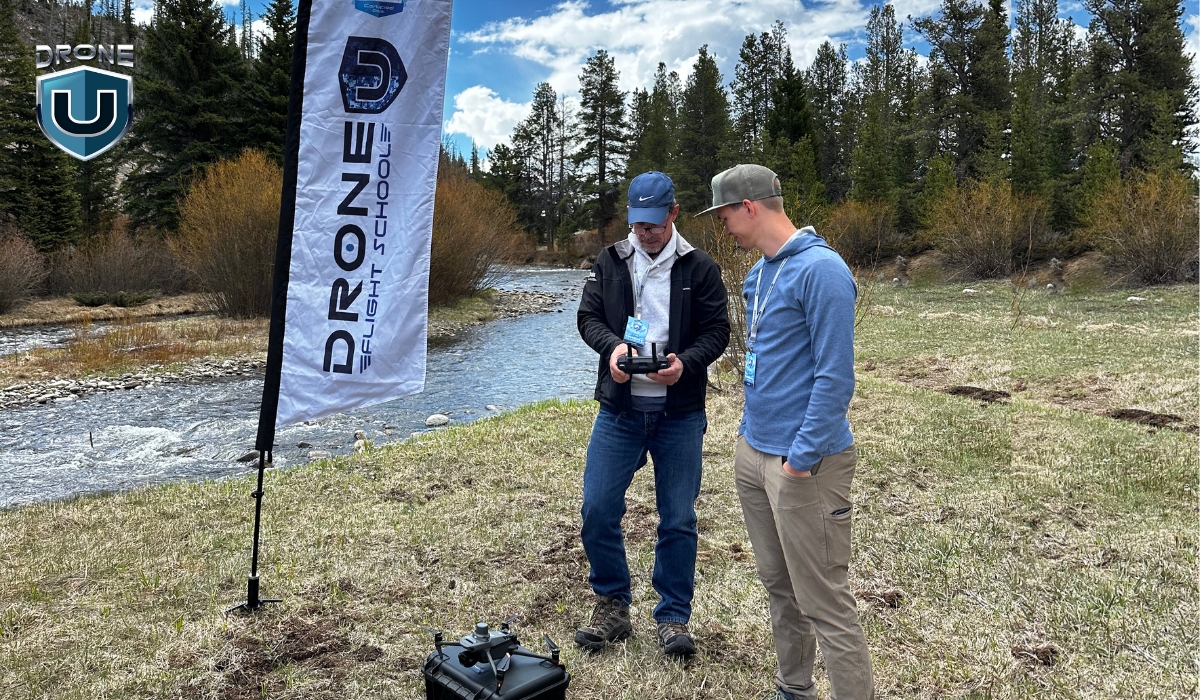
If you’re flying drones as a recreational pilot or for fun, you must:
1. Pass the TRUST exam (The Recreational UAS Safety Test).
2. Carry proof of TRUST completion while flying your drone.
3. Follow the safety guidelines of an FAA-recognized CBO (Community Based Organization).
3. Fly your drone at or below 400 feet in Class G (uncontrolled) airspace.
4. Obtain proper authorization through LAANC or DroneZone before flying in controlled airspace (Class B, Class C, Class D, and Class E airspace).
5. Keep a current FAA registration, mark your drones on the outside with the registration number, and carry proof of registration during all flights.
6. Avoid operating your drone in a way that risks the safety of the national airspace.
If you’re not sure which category you fall into, fly under Part 107 (commercial rules).
There are some exceptions for Limited Recreational UAV Operations. You can read Advisory Circular 91-57C for more information.
3. Drone Regulations For Commercial Drone Pilots
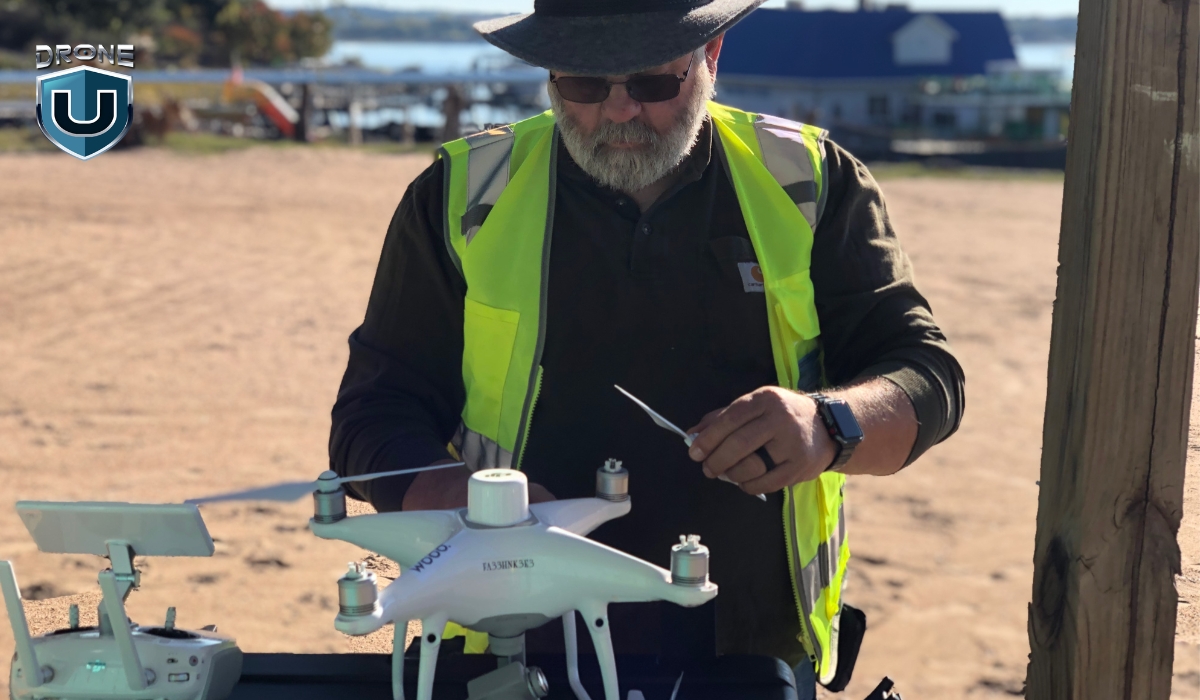
If you want to fly your drone for work, such as mapping, filming, or public safety, it is considered a commercial activity. In that case, you must follow the following drone laws:
1. To fly drones commercially, you must obtain a Remote Pilot Certificate – Part 107 license from the FAA.
2. You must pass the initial aeronautical knowledge exam: “Unmanned Aircraft General – Small (UAG)”.
3. You must be at least 16 years old.
4. You must be able to understand, read, write, and speak English.
5. You must be mentally and physically able to operate a UAV safely.
6. Before signing up for the knowledge test, create an IACRA (Integrated Airman Certification and Rating Application) profile and obtain an FAA Tracking Number (FTN).
7. You can fly drones at night, over people, and moving vehicles without a waiver under Part 107 as long as the rules are followed. However, you still need airspace authorization for night operations in controlled airspace under 400 feet.
To learn more about how to get a Remote Pilot Certificate, you can check out our guide.
4. FAA Drone Laws for Foreigners Visiting the USA
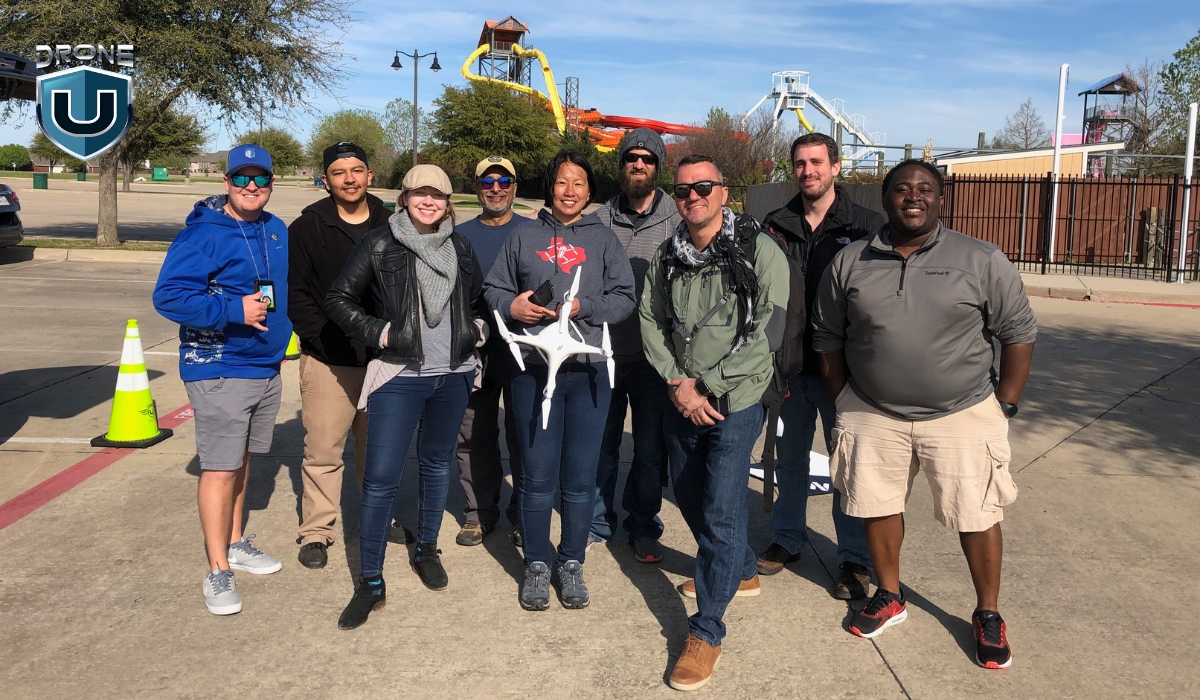
Foreign visitors planning to fly drones in the United States must follow the applicable drone laws:
| For Recreational Use | For Commercial Use |
| Follow all rules for Recreational Flyers (TRUST exam) | Comply with all applicable rules and requirements for Commercial Flyers (Part 107 exam) |
| Register through the FAA’s DroneZone portal | Obtain a foreign aircraft permit issued by the Department of Transportation before any U.S. commercial operations |
| Complete the process under “The Exception for Recreational Flyers” | Follow the permit application process under Part 375 |
Note: For foreign operators, the FAA considers the issued certificate as recognition of ownership rather than a U.S. aircraft registration certificate.
Tip: Consider travel insurance that includes liability for drone flights.
Next, let’s discuss an important rule announced by the FAA.
FAA New Remote ID Drone Rules [2025 Update]
Since September 16, 2023, most drone pilots must comply with Remote ID regulations:
| Remote ID functions as a “digital license plate” for drones, broadcasting identification and location information during flight. |
For more information, check out our article on Remote ID.
As of 2025, all drones that require registration must broadcast a Remote ID signal.
You can comply in three ways:
1. Standard Remote ID Drone (Drones with built-in Remote ID capability).
2. Remote ID Broadcast Module (Add-on to drones).
3. FAA-Recognized Identification Area (FRIA) for non-RID drones only.
We’ve covered the key drone laws and regulations so far, but you might still have questions about registering your drone. Let’s explore that in the next section.
How to Register My Drone With the FAA
| To determine what type of drone pilot you are, use the FAA’s User Identification Tool or visit the Getting Started page for more information. |
If your drone weighs more than 250 grams, you are required to register it with the FAA. However, if it is under 250 grams and you’re flying solely for recreational purposes, registration is not required.
Where to Register a Drone
- Register a drone by mail
- Register a drone online at FAADroneZone (drone must be less than 55 pounds)
You need to provide basic information when registering your drone, such as:
- Make and model of your drone
- Email address
- Physical address and mailing address (if both are different)
- Phone number
- Payment method (Credit or debit card)
- Specific Remote ID serial number provided by the manufacturer (if applicable)
FAA Drone Registration Requirements
- You need to be at least 13 years old. If you’re under 13 years of age, someone older must register the drone for you.
- A U.S. citizen or legal permanent resident of the United States.
Drone Registration Fees and Validity
- Cost: $5 per drone registration
- Validity: Registration is valid for three years
Note: Once you have registered your drone, you can’t transfer between types (part 107 or the Exception for Recreational Flyers).
Frequently Asked Questions
1. Are drones allowed in the USA?
Drones are permitted in the United States of America for both recreational and commercial purposes, subject to FAA and local regulations. The Federal Aviation Administration (FAA) approves commercial drone flights under Part 107 and flying recreational drones under the FAA TRUST test.
2. Can tourists bring drones to the USA?
Yes, but they must register and follow FAA rules just like residents.
3. Do I need a license to fly a drone recreationally?
No, but you must pass the TRUST test and carry proof of completion.
4. Can I fly a drone in a national park?
No. Drone use is banned in all U.S. National Parks (state laws vary) unless you have a special permit.
5. Can you fly a drone at night?
Yes, you can fly drones at night under Part 107. However, airspace authorizations are required for night operations in controlled airspace under 400 feet. For more information, visit the Part 107 Waiver page.
6. Can I fly in a NOAA-protected area?
Watch this video to get the answer:
16
The Future of Drone Mapping with SLAM Technology
Drone mapping has come a long way in the past decade, but it still faces major challenges.
GPS limitations, slow photogrammetry processing, and expensive LiDAR setups make accurate mapping a tedious process.
This is where SLAM technology is changing the game, by allowing drones (and other autonomous vehicles) to map their surroundings in real time while navigating them.
SLAM is opening the door to faster, smarter, and more autonomous drone operations.
But how does it work? What does this mean for the future of drone mapping? Let’s break it down.
What is SLAM Technology?
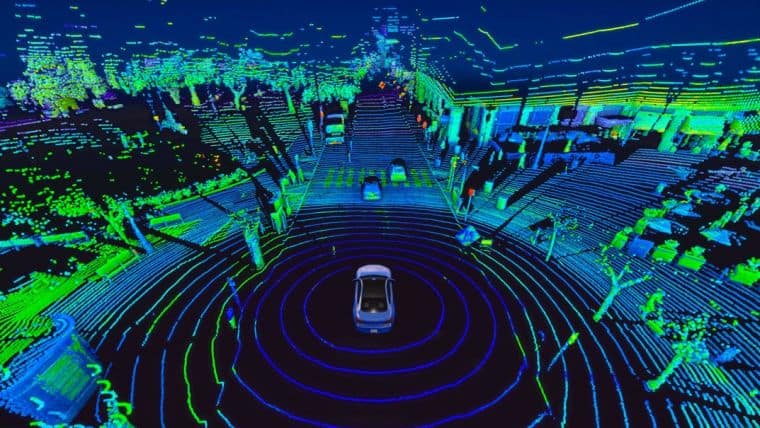
SLAM (Simultaneous Localization and Mapping) is a technology that enables a device such as a robot, drone, or autonomous vehicle to map an unknown environment while simultaneously tracking its position within that map.
It is a critical component of autonomous navigation, allowing machines to move and make decisions without relying on human intervention or any external positioning systems like GPS.
This mapping information is used to carry out tasks such as path planning and obstacle avoidance in various industries like automotive, aviation, maritime, and commercial drone flying.
How SLAM Technology Works
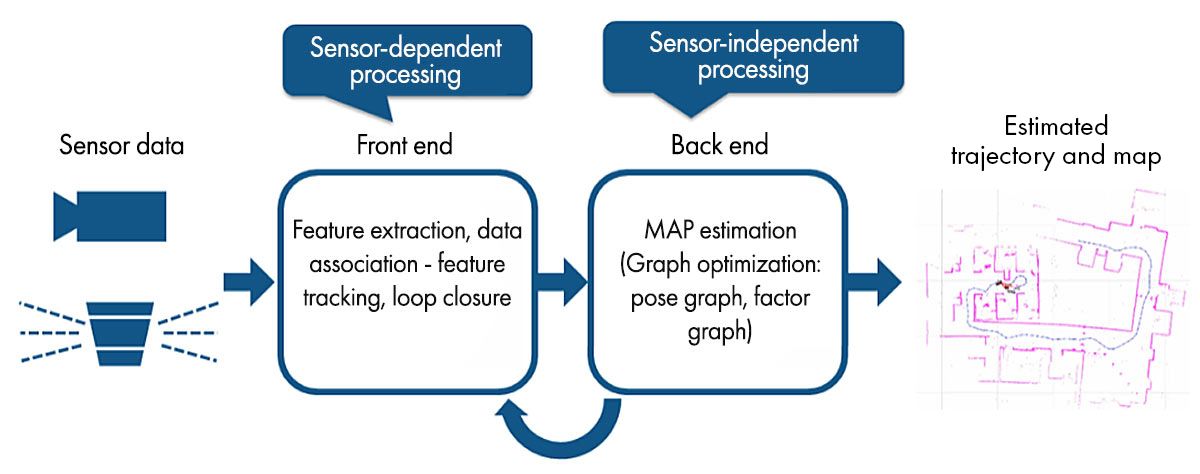
SLAM technology relies on a combination of sensors and intelligent algorithms to create real-time maps. Here’s how it works:
1. Gathering Data from the Environment
SLAM-equipped devices use a variety of sensors to scan their surroundings:
- Cameras (monocular, stereo, or RGB-D) capture images of the environment.
- Light sensors measure distances by bouncing laser beams off surfaces.
- IMUs (Inertial Measurement Units) detect motion, acceleration, and orientation.
- GPS & barometers (when available) provide additional reference points.
All these sensors work together to build a live 3D model of the area.
2. Detecting Key Features
Next, the SLAM algorithm identifies important details in the environment, like edges of buildings, textures on the ground, or unique objects like trees or lamp posts. These act as reference points to help the device understand its position.
For Example: Imagine you’re walking through a mall for the first time. You might remember a large fountain, a specific store sign, or an escalator to track where you are. SLAM does the same thing with visual and depth-based data.
3. Mapping the Area in Real-Time
Using the data from its sensors, the SLAM system builds a 2D or 3D map of the environment, all while the device is in motion.
Unlike photogrammetry, which needs time-consuming post-processing, SLAM maps the environment instantly and updates it in real time.
4. Localizing the Position
Now, this is where the real magic happens. While mapping, SLAM constantly recalculates the device’s position within the environment.
- If the device moves forward, it adjusts the map.
- If it tilts sideways, it updates its perspective.
- If it revisits a known area, it corrects errors and refines accuracy (This is also known as loop closure)
This means that even if GPS fails, the device still knows exactly where it is based on its surroundings.
Why SLAM Matters Today?
SLAM’s ability to map and navigate in real time is impressive, but it’s not a new concept.
It was originally developed in the 1980s and was first coined as an acronym in the 1995 paper ‘Localization of Autonomous Guided Vehicles’.
Here are some real-world examples of SLAM technology in action:
1. Robotic Vacuum Cleaners: If you’ve ever used a Roomba or any other smart vacuum, then you’ve already seen SLAM at work. These devices map your home in real time, detect furniture, and adjust their paths to avoid obstacles.
2. Autonomous Vehicles: Self-driving cars from companies like Tesla and Waymo use SLAM to navigate roads, detect pedestrians, and avoid obstacles – all while updating their environment map in real time.
3. Indoor Warehouse Drones: Companies like Amazon and DJI use SLAM-powered drones to scan inventory, navigate shelves, and automate warehouse management.
So, what’s new about SLAM technology today?
Recent advancements in AI, deep learning, and sensor technology have made SLAM faster, more accurate, and more accessible than ever.
Let’s understand this better by analyzing the impact of SLAM technology on drone mapping.
How SLAM Technology is Transforming Drone Mapping
Drones are revolutionizing the way we map the world.
But to create accurate maps, they need to know exactly where they are at all times, and that’s where SLAM comes in.
SLAM technology helps drones map unknown areas while tracking their position in real time, all without GPS.
This is a game-changer for industries that depend on accurate 3D maps—construction, surveying, public safety, and even defense.
Let’s break down exactly how SLAM is transforming drone mapping and why it’s the future.
1. Real-Time 3D Mapping
Traditional drone mapping, especially photogrammetry, requires capturing hundreds (or thousands) of images and then stitching them together using software.
This process can take hours or even days before you get a usable 3D map.
But with SLAM technology, the mapping happens instantly as the drone flies.
Instead of waiting for post-processing, the drone’s sensors and onboard computing build a real-time 3D model of the area.
This means:
- Faster decision-making
- Live data for critical missions
- More efficient workflows without wasting any time
2. Works in GPS-Denied Environments
One of the biggest limitations of traditional drone mapping is its dependence on GPS.
In places where signals are weak, like underground tunnels, dense urban areas, or even forests, GPS-based mapping simply doesn’t work.
This is where SLAM technology shines since it doesn’t rely on GPS. Instead, it uses cameras and motion sensors to track its position while simultaneously mapping the environment.
3. More Accurate & Adaptive Navigation
Most traditional drone mapping methods rely on pre-planned flight paths. If conditions change, like unexpected obstacles, shifting terrains, or moving objects, the drone can’t adjust in real time.
SLAM fixes this by making drones more adaptive. The drone actively scans its environment and updates its map as it moves, meaning it can:
- Avoid unexpected obstacles
- Self-correct mapping errors
- Handle fast-changing environments
So, how exactly do drones use SLAM for mapping?
In the next section, let’s explore the different types of SLAM and how they shape drone mapping and 3D modelling.
Types of SLAM in Drone Mapping & 3D Reconstruction
Different drones use different types of SLAM depending on the environment, mapping accuracy needs, and available sensors.
Some SLAM systems rely on laser scanning, while others use camera-based navigation for more cost-effective implementation.
Let’s break down the three most common types of SLAM technologies that are commonly used in drone mapping today.
1. LiDAR SLAM
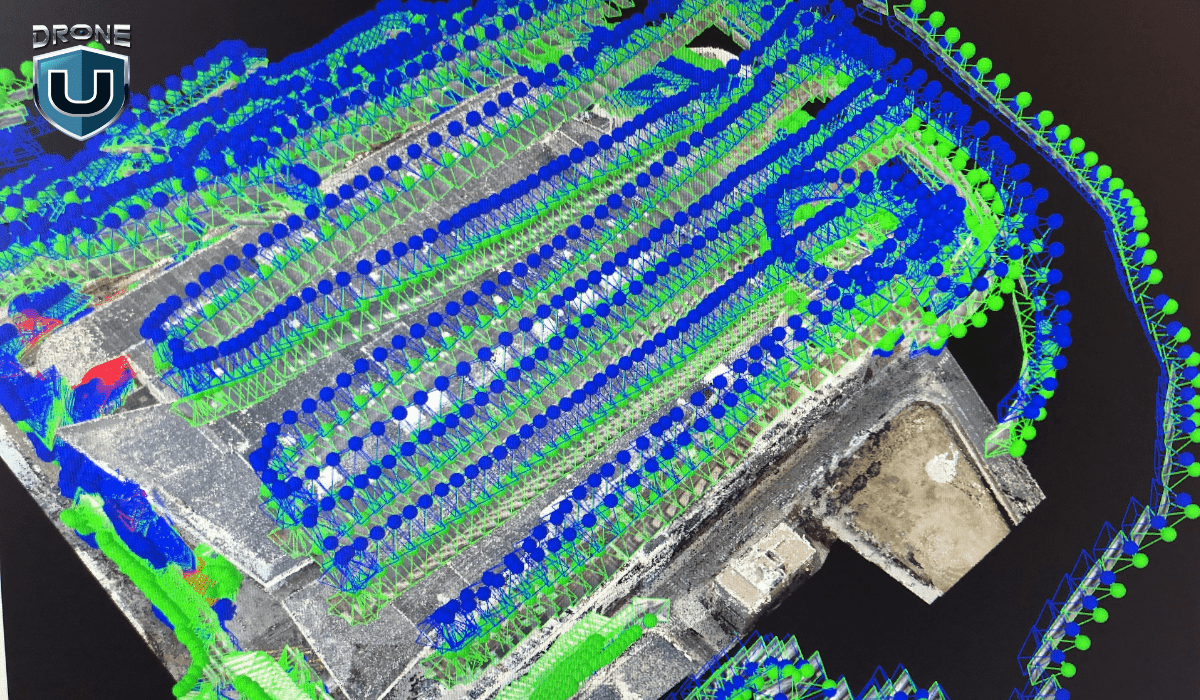
LiDAR SLAM is one of the most accurate and reliable mapping techniques for drones. It uses light detection and ranging sensors to scan the environment by sending out laser pulses and measuring how long they take to return.
How it works:
- The drone’s LiDAR sensor fires thousands (or millions) of laser pulses per second.
- These pulses bounce off objects and return to the sensor, measuring distance, depth, and shape.
- SLAM algorithms process this data to create a high-resolution 3D point cloud map in real time.
- The drone continuously updates its position while flying, ensuring precise navigation and mapping.
Advantages of LiDAR SLAM:
- Works in low-light and poor visibility conditions (nighttime, fog, smoke).
- Highly accurate and precise, even in complex environments.
- Can map large-scale environments quickly and in great detail.
Limitations:
- LiDAR sensors are costly compared to cameras.
- Requires more processing power than other SLAM methods.
2. Visual SLAM (V-SLAM)
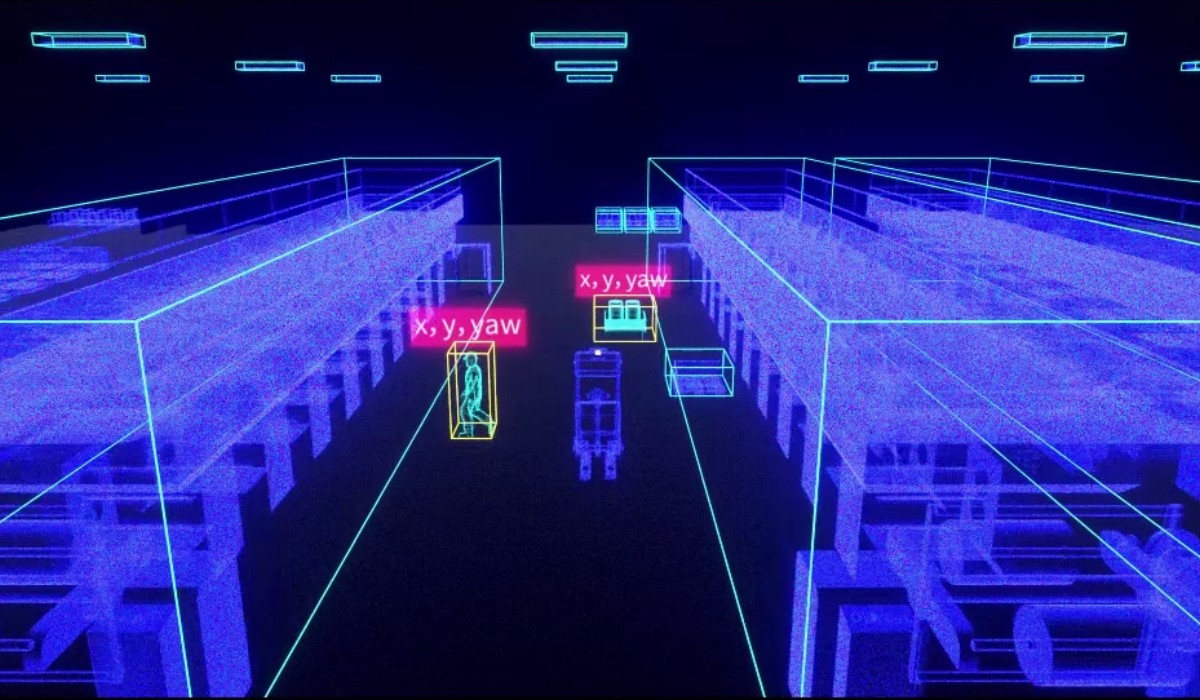
Visual SLAM, also known as V-SLAM, relies on cameras instead of sensors to track movement and map the environment. It’s widely used in indoor navigation, AR/VR applications, and small drones.
How it works:
- The drone’s camera captures images of its surroundings in real-time.
- SLAM algorithms identify key features in the environment (edges, textures, objects).
- The drone tracks these features as it moves, estimating its position and orientation.
- A 2D or 3D map is generated using computer vision techniques.
Advantages of V-SLAM:
- More affordable than LiDAR-based systems.
- Works well indoors and in controlled environments.
- Lightweight sensors, making it ideal for small drones and consumer applications.
Limitations:
- Can be affected by motion blur and rapid drone movement.
- Struggles in low-light conditions (relies on camera visibility).
- Less accurate than LiDAR, especially in large outdoor environments.
3. RGB-D SLAM
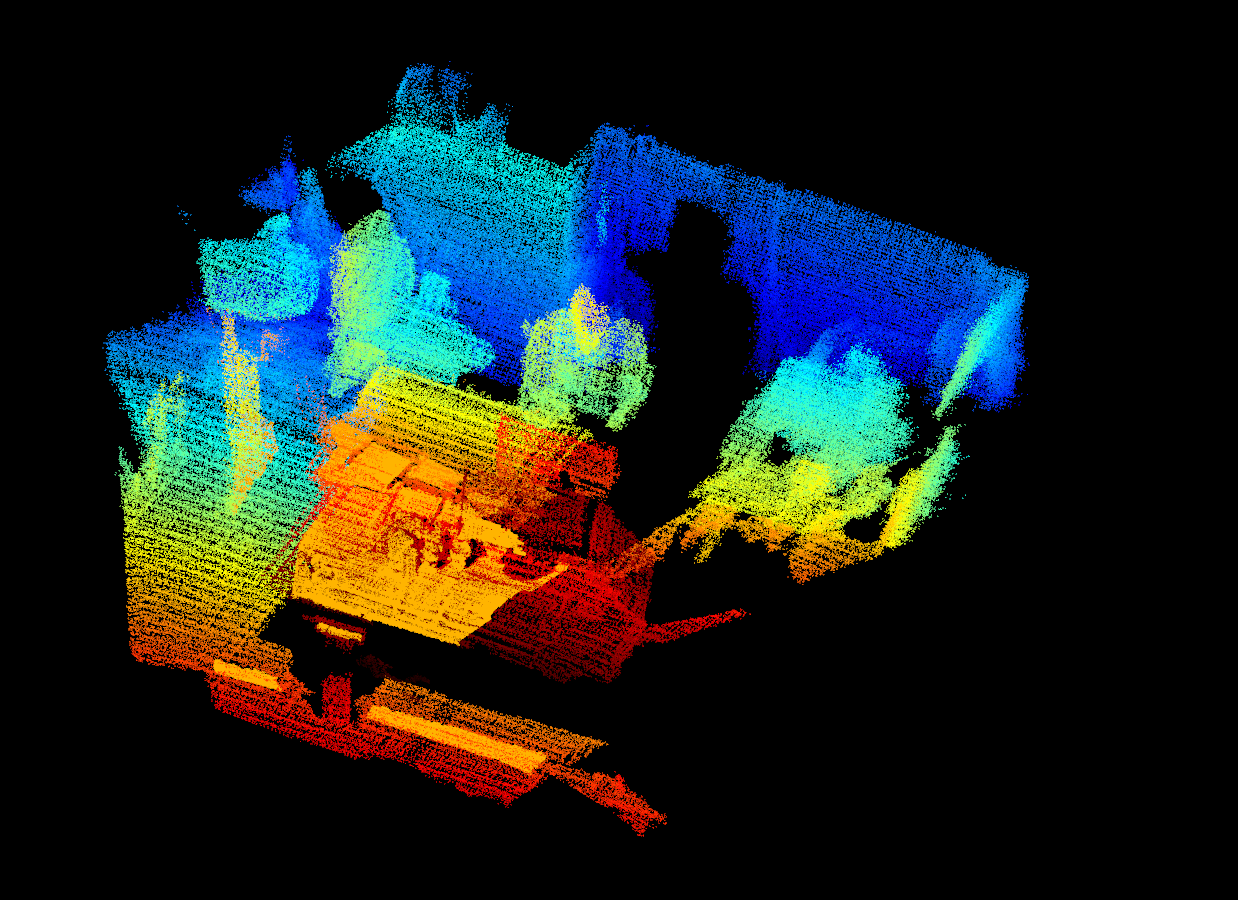
RGB-D SLAM combines Visual SLAM with depth sensors, creating a more detailed and accurate 3D reconstruction than standard V-SLAM.
How It Works:
- The drone uses an RGB-D camera (which captures both color images and depth information).
- SLAM algorithms combine visual and depth data, creating a high-resolution 3D model.
- The drone uses depth perception to understand distances between objects, improving navigation and mapping accuracy.
Advantages of RGB-D SLAM:
- More accurate than standard Visual SLAM due to added depth perception.
- Lower cost than LiDAR, making it a budget-friendly alternative.
- Works well for indoor and close-range mapping applications.
Limitations:
- Less accurate than LiDAR SLAM for large-scale outdoor mapping.
- Requires good lighting conditions for accurate depth perception.
Each SLAM type has its own strengths and trade-offs, depending on the application:
So, which SLAM technology is best for drone mapping?
- If high accuracy and long-range mapping are needed, LiDAR SLAM is the best choice.
- If the goal is indoor mapping or lightweight applications, Visual SLAM is more practical.
- If you’re looking to balance between cost and 3D detail, RGB-D SLAM is ideal.
Next up, let’s explore how the emerging trends in SLAM technology are shaping the future of drone mapping.
Future Trends in SLAM Technology
SLAM has already transformed drone mapping and 3D reconstruction, but this is just the beginning. As AI, deep learning, and real-time processing advance, SLAM is evolving to be faster, smarter, and more autonomous than ever before.
From self-navigating drones to large-scale swarm mapping, the future of SLAM is full of exciting possibilities.
Let’s dive into key future trends shaping the next generation of drone mapping.
1. AI & Deep Learning in SLAM for Improved Automation
Traditional SLAM systems rely on feature detection and sensor fusion, but with deep learning, drones can:
- Recognize and classify objects in real time (e.g., roads, buildings, vehicles).
- Predict and avoid obstacles dynamically, improving autonomous navigation.
- Self-correct errors in mapping, making SLAM even more precise.
Neural networks can help SLAM algorithms learn from previous mapping patterns and improve future mapping accuracy.
2. Swarm SLAM
Imagine hundreds of drones working together to map an entire city in real time. That’s the goal of Swarm SLAM: where multiple drones share data, build maps collaboratively, and improve efficiency.
How Swarm SLAM works:
- Drones communicate with each other, exchanging real-time mapping data.
- Instead of each drone mapping its own area separately, they merge their data to build a single, large-scale 3D map.
- AI algorithms ensure drones don’t duplicate work, optimizing efficiency.
3. The MASt3R-SLAM Breakthrough
MASt3R-SLAM is a new AI-powered SLAM system that’s redefining real-time 3D reconstruction.
Unlike traditional SLAM, which requires calibrated cameras and fixed setups, MASt3R-SLAM works with any camera type, even uncalibrated drone footage.
Here’s what makes MASt3R-SLAM unique:
- It can handle different focal lengths, sensor sizes, and even zooming video footage.
- It can produce denser, more accurate 3D reconstructions.
- It runs at 15 FPS on a standard NVIDIA 4090 GPU.
This means,
- Drones can now create real-time maps from any camera footage (including live video).
- Great option for fast, plug-and-play drone mapping in unknown environments.
- No need for pre-calibrated cameras, simplifying setup and deployment.
Conclusion
From real-time 3D reconstruction to fully autonomous navigation, drones are now capable of mapping the world in ways once impossible.
As AI and deep learning advance, next-gen SLAM systems will push drone technology even further. Soon, drones will navigate without GPS, collaborate to map entire cities in real time, and seamlessly integrate into industries we never imagined.
SLAM is reshaping the future of drone mapping—the only question is, how fast will you adapt?
If you’re ready to stay ahead of this revolution, now’s the time to upgrade your drone flying skills.
Check out DroneU’s expert-led shooting & mapping course and start mastering the future trends of drone technology today!
FAQs
1. What is SLAM drone technology?
SLAM drone technology is used to map and navigate in real time without GPS. It uses cameras, light, and motion sensors to track the drone’s position while building a 3D model of its surroundings, making it ideal for GPS-denied environments like tunnels, forests, and dark areas.
2. How is SLAM different from photogrammetry?
Photogrammetry stitches multiple images together and requires post-processing, which makes it slower. SLAM creates maps in real time using sensors and cameras. SLAM is great for faster real-time applications, while photogrammetry is best for detailed, large-scale mapping.
3. What industries benefit the most from SLAM-based drones?
Industries like construction, surveying, search and rescue, agriculture, defense, and automobiles will benefit the most from SLAM-based drones.
5
Drones and Public Safety: Top Models, Use Cases, & Trends [2025]
When every second matters, drones come into play as a lifeline. The global public safety drone market is projected to hit $9.9 billion by 2033, growing at a 15.7% CAGR. This clearly reflects how essential drones have become to modern emergency response.
According to a research article from ahajournals.org, drones could cut the 90th percentile of AED arrival times by more than six minutes in urban areas and over ten minutes in rural areas.
With their ability to provide real-time footage, drones are fast becoming an essential tool for first responders. Given these powerful benefits, it’s clear why drones have quickly become indispensable in public safety operations.
You might be wondering, how exactly drones are transforming public safety.
In this article, we’ll explore how drones are reshaping public safety and emergency response. We’ll also talk about how to become a drone pilot in public safety and uncover some of the top drone models used in this field.
Let’s explore the adoption of drones for public safety first.
Evolution and Adoption of Drones in Public Safety
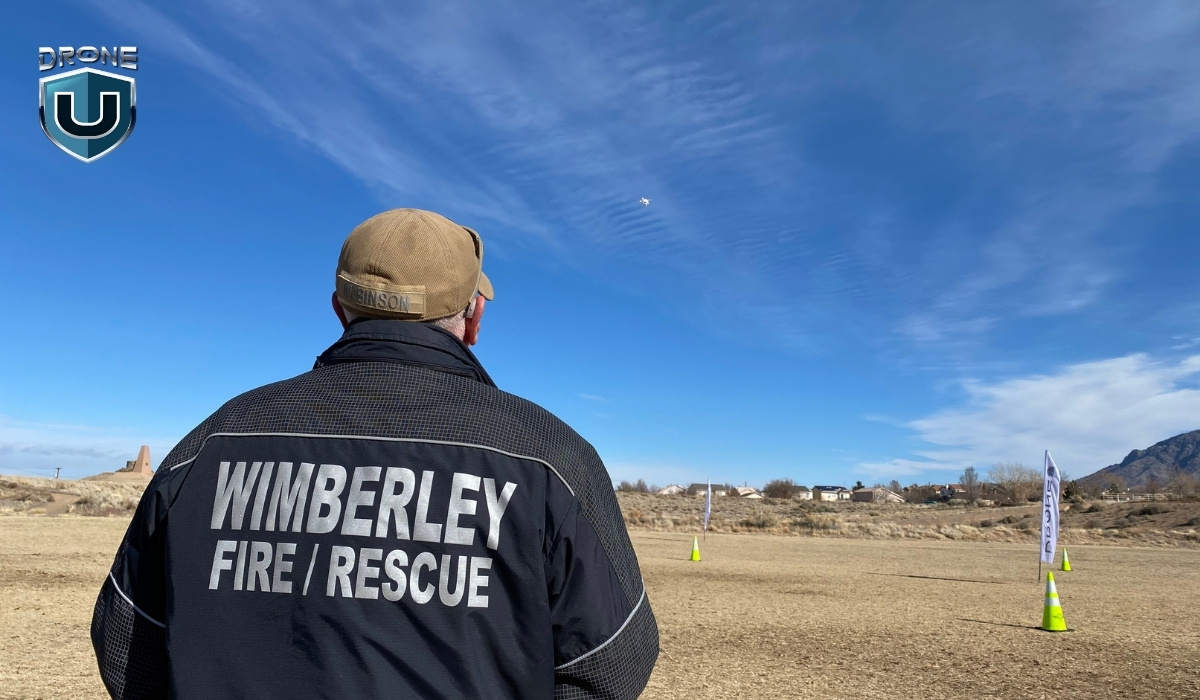
The idea of unmanned flight dates back to 1849, when Austrian forces launched balloons filled with explosives against Venice.
For most of the 20th century, militaries used drones mainly for reconnaissance and combat missions.
That has changed in recent decades.
Nowadays, drones play a vital role in civilian applications, especially in public safety. Fire departments, law enforcement, and emergency response teams rely on drones to gather real-time data, monitor dangerous areas, and respond faster.
How are Drones Used in Public Safety Operations?
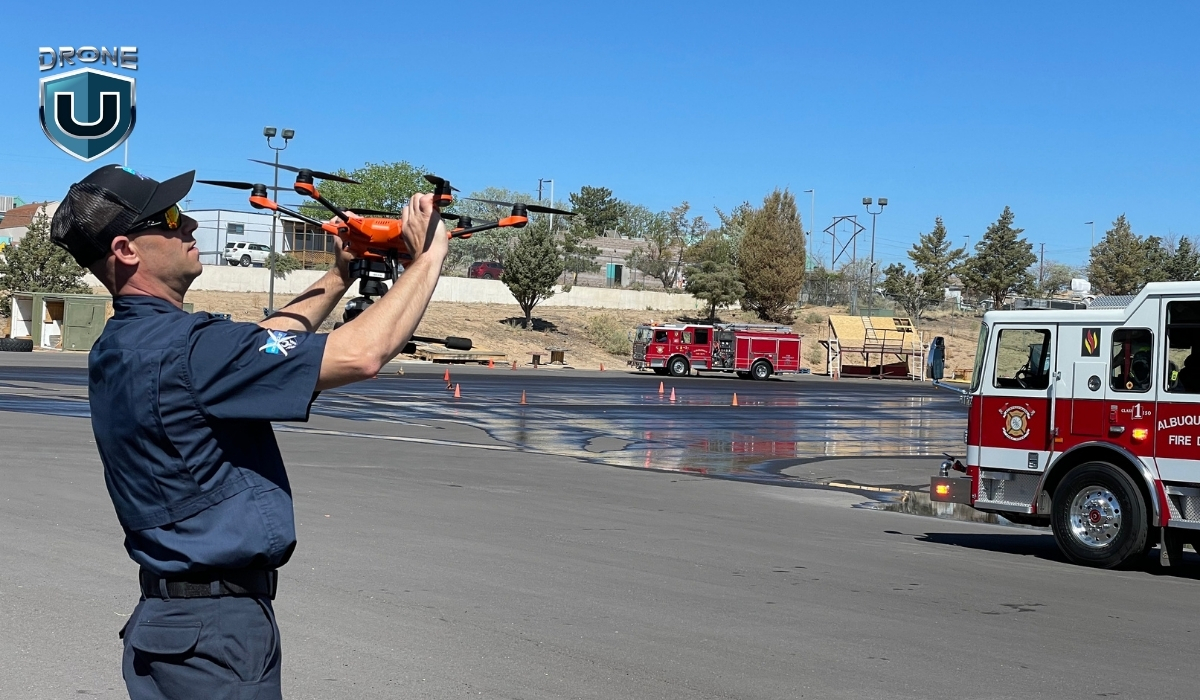
As Chief Colin Stowell of the Los Angeles Fire Department put it, “Time saved by drones can mean lives saved.”
From helping first responders to improving security to saving lives in search and rescue operations, drones are transforming the public safety landscape in a big way.
Here’s how drones play a key role in different public safety operations:
1. Search and Rescue
During emergencies, every second counts. Drones can cover large areas quickly, providing real-time aerial views. UAS helps locate missing persons, assess hazards, and even drop life-saving supplies in hard-to-reach areas.
Search and rescue operations have come a long way. You now use coordinated search patterns to cover areas efficiently and thermal drones to detect heat signatures. Like in a recent case where a missing hiker in California was found using thermal imaging.
With AI, you can even scan drone images to spot objects or signs that might point to where a person is. It’s a powerful combination of tech making a real difference.
2. Traffic Accident Reconstruction
When accidents occur, drones are used to document the scene. Their ability to capture high-definition aerial footage allows investigators to reconstruct the scene quickly.
It’s also important to note that shutting down a highway for an hour costs the government up to $1 million for reduced travel.
In addition, with drone-based scene reconstruction, you remove the human element. You can prove velocity, showcase fault easily without argument, and back it all up with data.
You can even recreate the entire scene in virtual reality (VR) to see exactly how it all transpired. You can analyze vehicle trajectories and assess damage from different angles.
This helps speed up investigations, reduce road closures, and improve traffic management during incidents.
3. Drones as First Responders
In certain situations, drones are now the first on the scene, arriving faster than human responders. Drones equipped with cameras and thermal sensors can assess situations in real time and relay critical information back to the command center.
This helps in delivering first aid supplies faster. It gives emergency teams a head start, enabling them to respond more effectively when they arrive. The New York Police Department’s “Drone as First Responder” program deploys drones to sites of reported robberies and gunshots, offering immediate situational awareness.
We’ve seen this play out in real-world disaster zones like the recent aftermath of Hurricane Helene. Drones were deployed across hard-hit regions in the Southeast, including Florida, Tennessee, and North Carolina, supporting search and rescue missions, surveying storm damage, and even inspecting damaged bridges.
In some cases, drone teams created digital twins of key infrastructure to help city engineers assess safety and accelerate repairs.
4. Large Events and Campus Security
Drones help monitor large public gatherings, such as concerts, protests, and sports events. They provide a bird’s-eye view of crowds, detect potential threats, and track movements.
Drones are also being used to patrol large areas on university campuses, enhancing security by covering more ground efficiently.
They’re also becoming a vital tool in emergency planning. For example, Empower Field in Denver was mapped by drones to better understand how to navigate the stadium in case of an emergency.
A detailed and centralized map of the area helps emergency teams plan faster routes. This information can literally save lives for emergency personnel.
5. Protecting Privacy
While drones are useful for surveillance, they also help ensure privacy in public spaces. With drones, law enforcement agencies can monitor crowds and public areas without relying on fixed cameras, offering a less intrusive way to ensure public safety.
Drones are also used for enforcing privacy laws, preventing unlawful surveillance, and protecting individual rights. For instance, the New Orleans Police Department deployed drones during a critical incident on June 9, 2024, enhancing their response capabilities.
But how can you start as a public safety drone pilot? Let’s explore the essential certificates.
Which Certificate Do You Need for Public Safety Drone Operations?
For flying drones for public safety operations, consider taking up a Part 107 license and/or the COA (Certificate of Authorization).
Watch this video to have a better understanding of both certificates:
Let’s dive into each of them:
1. Part 107 License (Remote Pilot Certificate)
For any commercial or public safety drone operations, the Part 107 license is a must-have. This certification ensures that the operator understands safe flight practices, airspace regulations, and emergency procedures.
The Part 107 Certification is issued by the Federal Aviation Administration (FAA) and is the standard certification for commercial drone operators in the United States.
Key Requirements:
- Eligibility: To obtain a Part 107 Certificate, you must be at least 17 years old, be able to read, speak, write, and understand English, and be in a physical and mental condition to safely operate a drone.
- Knowledge Test: You must pass the FAA’s Knowledge Test (often referred to as the FAA Part 107 Test), which covers topics like:
- Airspace classifications and restrictions
- Weather effects and drone operations
- Drone maintenance and safety protocols
- Emergency procedures
- Flight Operations: A Part 107 Certificate allows you to operate drones in most scenarios, including commercial and public safety operations. This includes:
- Daytime operations (within visual line-of-sight)
- Drone weight limit up to 55 pounds (including any payload)
- Renewal: The Part 107 certificate is valid for 24 months and must be renewed with a recurrent knowledge test.
2. COA (Certificate of Authorization)
The Certificate of Authorization (COA) is issued by the FAA for agencies or entities like law enforcement or fire departments that want to conduct public safety drone operations beyond the restrictions of the standard Part 107 rules.
Key Requirements and Details:
- Special Operations: The COA is required for government and public safety agencies that need to perform drone operations in restricted airspace or beyond the typical Part 107 guidelines. These can include:
- Flights over people or at night (Part 107 typically doesn’t allow these without a waiver).
- Operations in controlled airspace or near airports without Part 107 waivers.
- Process: To obtain a COA, public safety agencies must apply directly to the FAA, specifying their operational needs and demonstrating their ability to safely manage drones. The application process includes:
- Detailed operational plans
- Safety protocols
- Risk management strategies
- Approval for Specific Operations: The COA is specific to the organization and the type of operations it plans to carry out. For example, a fire department might apply for a COA to operate drones for fire mapping or search and rescue in restricted airspace.
For public safety agencies, the COA allows the agencies to operate beyond the limitations of Part 107. If you’re conducting operations that involve flying drones at night, over large crowds, or in restricted or controlled airspace, you’ll need a COA.
Summary of Key Differences
| Feature | Part 107 License | COA (Certificate of Authorization) |
| Issued By | FAA | FAA (specifically for public safety agencies) |
| Eligibility | Available to individual drone operators | Available to government/public safety agencies |
| Scope of Operations | Standard commercial operations within Part 107 rules | Allows for operations outside Part 107 limits, e.g., night flying, flying over people |
| Required for | Any commercial or public safety drone use | Public safety agencies seeking extended flight privileges |
| Duration | 2 years (requires renewal) | No set expiration; valid as long as the operation is active |
| Required for | Most public safety drones (unless COA is needed for specific exemptions) | Agencies performing high-risk, non-standard operations (night, controlled airspace, etc.) |
With this knowledge, let’s explore what drones you can use for public safety operations.
Best Public Safety drones in 2025
Based on our research and tests, here are some of the best drones for public safety operations:
1. Skydio X10
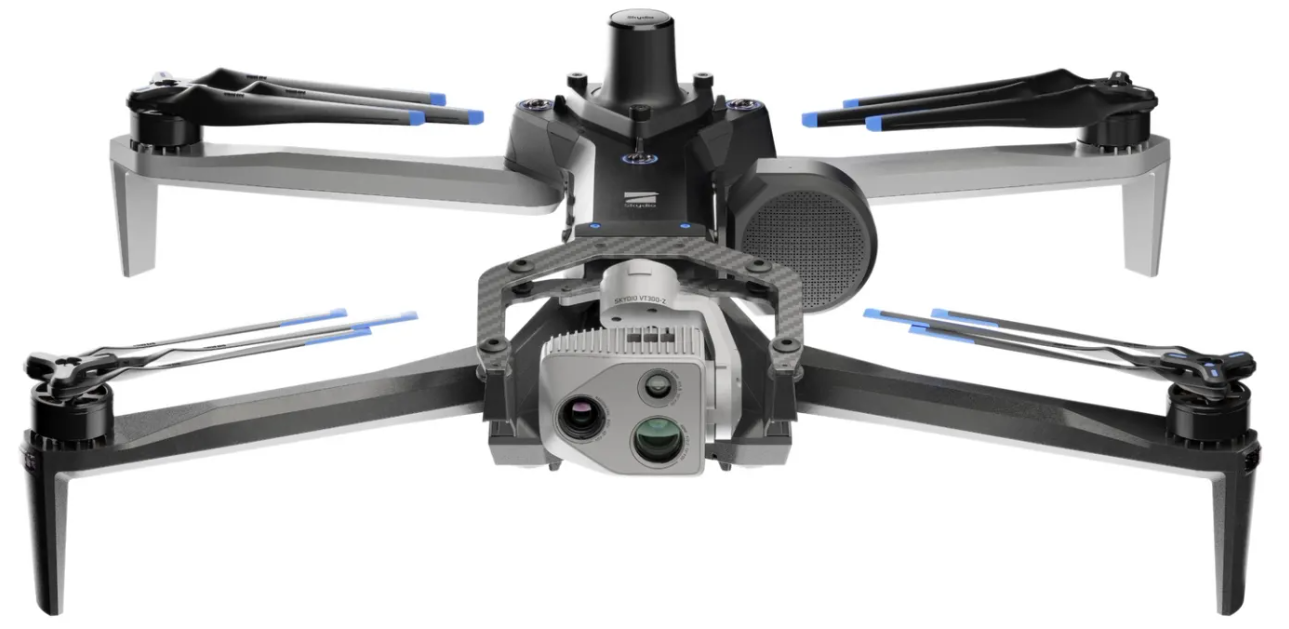
The Skydio X10 is built for professionals who need serious data fast. It’s small, smart, and packed with some of the best sensors you’ll find in a drone this size.
Its modular camera system gives you high-resolution visual and thermal imaging so you can capture exactly what you need.
The Skydio X10 is the first drone to pack a Teledyne FLIR Boson+ sensor, offering sharp thermal visuals with resolutions up to 640×512 and impressive sensitivity.
Key Features of Skydio X10
- Max Flight Time: 40 minutes
- Thermal Imaging: FLIR Boson+ uncooled VOx microbolometer for sharp and sensitive thermal visuals
- Resolution: 640×512 with ?30mK sensitivity for accurate radiometric readings
- Telephoto Camera: 1/2″ 48MP CMOS, great for spotting objects from a distance
- Wide Camera: 1″ 50.3MP CMOS, ideal for capturing large scenes in high detail
- Narrow Camera: 1/1.7″ 64MP CMOS, perfect for zoomed-in, detailed inspections
- Navigation Cameras: 6 cameras
- Weight: ~2.1 kg
- IP55 rating: resistant to dust and water spray
- Operating Temperature: -20°C to +45°C (-4°F to 113°F)
- Obstacle Avoidance: True 360°
- Navigation: GPS, Galileo, GLONASS, and BeiDou
Pros:
- Exceptional autonomous navigation.
- Reliable thermal camera for night or low-visibility operations.
- Ideal for tight spaces and complex environments.
- Compact and portable for quick deployment.
Cons:
- Limited range compared to some other drones.
- Comes with a higher price tag.
- At around 4.7 lbs with batteries, it’s heavier than many drones.
Why Choose Skydio X10 for Public Safety?
The Skydio X10 is perfect for operations in environments where autonomous flight is required, such as dense urban areas or forests. It’s particularly useful in search and rescue operations and situations where real-time obstacle avoidance is a priority.
2. Brinc Lemur 2
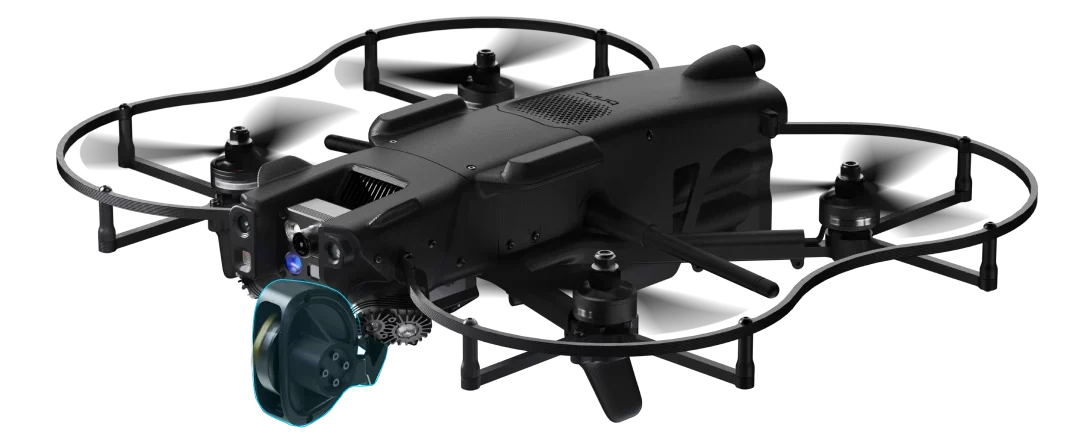
The Brinc Lemur 2 is an NDAA-compliant, American-made drone. It is designed specifically for law enforcement and public safety missions. It is known for its rugged design and ability to perform close-quarter operations, making it ideal for SWAT teams and emergency response units.
Key Features of Brinc Lemur 2
- Max Flight Time: 20 minutes
- Takeoff Weight: 3.3 lbs / 1.5 kg
- Sensor Effective pixels: 13MP
- Thermal Camera Sensor: FLIR Lepton, 160×120
- Max Speed: 48 mph
- Operational temperature: – 4°F to 113°F (-20°C to 45°C)
- Flight Modes: Position Hold, Altitude Hold, Manual
- Water Resistance: Light rain
- Autonomy Sensors: Forward LiDAR mapper, dual forward tracking cameras, and downward LiDAR altimeter
Pros:
- Rugged and durable design suited for tactical operations.
- Two-way communication for direct interaction in sensitive operations.
- Capable of flying in tight spaces and through windows.
- Thermal and optical cameras for all-weather operations.
Cons:
- Limited range compared to larger drones.
- Smaller payload capacity may limit additional sensor integration.
Why Choose Lemur 2 for Public Safety?
If you need a drone for high-risk tactical operations where flying in tight spaces is required, the Brinc Lemur 2 is a perfect choice. Its two-way communication system enhances situational awareness and allows law enforcement to manage operations effectively.
3. DJI Matrice 30T
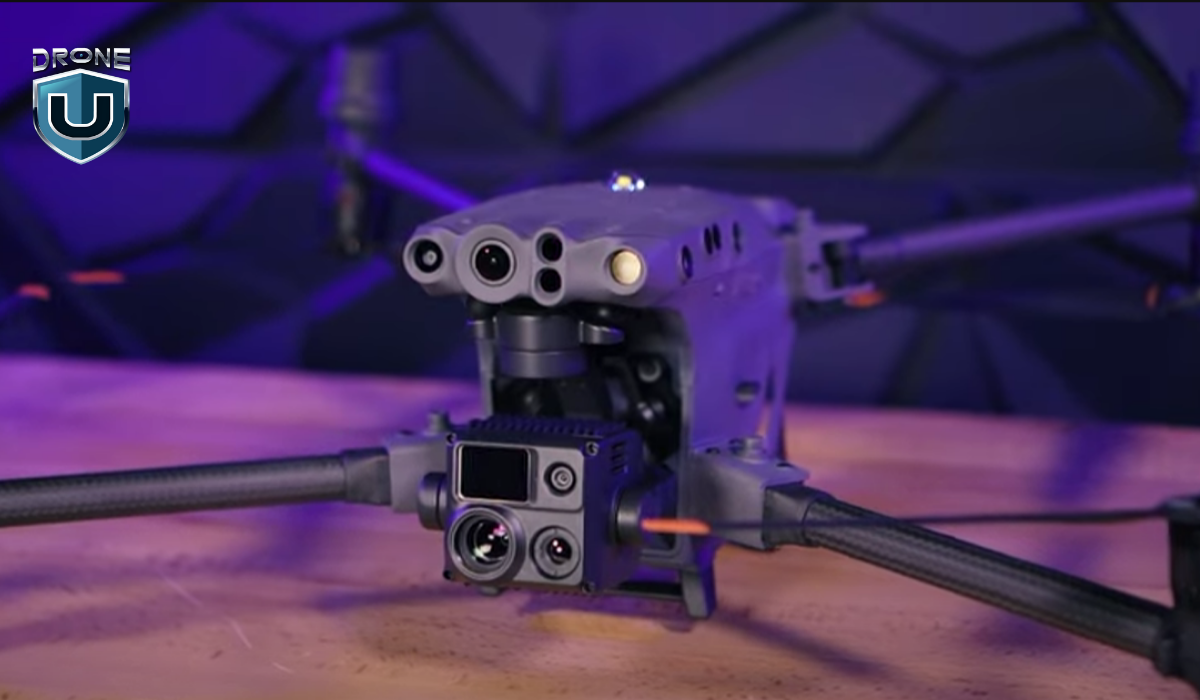
The DJI M30T is what happens when power, precision, and portability come together in one drone. It’s compact enough to carry easily but packed with features that make it perfect for serious work in public safety, inspections, and emergency response.
Equipped with wide, zoom, and thermal cameras, along with a laser rangefinder, the M30T gives you a complete picture from the air.
The drone uses dual-vision and ToF sensors on all six sides to detect obstacles, while an onboard ADS-B receiver alerts you to nearby crewed aircraft.
With O3 Enterprise Transmission and DJI’s Cellular Dongle, the M30T delivers reliable 1080p live video even in complex or signal-challenged environments.
Key Features of DJI Matrice 30T
- Max Flight Time: 41 minutes
- Compact and portable design
- Folded drone dimensions: 365×215×195 mm
- Total weight (with two batteries): approx. 3.77 kg
- Compatible with GPS, Galileo, BeiDou, and GLONASS (GLONASS requires RTK module)
- Operating Temperature Range: -20°C to 50°C (-4°F to 122°F)
- Zoom Camera: 1/2″ CMOS sensor, 48MP for detailed close-ups
- Wide Camera: 1/2″ CMOS sensor, 12MP for broader scene capture
- Thermal Camera: Uncooled VOx Microbolometer for heat-based imaging
- FPV Camera: Full HD (1920×1080) resolution for pilot view
- Forward Obstacle Sensing: Detects obstacles from 0.6 to 38 meters
- All other directions Obstacle Sensing (up, down, sides, back): 0.5 to 33 meters
Pros:
- Exceptional flight time and long-range capability.
- High payload capacity for a variety of sensors.
- Versatile with multiple camera and sensor options.
Cons:
- The 12MP wide-angle camera may not provide enough detail for high-precision mapping.
- The DJI Pilot 2 app offers basic automation but lacks depth and flexibility.
- Features like Point of Interest (POI) or Orbit are not available.
Why Choose M30T for Public Safety?
The DJI Matrice 30T is ideal for public safety agencies requiring long-range operations. It’s excellent for search and rescue, crime scene investigation, and disaster response, where the ability to carry multiple sensors is paramount.
4. Freefly Systems Astro Max with thermal and LRF
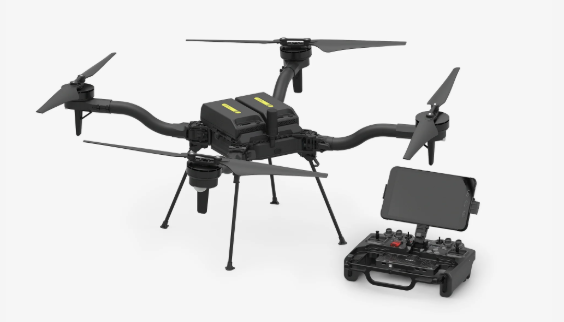
The Astro Max is Freefly’s latest leap into the commercial drone space. It is Blue UAS and NDAA compliant and built with serious work in mind.
This compact industrial drone comes fully loaded with Sony’s LR1 sensor, Pilot Pro controller, Doodle Labs radio, RTK, and LTE cloud connectivity.
What really sets Astro Max apart is its modular payload setup. With a decade of experience flying cinema-grade cameras on major productions, Freefly knows how to engineer drones that carry precious payloads with precision and confidence. Astro Max brings that same reliability to commercial, public safety, and industrial missions.
Key Features of Freefly Astro Max
- Max Flight Time: 39 minutes (28 minutes with LR1 Payload)
- 3kg max payload capacity
- High-resolution rockers for smooth gimbal/camera control
- Pilot Pro Controller comes with an Emergency kill-switch for immediate shutdown
- Astro uses two SL8-Air batteries per flight
Pros:
- Heavy-lift capabilities for a wide range of sensors.
- Decent flight time with a high payload.
- Trusted for sensitive government and public safety operations in the U.S.
- Comes with a durable, drop-tested, submersible travel case
- Designed with open interface specs, allowing teams to integrate custom systems or software.
Cons:
- Expensive and overkill for simpler operations.
- Requires expert piloting skills due to its size and complexity.
- LTE modem works in the United States only.
Why Choose Astro Max for Public Safety?
The Astro Max is ideal for large-scale missions where carrying heavy payloads is required. It’s a great option for operations involving mapping, surveying, or disaster relief where high-powered sensors need to be deployed.
5. DJI Matrice 4T
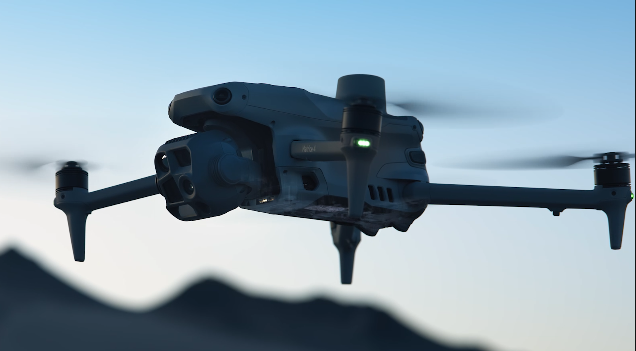
The DJI Matrice 4 Series brings a fresh wave of innovation to the enterprise drone space.
The Matrice 4T is your go-to for public safety, emergency response, and utility inspections. It’s packed with smart sensors, powerful tracking capabilities, and a laser rangefinder that lets you pinpoint and measure with incredible accuracy. It can detect vehicles, vessels, and people mid-flight, making it a game-changer for urgent and high-stakes scenarios.
Key Features of DJI Matric 4T
- Max Flight Time (without wind): 49 minutes (with standard propellers)
- Total Weight (with propellers): 1220 g
- Max Payload: 200 g
- Wide-Angle & Medium Tele Camera: 1/1.3? CMOS, 48MP
- Tele Camera: 1/1.5? CMOS, 48MP
- Laser Range Finder Measurement Range: 1800 m
- Infrared Thermal Camera: Resolution 640 × 512
- Thermal Imager: Uncooled vanadium oxide (VOx)
- Operating Temperature: -10? to 40? (14°F to 104°F)
- GNSS: GPS + Galileo + BeiDou + GLONASS
- Obstacle Sensing: Omnidirectional
Pros:
- Ideal for SAR, inspections, or firefighting.
- Detects heat signatures in difficult conditions like smoke, darkness, or remote terrain.
- Integrated NIR auxiliary light enhances visibility in the dark or fog.
- Smart tracking, real-time mapping, and object recognition features speed up workflow.
Cons:
- Comes at a premium price.
- Teams will need proper training to fully leverage the drone’s capabilities.
Why Choose Matrice 4T for Public Safety?
The DJI Matrice 4 Series is perfect for missions that demand precise detection, measurement, and versatility. It’s an excellent choice for public safety, emergency response, and industrial inspections where intelligent tracking, thermal imaging, and real-time data collection are critical.
6. Vantage Robotics Vesper
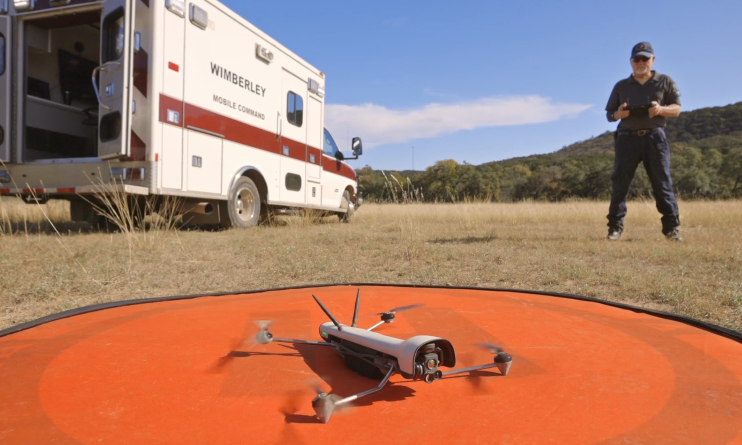
The Vantage Robotics Vesper is a lightweight, rugged drone designed for rapid deployment in critical situations. Its high-definition camera and thermal capabilities make it perfect for law enforcement and search and rescue operations.
The Vesper drone offers an American-made ISR system that delivers exceptional performance. With extended flight times and superior low-light capabilities, it’s ready to tackle any mission, day or night. The 3-axis stabilized tri-sensor payload ensures crystal-clear imagery in all conditions.
Key Features of Vesper
- Flight time (Shrouded Rotor Set): 32 minutes
- Flight time (Recon Rotor Set): 50 minutes
- Flight speed: 20 m/s / 45 mph
- Operational temperature range: -20° to 45° C
- Visibility: Not visible at 100 meters seen against terrain
- Ingress protection: IP-53 in flight
- Position control sensors: Redundant GNS, GNSS, VIO, and optical flow for position control indoors and outdoors
- Avoidance: Downward facing sonar, front and rear avoidance available as future software update
Pros:
- With up to 50 minutes of flight time using the Recon Rotor Set, Vesper ensures you can cover large areas with fewer recharges.
- Fast enough for quick deployments and effective operations.
- Incredibly quiet, making it ideal for covert missions.
- Ensures compliance with US government security requirements.
Cons:
- Limited payload capacity compared to larger drones.
- Currently, it only has downward-facing sonar, with front and rear avoidance planned as a future software update.
Why Choose Vesper for Public Safety?
If you need a lightweight, highly portable drone for quick deployment in urgent situations like search and rescue, the Vesper is an excellent choice. The combination of high-definition footage with thermal cameras offers flexibility for various public safety missions.
Future Outlook for Drones and Public Safety
We’re just scratching the surface of what drones can do in public safety.
With the integration of AI and machine learning, drones are starting to make decisions on their own navigating environments, detecting threats, and even analyzing footage in real time. This tech helps responders act faster, with better information and less risk.
Additionally, concepts like Urban Air Mobility (UAM) are moving from prototypes to real-world testing.
However, with more capability comes more responsibility.
And that’s where training and policy come in.
Get your team trained and certified with programs designed for public safety professionals. Explore drone training programs for public safety teams.
Final Thoughts
Consider the types of missions you’ll be flying, the payloads you’ll need to carry, your budget, and the level of training your team has.
In public safety, the key to a good drone is how quickly it can be deployed. When every second counts, you need something that can be up and flying fast.
The M30T is the fastest, at about 30 seconds, and the M4T follows closely at 40 seconds.
While the Vesper takes up to 90 seconds to launch. The Skydio X10 can take a few minutes, and the Freefly might need up to 5 minutes.
That being said, the choice will ultimately depend on your specific needs, whether it’s autonomous navigation, tactical operations, precision mapping, or heavy-lift capabilities.
Frequently Asked Questions
1. Is Part 107 License enough for public safety drone operations?
The Part 107 license is a crucial certification for any individual or agency wishing to operate drones commercially, including for public safety operations. However, while Part 107 is necessary, it may not always be enough, depending on the specific mission requirements.
For certain missions, you need additional approvals, such as waivers or a COA.
2. What are the types of law enforcement that can use public safety drones?
Various law enforcement agencies can use drones, including:
- Police Departments: For surveillance, crowd control, search and rescue, and accident reconstruction.
- Sheriff’s Offices: Mainly for search and rescue in large or rural areas.
- SWAT Teams: For pre-raid surveillance and assessing dangerous situations.
- Fire Departments: To assess fire conditions and assist in search and rescue.
- Border Patrol: For monitoring remote areas and detecting illegal activity.
- Federal Agencies: Such as the FBI and DEA for surveillance and intelligence gathering.
3. Why drones are used in public sfatey?
Public safety teams use drones because they deliver real-time data and visuals exactly when it’s needed most.
Instead of sending officers into dangerous situations like active fires or unstable structures, drones can fly in first. They give teams a clear aerial view of the scene, helping assess risks, locate victims, and plan next steps without delay.
Plus, today’s drones have AI built in, which means they can do a lot more in less time. They can gather and process a ton of data quickly, which is a huge advantage when time is critical in emergencies.
3
Class A Airspace: A Comprehensive Guide for Drone Pilots
Have you ever wondered what happens in Class A airspace, far above where drones fly? As a drone pilot, your focus is usually below 400 feet, navigating controlled zones and avoiding no-fly zones.
However, commercial airliners cruise under strict air traffic control in Class A airspace.
While it may seem distant from your operations, understanding this high-altitude airspace gives you a deeper insight into how the skies are structured and why every layer plays a crucial role in aviation safety.
So, what exactly is Class A airspace? Why does it matter to drone pilots? And could drones ever have a place in this high-altitude domain? Let’s dive in.
What is Class A Airspace?
Class A or Alpha airspace is the most controlled airspace in the United States. This class is often referred to as Positive Controlled Airspace. In this airspace, all aircraft must operate under Instrument Flight Rules (IFR) and follow ATC instructions.
Air Traffic Control (ATC) has complete authority over positively controlled airspace, ensuring the safe and efficient movement of aircraft. This airspace is primarily used by jets, military aircraft, and other high-altitude aircraft.
Where is Class Alpha Airspace Located
Class A airspace extends from 18,000 feet Mean Sea Level (MSL) up to 60,000 feet (FL 600), including the airspace overlying the waters within 12 nautical miles of the coast across the USA.
In aviation terminology, altitudes at and above 18,000 feet are referred to as a Flight Level (FL), which helps standardize altitude measurements for high-altitude flights.
It doesn’t matter whether you’re in California, Texas, or Vermont; once you hit 18,000 feet, you’re in Class A airspace.
Class A airspace isn’t shown on sectional charts for drone pilots because it’s far above the altitude where most drones can fly.
To understand elevation and airspace layers in a better way. Let’s walk you through an example:
Open a sectional chart near Denver, Colorado. The city sits at roughly 5,280 feet MSL.
Since Class A airspace starts at 18,000 feet MSL, that means it begins about 12,700 feet above ground level over Denver.
The same rule applies nationwide—Class A always begins at 18,000 feet MSL, no matter the terrain elevation beneath it.
Class A Airspace Requirements for Drone Pilots
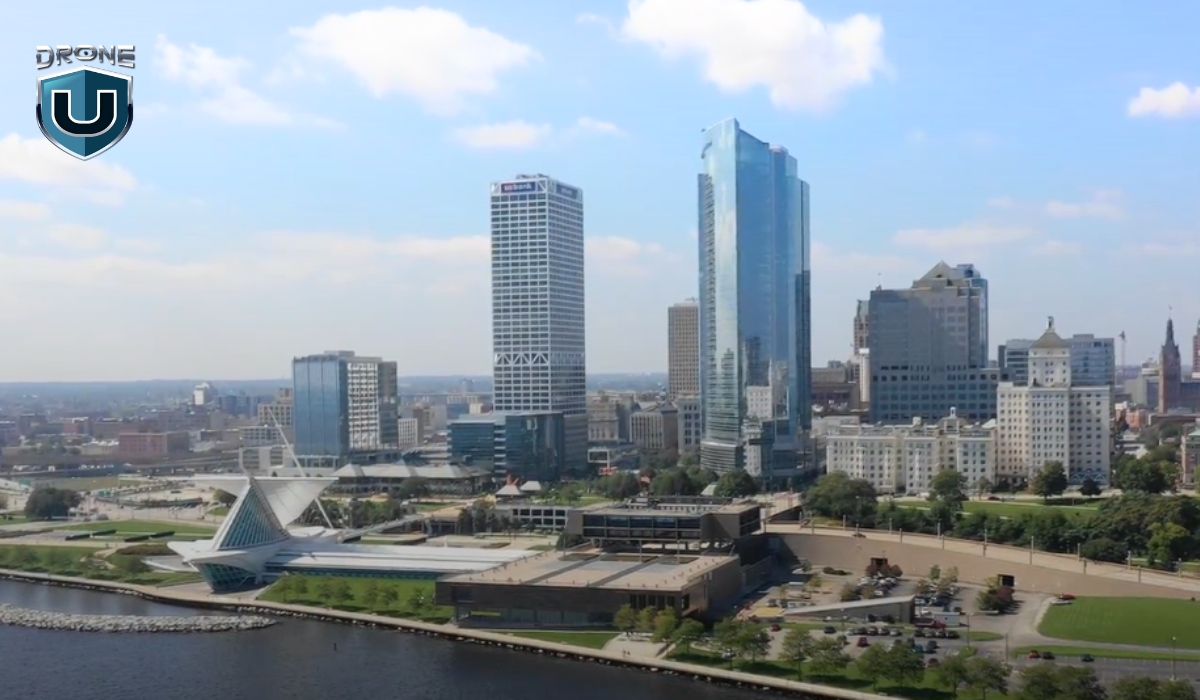
You can’t fly a drone in Class A airspace under Part 107. The FAA clearly states that drones flying under Part 107 must operate below 400 feet AGL (above ground level), and Class A airspace starts way up at 18,000 feet MSL.
So, for most drone pilots, Class A is off-limits.
However, if you’re exploring advanced operations, like long-range UAS flights, high-altitude scientific research, or you’re part of a public safety agency, there’s more for you to consider.
Class A Airspace Weather Minimums
In Class A airspace, all aircraft operate under Instrument Flight Rules (IFR). That means weather minimums concepts like “3 miles visibility” or “cloud clearance” don’t apply here the way they do in Class B Airspace, Class D Airspace, or Class G Airspace.
Why? IFR pilots don’t rely on looking out the window.
They fly using instruments and directions from ATC. That’s why the FAA doesn’t publish traditional weather minimums for Class A—it’s a cloud-level, visibility-independent environment.
Class A Airspace Speed Limits
In lower altitudes, drone pilots and manned aircraft have speed limits. But in Class A, there’s no blanket speed limit. That’s because high-altitude aircraft fly much faster—commercial jets often cruise between 460–575 knots at these levels.
Why Does Class A Airspace Matter to Drone Pilots?
If you’re not flying your drone in Class A airspace, why does it matter?
For drones, it doesn’t. However, understanding it can give you valuable insight into the following:
1. Understanding the National Airspace System (NAS)
Knowing how the NAS is structured helps you become a more informed and responsible drone pilot. The airspace above you is highly regulated, and recognizing these boundaries enhances your overall airspace awareness.
2. Impact of Manned Aviation on Drone Operations
Aircraft in Class A airspace include commercial airliners, business jets, and military aircraft traveling at high speeds. While drones won’t encounter these aircraft directly, the traffic in Class A can affect air traffic control decisions, Temporary Flight Restrictions (TFRs), and other operational considerations that trickle down into lower airspace classes where drones do operate.
3. Future Drone Operations in High-Altitude Airspace
With advancements in unmanned aviation, high-altitude drones and urban air mobility (UAM) are on the rise. Companies are developing long-endurance UAVs for communication, weather monitoring, and surveillance missions that could one day operate in Class A airspace. As regulations evolve, drone pilots may see new opportunities in high-altitude operations.
Conclusion
As a drone pilot, knowing how the national airspace system works gives you an edge. It helps you fly safer, plan better, and take the same precautionary measures as manned aviators.
The skies above us are carefully structured to keep manned and unmanned aircraft operating safely.
After all, being a great drone pilot isn’t just about sticking to the rules. It’s about seeing the bigger picture—how all the layers of airspace fit together and why they matter.
Curious about other types of airspace and how they affect drone flights? Explore our guides on Class B, Class C, Class D, and Class E airspace to deepen your understanding of where and how you can fly legally and safely.
Ready to level up your knowledge and unlock new flying opportunities?
Check out our drone pilot training programs here.
Frequently Asked Questions
1. Can Drone Pilots Fly in Class A Airspace?
Not without special FAA authorization. If your operation somehow involves flying in Class Alpha airspace. For example, for a high-altitude weather drone or a defense-related UAV, you’ll need to apply for a ‘Certificate of Waiver’ or operate under a ‘Special Airworthiness Certificate.’
2. Is a waiver even possible for drone operations in Class Alpha?
Yes, a waiver is possible, but it’s extremely rare and comes with very strict conditions. Under 14 CFR § 91.135, the FAA governs operations in Class A airspace, and this requires months of planning, ATC clearance, and formal coordination with the FAA.
3. How is Class Alpha Airspace Different from All Other Airspace?
Class Alpha airspace differs from other airspace classes in several key ways. It uses pressure altitude instead of true altitude, and altitudes are expressed in flight levels (like FL180) rather than feet. Only IFR-certified pilots can fly in it, and all operations require an ATC clearance to a specific flight level. Unlike Class B, C, or D, Class A airspace isn’t depicted on sectional charts because it’s uniformly defined nationwide, starting at 18,000 feet MSL.
4
The Best Budget Drones For Beginners
Ever dreamed of piloting a drone but worried about the cost? Many beginners hesitate to invest in their first drone, fearing they might crash an expensive gadget within minutes.
However, you can go for budget-friendly drones that offer impressive features without draining your wallet.
So, which budget drones are worth your money?
This guide breaks down the top choices, helping you find the best budget drone that’s easy to fly, packed with features, and perfect for beginners.
Let’s get started!
Best Budget Drones for Beginners: Top Picks
Here is a quick look at the best affordable drones included in the list:
| Model | Weight | Flight time | Camera | Price | Best for |
| DJI Mini 3 | 248g | up to 38 mins | 48MP | $469 with remote | Aerial photography |
| DJI Mini 2 SE | under 249gm | 31 minutes | 12MP | $299 | Recreational/ hobbyists |
| BetaFPV Cetus X | 55g | 5 minutes | C04 FPV Camera | $309.99 | Freestyle flying |
| Ryze Tello | Approx 80gm | 13 minutes | 5MP | $99 | Educational purpose |
| DJI Neo | 135g | 18 minutes | 1080p | $199 | Best selfie drone |
| Holy Stone HS110G | 176gm | 13 minutes | 1080p | $159.99 | Beginner friendly |
| Potensic ATOM SE | under 250gm | Up to 31 mins | 12MP | $229.99 | Recreational/ hobbyists |
| Holy Stone HS110D | 149 gm | 10 mins | 1080p | $89.99 | Freestyle flying |
Before you dive into buying one of these bad boys, let’s do a quick recap of the basics.
The Basics of Drone Tech
Here are some important terms that you have to be aware of before buying a drone:
1. Drone Frame
The frame is the physical framework that holds the drone’s components together. It offers structure and support for other components and is available in a variety of forms and materials depending on the drone’s kind and function. They are typically made from carbon fiber or plastic, which holds all the drone’s parts together.
2. Motors
Tiny powerhouses called motors are the heart of every drone. They spin the propellers, creating the thrust that lifts your drone off the ground and keeps it flying. These motors are usually brushless and electric, perfect for the demands of flight.
The number of motors a drone has is directly related to the number of propellers it uses. This in turn determines the drone’s configuration.
Generally, you’ll find drones with four motors and propellers, making them quadcopters. The quadcopters are quite popular because they offer good stability and control for beginners.
3. Propellers
Propellers are revolving blades that provide thrust and lift, propelling the drone through the air. Drones can have several propellers, and their arrangement (quadcopter, hexacopter) affects stability and maneuverability.
4. Remote Controller
Think of the remote controller as your drone’s magic wand! This handheld device lets you command your drone. It has joysticks, buttons, and sometimes even a built-in screen.
You use the joysticks to make your drone fly up, down, and around. With buttons, you can control things like taking pictures or videos. Additionally, fancy controllers can even show you cool flight information.
5. Battery
Just like a phone, your drone needs a battery to fly. The longer the battery life, the more time you spend soaring through the sky and capturing amazing footage. So, a longer battery life means more flying fun!
Consider the battery life of the drone and whether it comes with extra batteries. Extra batteries are a great way to extend your flight time, allowing you to capture more footage or explore a wider area.
As you gain experience flying, you can consider features that elevate your drone to a more advanced level. These features include:
GPS modules: Enable features like automatic flight paths and return-to-home functionality, making flying more convenient and safer.
Cameras: Capture stunning aerial photos and videos, opening a world of creative possibilities.
Gimbals: Stabilize your camera for smoother, professional-looking footage.
Sensors: Enhance obstacle avoidance and flight stability, especially helpful for navigating complex environments.
It would be best to focus on mastering the basics first, then you can explore these advanced features as you progress.
Let’s explore the criteria to consider when purchasing a drone.
Our Criteria for Choosing Best Budget Drones
We’ve covered the drone basics. But choosing the right one goes beyond terminology. Let’s explore some key factors to consider before you find your perfect budget drone:
1. Affordability
Navigating the financial aspect of drone piloting is essential. If you are looking for a balance between affordability and functionality. Drones priced under $500 offer a range of features to satisfy your basic needs. For example: The DJI Mini 3 comes at $469 with a remote controller and is a high-quality drone.
Some suitable options also exist below $300, providing a cost-effective pathway into the hobby. Like the DJI Mini 2 SE priced at $299 is an amazing choice for you.
2. Ease of Use
If you are a beginner, the ease of use is a paramount consideration. This makes all the difference in how much fun you will have flying a drone.
Drones with user-friendly controls and a simple setup process let you spend less time wrestling with the controls and more time enjoying the thrill of aerial exploration.
Altitude Hold and GPS Stabilization make your drone easier to control and keep it steady while hovering. This reduces the learning curve and lets you focus on capturing stunning photos and videos, not fighting the controls.
3. Durability
Durability shouldn’t be an afterthought when choosing your dream drone. If your drone gets a bump due to a minor mishap that will end your adventure. Hence, a sturdy, well-built drone gives you peace of mind and lets you explore with confidence.
Many drones come equipped with safety features like propeller guards. These act as shields, preventing accidental contact with the spinning blades. Thus, keeping both you and objects safe.
4. Flight Performance
You must understand flight performance before taking off on your drone adventures. This determines how long and far your drone can fly.
The Flight Time of the drone depends on its battery life. Most drones can fly for between 10 and 30 minutes on a single charge. This gives you plenty of time to explore, take photos, and practice your flying skills.
5. Camera Quality
The good quality camera on a drone opens up a world of creative possibilities. For capturing breathtaking aerial photography and videography.
A decent camera, ranging from 720p to 1080p resolution can enrich your flying experience.
6. Availability of Spare Parts
As you fly your drone more, the need for replacement parts may arise. To minimize downtime and keep you flying, consider the availability of spare parts for your chosen model. Ideally, look for drones with readily available parts from nearby stores or reputable online retailers.
Let’s move on to the next section, which talks about various budget-friendly drones.
Top 8 Picks: Best Budget Drones for Beginners
When you’re hunting for the best budget drones for newbies, you’ll find a whole bunch of different options out there that’ll suit all kinds of needs and preferences.
Here are our top picks for 2024, each packing its own unique features to cater to whatever a beginner might be looking for:
1. DJI Mini 3
 Source: DJI
The DJI Mini 3 is renowned for its compact and lightweight design, making it a prime contender for those looking for the best budget drones for beginners. Its sleek design and lighter materials make it exceptionally travel-friendly and easy to deploy, making it an ideal choice for casual flight enthusiasts and photographers searching for a highly portable aerial platform.
Features and Specifications
- 1/1.3-inch CMOS with Effective Pixels: 12 MP
- The standard flight time is up to 38 minutes.
- It Weighs 248g.
- It offers a range of up to 6 km (4.3 mi) in ideal conditions.
- It comes with an Electronic Shutter: 2-1/8000 s.
Pros and Cons of DJI Mini 3
| Pros | Cons |
| Compact and portable design | It lacks higher frame rates. |
| Decent quality camera quality for capturing aerial footage. | The Mini 3 lacks obstacle avoidance sensors. |
| Affordable price point as compared to the advanced models. | |
| Extended battery life of 51 minutes with Intelligent Flight Battery Plus. |
2. DJI Mini 2 SE
 Source: DJI
The DJI Mini 2 SE is a lightweight, compact drone that does not skimp on performance. It supports up to 10km HD video transmission and can fly for up to 31 minutes on a single charge. It is capable of capturing high-quality footage with a 1/2.3-inch CMOS camera that shoots 12MP photos and up to 2.7K videos. It comes with wind-resistant and robust flying capabilities, making it a great option for those considering best budget drones.
Features and Specifications
- The maximum flight time is 31 minutes.
- 1/2.3-inch CMOS with Effective Pixels: 12 MP
- It Weighs under 249gm.
- It comes with an Electronic Shutter: 4-1/8000 s.
- It offers up to 10 km max video transmission.
Pros and Cons of DJI Mini 2 SE
| Pros | Cons |
| It weighs under 249 gm with its compact structure making it travel-friendly. | It lacks obstacle avoidance and hyperlapse features. |
| It is one of the cheapest drones by DJI with good features. | While 2.7K video is impressive, it may not satisfy those looking for 4K resolution. |
| The camera delivers clear and crisp imagery for a drone at this price. | |
| Excellent wind resistance and stability features ensure smooth footage. |
3. BetaFPV Cetus X
 Source: BetaFPV
The BetaFPV Cetus X is a comprehensive FPV drone kit designed primarily for beginners in the FPV flying arena. It includes the drone itself, VR03 FPV goggles, and the LiteRadio 3 controller, along with a charger. This kit is tailored to offer a seamless entry into FPV flying, emphasizing ease of use and an all-inclusive package that negates the need for separate purchases.
Features and Specifications
- It Weighs 55 gm.
- It offers a C04 FPV Camera.
- The Flight time is 5 mins.
- It provides a LiteRadio 3 Radio Transmitter
- Cetus X Brushless Quadcopter
Pros and Cons of BetaFPV Cetus X
| Pros | Cons |
| It has a lightweight and durable plastic frame suitable for the inevitable bumps. | The short battery life limits the amount of time you can fly. |
| You can watch your flights later on by recording the FPV video stream using the VR03 FPV goggles. | The video transmission uses an analog system, which can be susceptible to interference and offer lower-quality visuals. |
| It comes with everything needed to start flying FPV, including goggles and a controller, making it an excellent value. |
4. Ryze Tello
 Source: Ryzerobotics
The Ryze Tello is an entry-level drone designed for beginners and educational purposes. It’s known for its affordability, ease of use, and educational applications. This allows users to learn about drones and basic coding. The Tello boasts a decent flight time with a 720p HD transmission quality. You can capture video and photos with various flight modes that make flying fun and accessible.
Features and Specifications
- It Weighs 80gm.
- It offers a 720p HD transmission.
- The Flight time is 13 mins.
- It provides a range of 100m.
- It comes with a detachable battery: 1.1Ah/3.8V.
Pros and Cons of Ryze Tello
| Pros | Cons |
| The Tello’s compact design makes it easy to carry and handle. | Its performance and range are modest compared to more advanced drones. |
| Easy to control and comes with safety features that make it ideal for beginners. | The 720p camera may not meet the needs of those looking for higher-resolution footage. |
| One of the most budget-friendly drones on the market, making it accessible to a wide audience. |
5. DJI Neo
 Source: DJI Neo
The DJI Neo, released in September 2024, is a compact and beginner-friendly drone for beginners. Designed for selfies and vlogging, it features pre-programmed flight modes. You can launch it from your hand, and it flies in smooth, automated patterns before returning to your palm.
It weighs only 135g, it’s FAA registration-free, and includes propeller guards for safety. The 4K camera with stabilization captures sharp, colorful footage, stored on 22GB of built-in memory.
You can control it via a smartphone app or upgrade to the optional remote for better range and precision.
Features and Specifications
- Live 1080p Video Feed for Real-time viewing.
- Flight Time of 18-Minute with USB-C charging.
- Compact & Lightweight (FAA registration-free).
- 4K Camera with Gimbal: Captures stabilized, high-quality video.
- 12 MP Photos: Sharp, detailed images for content creators.
- Hand-Launch & Pre-Programmed Flights.
- Easy to use, ideal for selfies and vlogging.
Pros and Cons of DJI Neo
| Pros | Cons |
| Small, light build | Moderate wind resistance |
| Smooth, stabilized aerial footage | Very limited operating range without the remote |
| Automated flight modes are easy to use | Absence of Remote ID poses an issue for licensed pilots |
| 22GB internal storage holds 40 minutes of 4K | Cumbersome manual flight controls in the phone app |
| Takes off from and lands in your palm | Unappealing processed video profile |
6. Holy Stone HS110G
 Source: Holystone
The Holy Stone HS110G is a budget-friendly drone designed for beginners and hobbyists. It strikes a balance between affordability and functionality, making it a great entry point for those new to drone flying. It features a built-in GPS for enhanced stability and automatic return-to-home functionality. Hence, making it easier to fly with confidence. The HS110G is equipped with a 1080p HD camera, capable of capturing decent-quality photos and videos. It also offers features such as follow-me mode, altitude hold, and one-key takeoff/landing, which contribute to its user-friendly experience.
Features and Specifications
- It weighs 176 gm.
- The flight time is 13 minutes.
- It offers 1080 p resolution.
- It is equipped with the GPS safe return feature.
- It offers 984 Feet altitude flight distance.
Pros and Cons of Holy Stone HS110G
| Pros | Cons |
| Weighing only 176 grams, it’s easy to carry and doesn’t require FAA registration. | It lacks advanced features like object tracking and obstacle avoidance. |
| It offers flight modes like altitude hold, headless mode, and return to home, for easier control and learning. | The control and video transmission range is limited. This affects how far and high you can fly while maintaining a stable connection. |
| The inclusion of GPS provides a stable flying experience by enhancing the drone’s ability to hover and return home automatically if it loses signal or runs low on battery. |
7. Potensic ATOM SE
 Source: Potensic
The Potensic ATOM SE is a compact, lightweight drone optimized for portability and ease of use. It is suitable for beginners and hobbyists. It features 4k video capture capability with 3 different flight modes for enhanced stability. You can get an amazing piloting experience with this little flying machine.
Features and Specifications
- It weighs under 250 grams.
- It offers 4K video capture at 30fps and 12MP stills.
- The flight time is up to 31 mins.
- The transmission range is 4 km.
- It can accelerate to the top speed of 16m/s in just 2.8s.
Pros and Cons of Potensic ATOM SE
| Pros | Cons |
| 12MP images and 4K video are good for aerial photography at this price. | The 4KM transmission range limits your flying experience. |
| It Offers three flight modes for different experiences: Video, Normal, and Sport. | While it has some obstacle detection features, it lacks advanced collision avoidance capabilities. |
| The Atom SE does not need registration with aviation authorities due to its weight. |
8. Holy Stone HS110D
 Source: Holystone
The Holy Stone HS110D is a budget-friendly, beginner-level drone. It offers an accessible entry into the world of aerial photography and drone piloting. It comes equipped with a 1080p HD camera for capturing decent-quality photos and videos from the sky. The drone features a user-friendly design with functions such as altitude hold, headless mode, and one-key takeoff/landing.
Features and Specifications
- It weighs 149 gm.
- The flight time is 10 minutes
- It offers 1080PHD resolution.
- It features a gesture control mode.
- The flight distance is 150 m.
Pros and Cons of Holy Stone HS110D
| Pros | Cons |
| It offers gesture control that makes the flying experience fun. | The HS110D has a relatively limited flight time. |
| The HS110D incorporates features like gesture control and headless mode to simplify flying. | The control and FPV transmission are limited, and it struggles in windy conditions. |
| It comes with two batteries to increase the amount of time you can fly it. |
Let us comprehend some valuable tips for newbies in the drone world.
Tips for Aspiring Drone Pilots
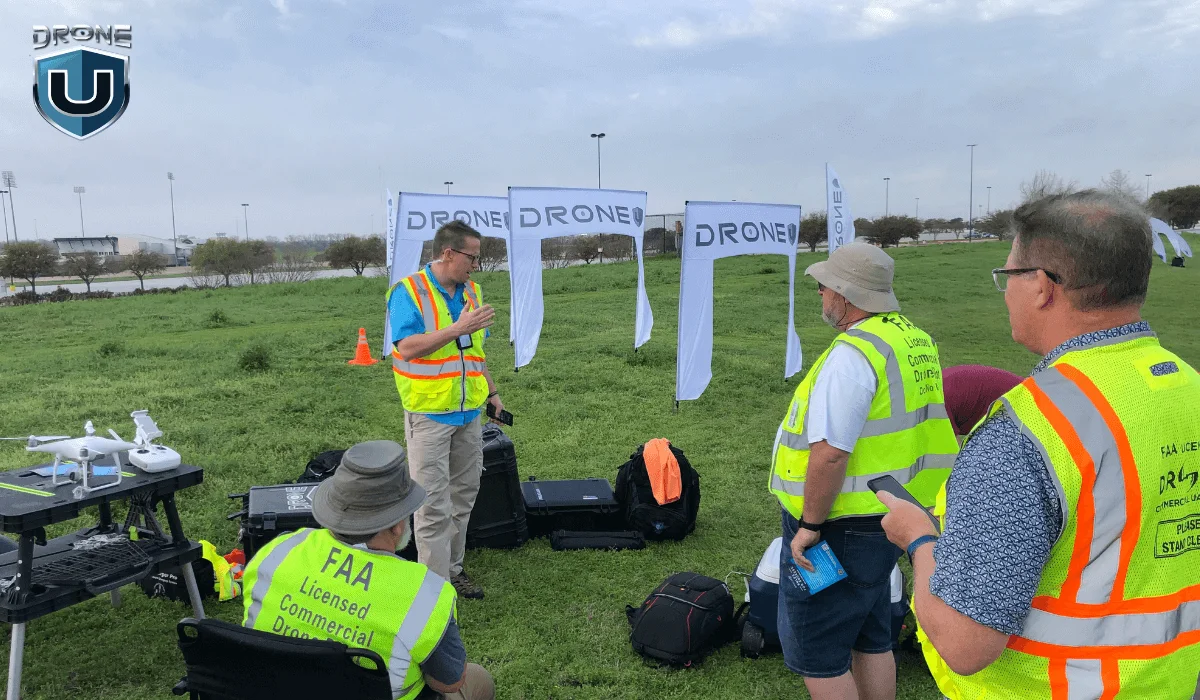
Flying a drone for the first time can be both exciting and a bit intimidating.
Here are some tips to help you get off to a flying start:
1. Start with a Beginner-Friendly Drone
Look for a drone with features that make flying easier, like automatic hovering, one-touch takeoff and landing buttons, and limited speed options. These features are common in beginner drones, which are typically more affordable and can handle those bumps and wobbles that come with learning to fly.
2. Learn the Basics in an Open Space
Choose a wide-open space for your first flights. This gives you plenty of room to maneuver and experiment with the controls without worrying about hitting people, animals, or obstacles.
3. Understand Your Drone’s Controls
Before you launch your drone for the first time, take some time to get comfortable with the controller. Learn how to make it go up and down (ascend and descend), move forward and backward, and spin (rotate). Knowing these controls like the back of your hand will make flying much smoother and more enjoyable.
4. Check the Weather Conditions
Avoid flying in bad weather conditions. High winds, rain, and snow can affect the drone’s performance and might lead to loss of control or damage. Ideal conditions are clear skies with little to no wind.
5. Respect Privacy and Follow Local Laws
Be mindful of privacy concerns and local laws regarding drone flying. Avoid flying over private property or taking photos or videos of people without their consent. Always check and abide by local regulations concerning drone flight.
6. Keep Your Drone in Sight
Maintain a visual line of sight with your drone at all times. This not only complies with many countries’ regulations but also reduces the risk of losing your drone. You should also be careful when encountering unexpected obstacles.
7. Use Propeller Guards
If your drone comes with propeller guards, use them, especially during your learning phase. They can protect your drone’s propellers from damage during minor crashes and bumps.
8. Practice with Flight Simulators
Many drone manufacturers offer flight simulator software. This allows you to practice flying in a virtual environment on your computer or smartphone. This is a great way to hone your skills without the risk of crashing your real drone.
Remember, patience and practice are key to becoming a skilled drone pilot. Take your time to learn and enjoy the process of discovering what your drone can do.
Conclusion
If you’re interested in getting started, a variety of best budget drones for beginners are available that offer impressive features at an affordable price.
The world of drones continues to evolve, offering exciting possibilities for beginners and experienced pilots alike. The drone’s capability to take breathtaking aerial photos and videos is growing in popularity.
With the knowledge you’ve gained here, you’re ready to take flight and explore this dynamic world.
Stay tuned for future articles where we delve deeper into specific drone models and advanced features.
Frequently Asked Questions
1. What is the best budget entry level drone?
You can start practicing with the Ryze Tello or DJI Neo.
2. Is It easy for beginners to learn how to fly drones online?
Yes, many resources are available to help you learn how to operate and maintain your drone. You can also check out our course library.
3. How much should a beginner spend on a drone?
A beginner should spend between $100 to $500 on a drone, depending on their needs.
Under $200: Best for casual flying and learning controls. These drones usually have basic cameras and limited features. You can check our article to find the best drones with cameras under $200 for top recommendations.
$200 to $500: Ideal for beginners who want better stability, camera quality, and smart flight modes. For top picks, check out our article on the best drones under $500.
Spending within this range ensures you get a reliable drone without overspending on advanced features you may not need right away.
4. What is the best budget drone for mapping?
You can go with the DJI Mini 3 Pro. For a detailed review, check out this article on DJI Mini 3 Pro vs. 4 Pro. If budget is not a constraint for you, check our detailed guide on drone mapping where we have listed the best mapping drones.
5. Why is durability important in a beginner’s drone?
Crashes and bumps are part of the learning curve for any new pilot. That’s why durability is a key factor for beginners. A well-built drone can take a few knocks without breaking down, allowing you to focus on mastering flight skills without worrying about constant repairs or replacements.
3
Class B Airspace: A Comprehensive Guide for Drone Pilots
Are you thinking of flying your drone near a major airport? Then you need to understand Class B airspace.
Class B airspace surrounds the busiest airports in the country. It’s where high-speed aircraft operate in a structured, tightly controlled environment. Flying in this airspace requires coordination with Air Traffic Control (ATC) and strict adherence to regulations.
I know it does sound intimidating especially if you are a new drone pilot.
However, with the right knowledge, you can navigate this airspace safely and legally.
This comprehensive guide will cover everything you need to know about Class B airspace, from airspace structure to flying rules, requirements, and navigation tips.
Let’s get started!
What is Class B Airspace?
Class Bravo or Class B Airscape is highly controlled airspace in the U.S. It constitutes some of the busiest airports in the country, such as Los Angeles International (LAX), John F. Kennedy International Airport (JFK), Chicago O’Hare (ORD), and Atlanta Hartsfield-Jackson (ATL).
Class B airspace is designed to move high-speed commercial jets and planes safely. Making it one of the most restricted and strictly regulated airspace for drone pilots.
Let’s understand its structure.
Structure of Class Bravo Airspace
Class B airspace is not just busy, it is massive. It has a unique layered structure that helps in managing different types of aircraft and air traffic efficiently.
Unlike Class D airspace, which is shaped like a simple cylinder, Class Bravo airspace is designed in layers. It resembles an upside-down wedding cake. This tiered structure helps separate aircraft based on altitude and flight paths.
The central core part covers the primary airport area and extends from the surface up to the ceiling, with two or more layers of additional shelves for arrival and departure routes.
As you move toward the outward layers, each shelf’s base altitude or floor area increases.
Breaking Down the Layers of Class B Airspace
Remember, Class B airspace has ‘no standard’ structure or shape.
Each airport has a unique structure, designed to meet the specific needs of the airport and its surrounding areas. Here’s a general breakdown of its structure:
1. Core area: It is the innermost layer, covering the area directly around the airport.
It extends from the ground up to a set altitude of 10,000 feet MSL (mean sea level), with a 10 NM (nautical miles) radius.
2. Middle shelves or layers: The middle layers expand outward as altitude increases. It typically begins at an altitude of 1,500 feet from surface area, and goes up to 10,000 feet MSL, covering a 10 to 20 NM radius from the airport.
Usually, aircraft use these layers to ascend or descend while approaching or departing from the airport.
3. Outer shelf: The final layer expands out to a 30 NM radius from the primary airport and begins at an altitude of 7,000 feet from surface area to 10,000 feet MSL.
By this point, drone pilots need not to even worry, because drones are limited to flying only up to 400 feet AGL (above the ground).
This means, if you’ll be flying your drone close to a Class B airspace airport, then mostly you’ll be flying in the core area—which is also the busiest layer of the Class B airspace.
Now that you have a foundational understanding of Class B airspace structure, it will be easier for you to identify it on a sectional chart.
How to Identify Class Bravo Airspace on Charts
Class B airspace is represented using solid blue lines on a Terminal Area Chart (TAC), similar to sectional charts.
While sectional charts provide a broad overview, TACs give you a detailed view of Class B and Class C airspace, helping you navigate complex airspace structures.
The smallest circle in the center marks the core airport area, while the larger circles indicate the middle and outer layers of shelves.
Inside the central core, there’s a strange fraction with 100 on top and SFC at the bottom (100/SFC). However, this is not a fraction, these are labels representing the floor and the ceiling altitudes of each airspace segment.
- The top number (100) represents the ceiling, meaning the airspace extends up to 10,000 feet MSL.
- The bottom part (SFC) represents the floor, meaning the airspace starts at the surface level.
- And, if there is a number at the bottom part (40), this means the airspace starts at 4,000 feet MSL.
The further you get from the central core, you’ll see different expanding circles, each with its own floor and ceiling fraction labels. These changing labels represent the different layers of the upside-down wedding cake.
Sometimes, you’ll see a + sign preceding the lower number (70/+50), this means the airspace floor starts above the altitude shown on the chart.
Lastly, you must be extra cautious about the magenta circle around the Class B airspace, also known as the edge of Mode C Veil.
It’s a 30 NM (nautical-mile) area around the airport, and all manned aircraft in this area have an operating Mode C transponder and ADS-B Out equipment because it indicates an area of high air traffic density around Class B airports.
Let’s explore the requirements now.
Class B Airspace Requirements for Drone Pilots
To fly a drone in Class B airspace, you must meet the following requirements:
1. FAA Authorization
You cannot fly drones in Class B airspace without FAA approval.
The Low Altitude Authorization and Notification Capability (LAANC) system allows quick approvals for drone flights in certain areas of Class B airspace.
If LAANC is available in your area, you can request a near real-time authorization using apps like AirMap, Kittyhawk, UASidekick, or Airhub Portal.
In case LAANC is not available in your area, go for a manual request through the FAA DroneZone.
Tip: Manual FAA approvals can take several days or weeks to get approved, so plan your application in advance.
2. Pilot Certification
To fly drones for commercial projects, you must hold a Part 107 Remote Pilot Certificate issued by the FAA.
Whereas, if you are flying a drone just for recreational purposes, certification is not required.
3. Air Traffic Control Clearance
Some Class B airspace require ATC clearance, because it’s a tightly controlled airspace with high-density air traffic, and ATC ensures safe separation of traffic.
Key Rules for Flying in Class Bravo Airspace
Here are the two rules you have to consider while flying a drone in the Class Bravo Airspace:
1. Class Bravo Airspace VFR Weather Minimums
Visual Flight Rules (VFR) is a set of weather condition regulations set by the FAA. These rules help aircraft and drone pilots to maintain proper visibility while flying to avoid mid-air collisions.
To fly per VFR in Class Bravo airspace you must have at least:
- Visibility: 3 SM (statute miles) of visibility
- Cloud Clearance: Remain clear of clouds (no specific distance required from clouds)
Tip: Always check real-time weather conditions before flying inside or near Class B airspace.
2. Class Bravo Airspace Speed Limits
Class Bravo airspace has some strict speed limits to prevent collisions and buy more time for aircraft pilots to maneuver safely in a congested area.
The maximum speed inside Class B airspace is 250 Knots. This applies to all the altitudes, when inside Class B.
Whereas, if flying under the shelves of Class B airspace or VFR corridors, the maximum speed in these areas is 200 knots. This limit helps aircraft safely transition in and out of Class B airspace.
How to Navigate Class B Airspace as a Drone Pilot
Navigating Class B airspace as a drone pilot is all about situational awareness. Here are some tips to navigate through this airspace safely:
- Always fly in your approved zone, and within drone flying altitude limits (under 400 feet AGL).
- Use drone flight applications like AirMap to monitor real-time air traffic and alerts.
- Stay alert and keep an eye out for manned aircraft. You can use apps like FlightAware or listen to ATC frequencies to track nearby aircraft.
- Always be prepared for an emergency. Make sure you have an emergency landing spot, in case something unexpected happens.
If you already have an ATC clearance, radio communication with ATC is not mandatory for drone pilots during the flight.
However, you need to stay connected and be ready to communicate with ATC if required.
If ATC gives an instruction such as, to move away from a path or land immediately—then you must comply without any delays.
Conclusion
Whether you are an experienced commercial drone pilot or a beginner recreational flyer, Class B airspace can feel quite intimidating and complex at first.
By knowing the airspace structure, flying requirements, and operational procedures, you can confidently plan and execute your drone flights in the Class Bravo airspace.
Interested in learning more about airspace?
Check out our drone pilot training programs here.
Frequently Asked Questions
1. Can you fly a drone under Class Bravo airspace?
If you’re outside the horizontal boundaries of Class Bravo airspace, you do not need special authorization.
Even if Class Bravo airspace extends above your flight area, as long as you’re not within its controlled layers, you can fly under it without restrictions (up to 400 feet AGL).
But if you are inside the Class B boundary (even close to the surface), you must get FAA authorization and ATC clearance before flying.
2. What are Class Bravo airspace requirements?
To fly a drone in Class Bravo airspace, you must:
- Obtain an FAA authorization via LAANC or FAA Drone Zone.
- Hold a Part 107 Remote Pilot Certification
- Get an ATC clearance if required
- Comply with altitude restrictions
- Avoid take-off and landing paths of aircraft
3. How many Class B airspaces are there in the US?
There are a total of 37 Class B airspaces in the United States. Some of the busiest Class B airspace airports include:
- Los Angeles International Airport (LAX)
- John F. Kennedy International Airport (JFK)
- Chicago O’Hare International Airport (ORD)
- Dallas/Fort Worth International Airport (DFW)
- Atlanta Hartsfield-Jackson International Airport (ATL)
4. How can I get drone flight authorization in a zero-grid Class B airspace?
A zero grid is an area in the controlled airspace that has the highest level of restrictions. Meaning, online LAANC approval might not be available for these areas. However, you can still apply for a manual FAA authorization via DroneZone.
5. What is the fastest way to get manual authorization to fly a drone in restricted Class B airspace?
The fastest way to get manual authorization to fly a drone in restricted Class B airspace is to:
- Submit a request via FAA DroneZone as early as possible, because approvals can take days or even weeks.
- Provide all necessary documents upfront (e.g., Remote Pilot Certificate, flight plan, reason for flying).
- Contact your nearest, local Air Control Traffic (ATC) tower to get clearance.
In case this manual process gets delayed, try to consistently follow up with the FAA and ATC to expedite the process.
Or, look for other alternative flight locations, which are less restrictive than Class B airspace.
3
Absolute vs. Relative Location: Why It Matters for Drones
Imagine you’re flying a drone over a city. The coordinates on your map tell you exactly where you are, but how do you describe your position in simpler terms? Are you talking about a fixed point on Earth, or are you comparing your location to something else around you?
When it comes to understanding location, two concepts dominate, relative location and absolute location. Both are essential for pilots, travelers, and even everyday navigation.
In this article, we’ll break down the differences between absolute vs. relative location, why these distinctions matter, and how they affect your journey.
First, let’s look at their roles in drone operations before understanding both terminologies.
Why Do Absolute and Relative Locations Matter?
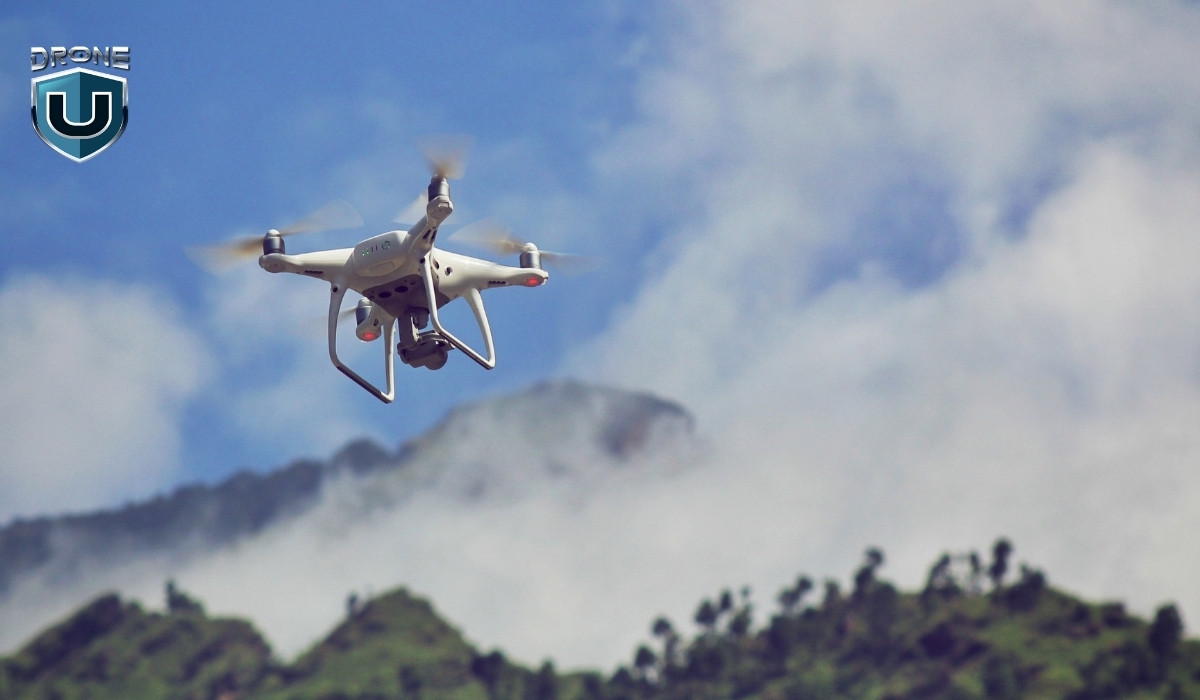
When you’re piloting a drone, absolute location is a non-negotiable aspect of your flight operations.
Why? Because precise location data ensures you can:
- Avoid obstacles and know where you are in relation to airspace boundaries.
- Maintain a safe flight path, especially in urban environments.
- Perform accurate drone mapping and surveying.
However, relative location is important for understanding local context, such as flying near landmarks or guiding someone to your drone’s landing site.
Let’s understand them properly.
What Is Absolute Location?
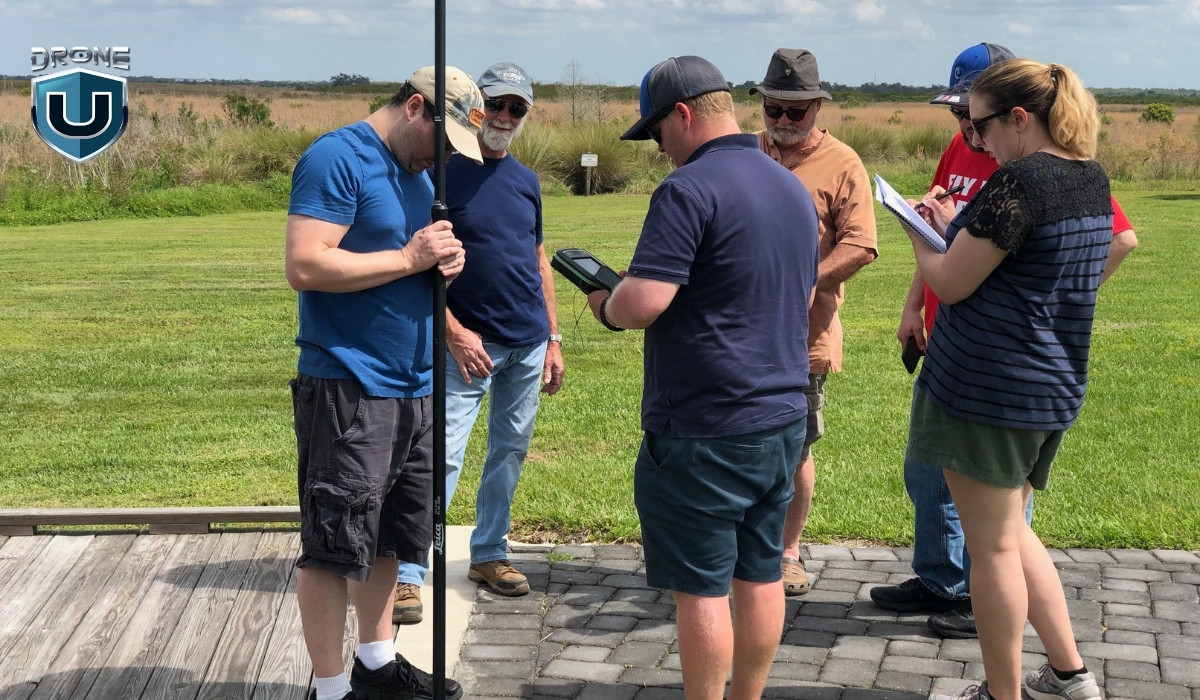
Absolute location refers to a fixed point on Earth, often expressed in coordinates such as latitude and longitude. This method of describing location is exact, precise, and permanent—it doesn’t change no matter where you go.
Absolute location is crucial for navigation, mapping, and drone operations. It provides an exact reference, ensuring that systems relying on coordinates, such as flight controllers or air traffic control, can function without error.
Key Features of Absolute Location:
- Fixed Coordinates: Uses a global coordinate system like GPS (Global Positioning System).
- Unchanging: The location remains constant, regardless of surrounding landmarks.
- Highly Accurate: You can pinpoint a location to a high degree of accuracy, even down to the exact spot.
Example:
A drone’s GPS coordinates (e.g., 40.748817° N, 73.985428° W) are an absolute location. This tells you exactly where the drone is at a specific moment in time, with no room for interpretation.
What Is Relative Location?
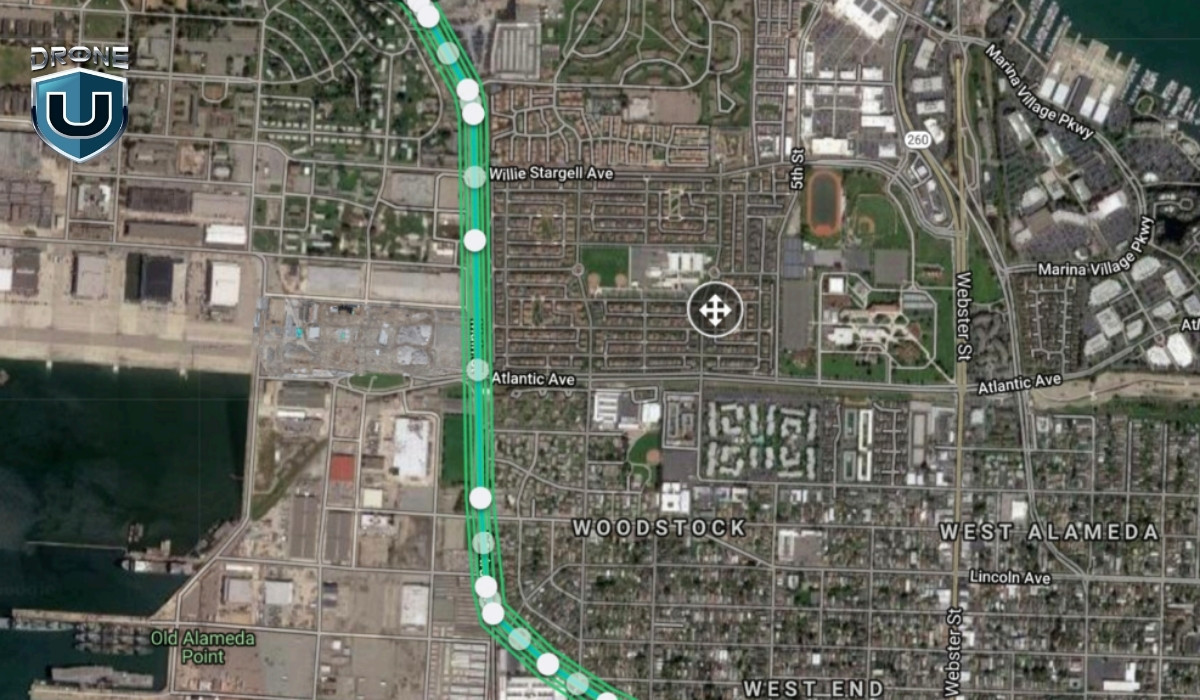
Relative location describes a place in relation to another place. Rather than using coordinates, it compares the target location with nearby landmarks, cities, or natural features to give a sense of where it is.
The relative location is perfect for everyday communication. It’s useful when you need to explain your surroundings, like telling someone how to find your house or giving directions for drone operations in a specific area. However, it’s not as reliable for precision-based activities such as aviation.
Key Features of Relative Location:
- Descriptive: Describes a place relative to something else, like “next to the gas station” or “across from the park.”
- Dynamic: This location can change depending on where you are standing or how you reference it.
- Subject to Interpretation: People may describe the same location differently, depending on their perspective.
Example:
Let’s say you’re flying a drone near a city park. You might describe your drone’s location as “north of the city park,” which is a relative location based on the park’s position in the area.
Absolute vs. Relative Location Accuracy in Drone Operations
To make things clearer, let’s break it down in a simple table:
| Aspect | Absolute Accuracy | Relative Accuracy |
| Definition | Accuracy of coordinates in real-world positioning | Consistency of measurements within a survey |
| Example | Georeferenced maps aligning with GPS coordinates | Comparing images over time to detect changes |
| Use Case | GPS systems, aerial navigation, precise mapping | Directions, landmarks, local descriptions |
| Impact on Drones | Ensures location precision for autonomous flight | Improves internal consistency for change detection |
Now that we have a clear understanding of absolute vs. relative location, let’s explore how these locations play a significant role in drone operations.
How is Absolute Location Important for Drone Operations?
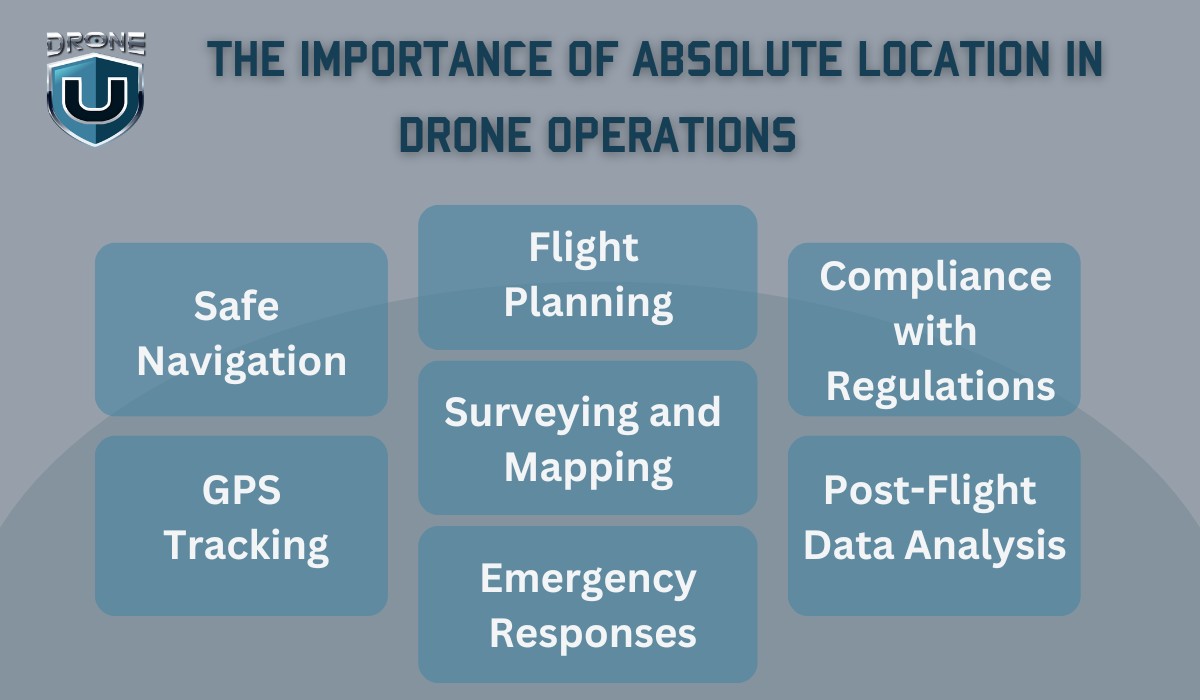
Absolute location is crucial for drone operations, particularly because it provides precision and accuracy. Drones rely on precise coordinates, such as latitude and longitude, to ensure safe, efficient, and accurate flights.
Here’s how absolute location plays a vital role in various aspects of drone operations:
1. Safe Navigation
For drones to fly safely, especially in complex environments like urban areas or near other aircraft, they need to know their exact location. The absolute location ensures that:
- Drones can avoid obstacles (e.g., buildings, trees, power lines) by providing accurate data about their current position.
- Flight paths are precise, ensuring that the drone follows its planned route without straying into restricted airspace or no-fly zones.
2. GPS Tracking
Drones use GPS systems to determine their absolute location during flights. This provides:
- Real-time tracking of the drone’s position, which is essential for operators to monitor and control the drone remotely.
- Autonomous navigation for drones programmed to follow specific paths, such as in mapping or surveying missions. The drone will rely on its absolute location to navigate from point A to point B accurately.
3. Flight Planning
Before a drone flight, operators plan the flight route, often using maps or specialized software that relies on absolute location data. This ensures:
- Optimal routing, especially when flying long distances or over large areas for surveying or inspection.
- Compliance with regulations, as certain zones, like airports or military areas, have restricted airspace. Absolute location data ensures the drone avoids these zones by staying within permissible boundaries.
4. Surveying and Mapping
Drones are widely used in industries like construction, agriculture, and real estate to create accurate maps or conduct land surveys. Here, absolute location is vital because:
- Coordinates from GPS allow drones to capture precise imagery or data at exact locations.
- This data can later be used to create highly accurate 3D models or maps, useful for planning and decision-making in fields like urban development or agriculture.
5. Emergency Responses
During search-and-rescue missions or emergency operations, drones with absolute location capabilities can:
- Quickly pinpoint the location of the incident, whether it’s a wildfire, missing person, or accident site.
- Share real-time GPS coordinates with emergency responders to ensure fast and efficient coordination.
6. Compliance with Regulations
In many countries, including the United States, FAA regulations require drone operators to adhere to specific rules regarding where drones can fly. Absolute location helps operators:
- Stay within legal limits by ensuring drones don’t fly into restricted or no-fly zones.
- Maintain a clear record of their flight paths and locations for regulatory purposes, especially when operating in controlled airspace.
7. Post-Flight Data Analysis
After a flight, absolute location data can be used for:
- Analyzing flight performance, like the accuracy of the drone’s path or how well it adhered to its planned route.
- Verifying mission success, especially in tasks like surveying, mapping, or inspecting where precise location data is essential for the outcome.
How is Relative Location Used in Daily Life?
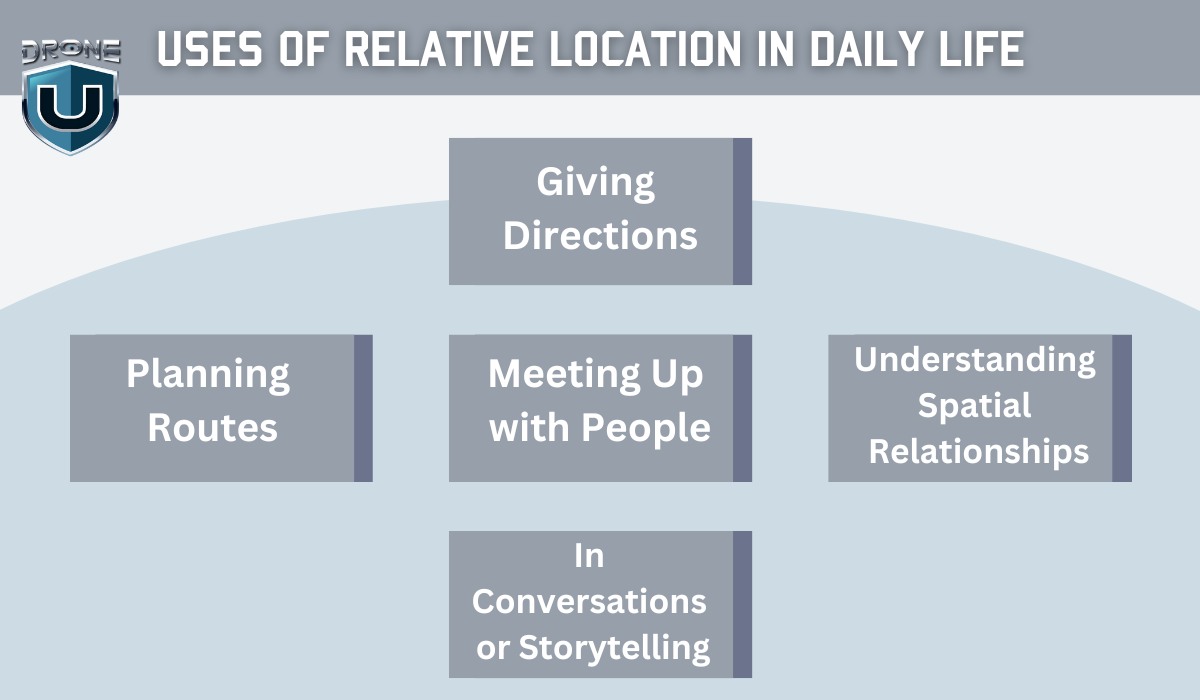
Relative location is incredibly useful in daily life because it helps us navigate and understand our surroundings without needing precise coordinates or maps.
It’s the way we describe places in terms of proximity to other known landmarks or places.
Here are a few practical ways relative location is used daily:
1. Giving Directions
When people ask for directions, they usually use relative location to explain where something is. For example:
- “The coffee shop is next to the post office.”
- “My house is across from the grocery store.”
This method of giving directions doesn’t rely on exact coordinates. Instead, it’s all about landmarks and familiar points of reference.
2. Planning Routes
When driving or walking, we often plan our routes using relative location. For instance:
- “Turn left at the traffic light and continue until you see the big red building on your right.”
- “My friend lives two blocks away, next to the park.”
This helps us navigate through areas we already know without needing detailed maps or GPS.
3. Meeting Up with People
When making plans to meet someone, relative location is key:
- “I’ll meet you in front of the library.”
- “Let’s gather at the park near the fountain.”
These descriptions give a good sense of where to meet without requiring exact coordinates. We rely on shared knowledge of common places.
4. Understanding Spatial Relationships
Relative location is also used to understand the spatial arrangement of things around us. For example, when you’re at a shopping mall:
- “The food court is on the second floor, across from the electronics store.”
- “The restroom is in the back, next to the exit.”
This kind of description makes it easy to find things based on their position relative to each other.
5. In Conversations or Storytelling
In daily conversations, we often use relative location to describe where things happened or to explain a situation:
- “I was at the park when I saw the fire truck coming from the hospital nearby.”
- “He lives right by the beach, near the old lighthouse.”
This helps others visualize and understand locations without needing specific addresses or coordinates.
Conclusion
In the world of navigation, absolute vs. relative location both serve their purposes. While absolute location provides precision and is vital for reliable navigation and drone operations, relative location helps with orientation and provides context in everyday conversations.
Understanding the distinction between these two can make your drone flights more efficient and safe, particularly when you need to communicate with ground teams or plan your next move.
FAQs
1. How to Find Exact Location by Using Longitude and Latitude?
Absolute location relies on longitude and latitude to pinpoint a precise spot on the Earth’s surface. So, how do you use these coordinates to find an exact location?
Let’s break it down!
1. Understand the Coordinate System
To find a location using longitude and latitude, you first need to understand the coordinate system:
- Latitude: Measures the distance north or south of the Equator. It ranges from 0° at the Equator to 90° at the poles.
- Longitude: Measures the distance east or west of the Prime Meridian, which runs through Greenwich, England. Longitude ranges from 0° at the Prime Meridian to 180° east and west.
Together, these coordinates provide a precise, unchanging location anywhere on Earth.
2. Use an Online Map or GPS Tool
One of the easiest ways to find the exact location is through Google Maps or a GPS tool. Here’s how:
A. Google Maps
- Open Google Maps.
- In the search bar, enter the latitude and longitude. For example, 40.748817, -73.985428.
- Hit Enter, and Google Maps will zoom directly to that exact location.
B. GPS Devices or Apps
If you’re using a GPS device or smartphone:
- Enter the coordinates into your device.
- The GPS will show you the exact spot based on those coordinates.
3. Plotting Coordinates on a Map
If you prefer a more manual approach, you can plot the coordinates on a map:
- Latitude tells you whether the location is north or south of the Equator.
- Longitude indicates whether the place is east or west of the Prime Meridian. Using a physical map, you can trace the coordinates to pinpoint the exact location.
4. Using GPS for Drones
For drone operators, GPS coordinates are critical. By inputting the absolute location into the drone’s GPS, you ensure your drone stays on track and avoids obstacles. This allows you to navigate to an exact spot with precision.
2. What Tools Are Used to Find an Absolute Location?
GPS, Mapping software, and Compass are mainly used for accurate and reliable absolute location data for navigation, mapping, and drone operations.
3. Can the Same Place be Described Using Both Absolute and Relative Location?
Yes, the same place can be described using both absolute and relative location, but the two provide different types of information.
- Absolute Location: This is the precise, fixed point on Earth given by latitude and longitude coordinates. For example, the Eiffel Tower is located at 48.8584° N, 2.2945° E. This gives an exact, unchanging position.
- Relative Location: This describes a place in relation to another known location. For example, the Eiffel Tower is located in Paris, France, near the Seine River, or west of the Louvre Museum.
Both descriptions give you a clear understanding of where the place is, but absolute vs. relative location highlights the difference. The absolute location gives exact coordinates, while the relative location provides context and landmarks for easier understanding.
1

Top 7 Challenges in Synchronizing Drone Light Shows
Imagine hundreds of drones forming mesmerizing patterns in the night sky. Then suddenly, one drone malfunctions mid-performance, breaks formation and crashes into the audience.
Sounds like a nightmare, right?
Unfortunately, that’s exactly what happened at a holiday event in Orlando, Florida in December 2024.
A seven-year-old boy was severely injured after being struck by a falling drone. The incident sparked concerns about drone synchronization, safety, and risk management in large-scale aerial performances.
So, what are the common challenges in drone light shows, and how can they be addressed to prevent incidents like this?
Let’s break it down.
1. Communication Latency and Signal Interference
Communication latency and signal interference is one of the most common challenges in drone light shows.
In a drone light show, continuous communication between drones and the ground control system is essential for precise synchronization. However, issues such as signal delays, interference, and transmission failures can cause serious disruptions.
Here are the issues that occur due to communication latency and signal interference:
- Signal Latency: A delay in sending or receiving commands can cause drones to drift out of formation.
- Radio Frequency Interference (RFI): Crowded frequency bands can lead to communication failures, especially in urban areas.
- Data Packet Loss: Loss of transmitted data may cause drones to miss commands, leading to inconsistent movement.
Mitigation Strategies
- Use multiple communication channels/frequencies (e.g., 2.4 GHz, 5.8 GHz) to prevent interference.
- Implement Frequency Hopping Spread Spectrum (FHSS) to dynamically switch frequencies and avoid signal congestion.
- Test signal strength and latency at the venue before the show to identify potential weak spots.
- Use real-time RF monitoring tools to detect sudden interference and automatically switch frequencies when needed.
2. GPS Reliability Issues
GPS is essential for keeping drones in perfect formation during a light show. It provides precise location data, allowing drones to navigate, and perform intricate movements. However, GPS isn’t foolproof; any disruption can cause drones to drift out of sync, break formation, or even collide mid-air.
Reasons for GPS failure include:
- Urban environments: Skyscrapers and tall buildings block satellite signals.
- Magnetic interference: High-power electronic equipment disrupts GPS accuracy.
- Solar storms: Electromagnetic radiation from solar storms can affect GPS signals.
- Multipath Effects: Signals bouncing off surfaces (e.g., buildings or water) may confuse GPS receivers and cause drones to deviate from their planned paths.
Mitigation Strategies
- Use Real-Time Kinematic (RTK) GPS for centimeter-level accuracy.
- Implement LiDAR or optical flow sensors for non-GPS navigation.
- Survey the venue beforehand to identify potential GPS blind spots and interference sources.
- Equip drones with dual-GPS receivers to increase signal redundancy.
3. Software Integration and Choreography Execution
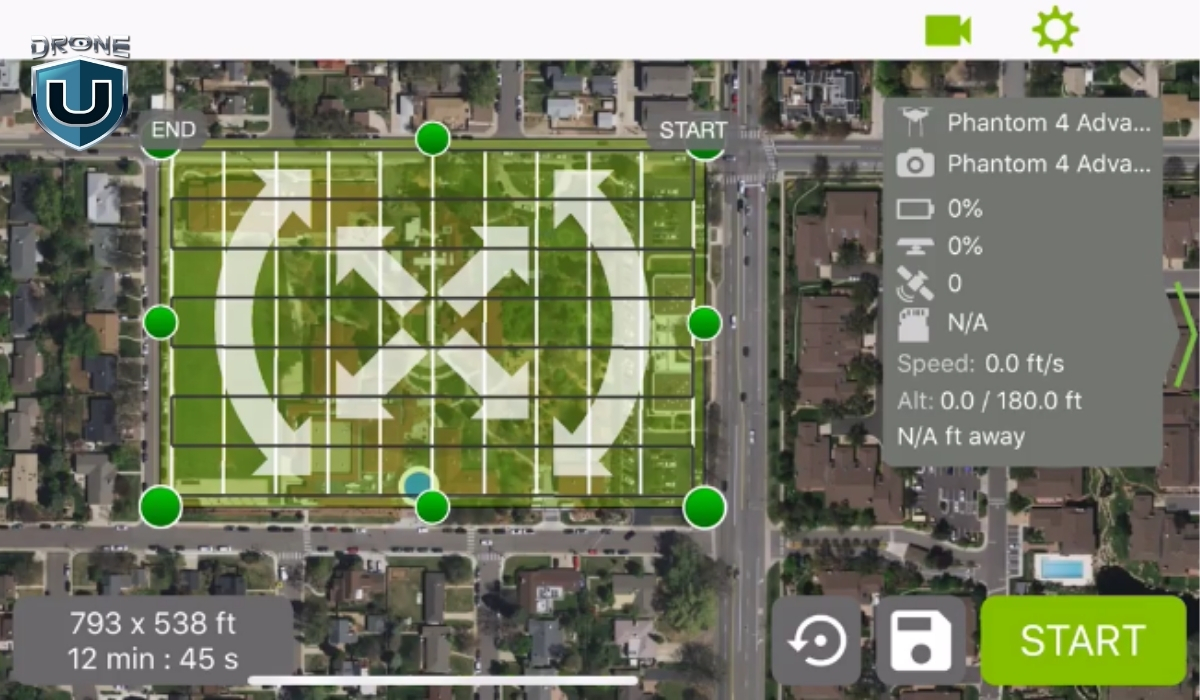
Coordinating hundreds or thousands of drones requires specialized software to create, simulate, and execute complex aerial movements. However, mismatched firmware, outdated systems, or software bugs can lead to:
- Incorrect timing of drone formations.
- Failure to execute planned animations.
- Sync issues between drones using different operating systems.
Mitigation Strategies
- Keep all drones updated with the latest firmware.
- Run extensive simulations to detect and correct timing inconsistencies.
- Use cloud-based control systems for real-time adjustments.
- Incorporate backup systems or fallback software to take over in case of a primary system failure during the show.
4. Weather and Environmental Challenges
Weather and environmental conditions play a major role in the challenges in drone light shows. Bad weather can have a significant impact on the performance and coordination of drones.
Environmental factors such as wind, rain, and electromagnetic interference significantly affect drone stability and synchronization.
Some common environmental factors include:
| Environmental Factor | Impact on Drone Show | Solution |
| Strong Winds | Drones drift, breaking formation | Use wind-resistant drones & adjust flight speed |
| Rain & Humidity | Water damage & short circuits | Use waterproof coatings & weather monitoring |
| Magnetic Interference | GPS errors & erratic behavior | Test venue for electromagnetic interference |
Mitigation Strategies
- Check weather forecasts and have a backup plan.
- Use wind-resistant drones with advanced stabilization.
- Conduct wind and pressure tests before the show.
- Apply waterproof coatings to drones and use moisture-sealed components to protect against rain and humidity.
5. Safety Protocols and Risk Management
A poorly executed drone show can lead to injuries, lawsuits, and reputational damage. The Orlando drone show accident is a stark reminder of the importance of rigorous safety protocols.
Key risk factors include:
- Flying drones too close to the audience.
- Battery failures mid-flight
- Mid-air collisions between drones.
Mitigation Strategies
- Clearly define and enforce designated no-fly zones around the audience
- Perform thorough pre-show checks and flight tests to identify any potential issues with battery life, drone stability, and synchronization.
- Implement manual override systems to take control in case of system failure.
- Ensure all crew members are fully trained in emergency procedures
- Consider using safety nets or physical barriers to protect the audience from any accidental drone falls
6. Legal and Regulatory Compliance

Each country has strict drone regulations for safety and airspace management. Operating without the necessary permits can lead to hefty fines or show cancellations and serious legal liabilities.
Navigating these legal frameworks is crucial for every drone operator to maintain both safety and compliance.
Key legal and regulatory challenges include:
- Permits for Nighttime Operations: In the U.S., operating drones at night requires special waivers or permits.
- Airspace Restrictions: You must be aware of controlled airspaces, no-fly zones, and restricted areas where drone flights are prohibited.
- Drone Registration and Licensing: All drones used in a light show must be properly registered with the appropriate aviation authority.
Mitigation Strategies
- Obtain FAA waivers for nighttime drone operations in the U.S.
- Ensure all drones are registered and pilots are licensed.
- Adhere to altitude restrictions and airspace laws.
- Always have necessary documentation on hand, including waivers, registrations, and insurance certificates.
7. Future Innovations in Drone Synchronization

The future of drone light shows is on the verge of a technological revolution. With advancements in AI, machine learning, and 5G connectivity, these light shows are becoming more precise, efficient, and immersive.
One key innovation is the use of AI algorithms to optimize flight paths in real-time. It ensures smoother and more accurate performances.
Additionally, machine learning models can predict system failures or malfunctions by analyzing historical performance data and the current status of drones. This proactive approach allows operators to address potential issues before they occur, improving safety and preventing disruptions during the show.
Moreover, 5G technology promises to transform drone light shows further. With ultra-fast communication, 5G enables drones to share data and synchronize their movements with near-zero latency. This ensures flawless coordination, even across large fleets of drones.
Mitigation Strategies
- Simulate Different Flight Conditions: Test the AI system’s ability to handle a variety of challenges during the performance.
- Update Systems Continuously: To maximize the effectiveness of machine learning, keep systems updated with real-time data throughout the show.
- Backup Communication Solutions: While 5G offers fast communication, it’s important to have alternatives (like Wi-Fi or LTE) in case of network disruptions.
- Drone Operator Training: Ensure operators are well-versed in working with AI-powered flight systems, including troubleshooting and manual intervention when needed.
- System Software Updates: Regularly update AI, machine learning, and 5G software to ensure optimal performance, bug fixes, and security enhancements.
Conclusion
Drone light shows are a beautiful fusion of advanced technology and creative artistry.,
At the same time, achieving a flawless performance requires more than just planning.
It demands careful testing, attention to detail, and strong safety measures.
As a drone pilot, your job is to anticipate challenges and implement risk mitigation strategies to ensure smooth synchronization in drone light shows.
The future holds even more breathtaking, safe, and flawless shows.
You can be at the forefront of this exciting evolution with your expertise.
1

-
 Brinc Admits, We Caused the DJI Drone Ban! EXCLUSIVE
-
 Brinc Admits they're behind DJI Ban | Auterion Creates Drone Swarm Brain
-
 Trump Card on the DJI Ban, May be Best drone news of 2025. Will he tiktok DJI?
-
 This Drone Trick Makes Real Estate Videos Awesome!
-
 Exploring Drone Security: Opportunities and Challenges
More on Hot Topics